
Tag: home automation

  • Secure Your Smart Home from AI Threats: A Non-Techy Guide

    Secure Your Smart Home from AI Threats: A Non-Techy Guide

    Secure Your Smart Home from AI Threats: A Non-Techy Guide to Advanced Protection

    As a security professional, I’ve seen firsthand how quickly technology evolves, and with it, the landscape of cyber threats. Our homes are becoming smarter, more connected, and undeniably more convenient. We’re welcoming an increasing array of devices into our personal spaces, from intelligent lighting systems and smart thermostats to security cameras and voice assistants. But have we truly stopped to ask: are these conveniences coming at a cost to our security? And more importantly, how can we secure them from the next wave of cyber threats powered by Artificial Intelligence?

    The rise of AI isn’t just about making our lives easier; it’s also empowering cybercriminals with advanced tools. It’s crucial for everyday internet users and small businesses to understand these evolving risks without getting bogged down in technical jargon. My goal here is to empower you to take control, not to alarm you. Let’s dive into how you can secure your digital sanctuary.

    Smart Home Basics: Convenience Meets Evolving Risks

    A smart home is essentially a network of internet-connected devices that can communicate with each other and be controlled remotely. It’s pretty amazing, isn’t it? From adjusting your lighting with a voice command to monitoring your front door from across town, these devices offer unparalleled comfort and control. But every connected device is a potential entry point for unauthorized access.

    Now, let’s talk about AI-powered threats. Simply put, AI allows machines to learn from data, identify patterns, and make decisions without explicit programming. In the wrong hands, this means cybercriminals can use AI to automate, personalize, and scale their attacks at a speed and sophistication we haven’t seen before. They don’t need to manually scour for vulnerabilities; AI does it for them, making your smart home a much more efficient target. We’re talking about threats that can quickly scan for and exploit weaknesses in your devices, create highly convincing phishing attempts, or even mimic voices to bypass security checks. We need to protect ourselves.

    Choosing Your Ecosystem: Building a Secure Foundation

    Before you even buy a single device, you’re often choosing a smart home ecosystem like Amazon Alexa, Google Home, or Apple HomeKit. This decision is more important for your security than you might think.

      • Amazon Alexa: Offers broad device compatibility. Security relies heavily on Amazon’s cloud infrastructure and your Amazon account’s security.
      • Google Home/Nest: Similar to Alexa, with deep integration into Google services. Security is tied to your Google account.
      • Apple HomeKit: Often touted for its privacy-centric approach, requiring devices to meet strict security standards. Typically more restrictive in terms of device compatibility.

    When selecting your primary ecosystem, consider the manufacturer’s track record for security and privacy. Do they offer regular updates? Are there documented incidents of breaches or privacy concerns? Opting for reputable brands that prioritize security isn’t just about quality; it’s about minimizing inherent vulnerabilities that AI-powered attackers can exploit.

    Smart Device Categories & Their Vulnerabilities to AI

    Every smart device brings a unique set of conveniences and, yes, potential vulnerabilities that AI can target:

    Smart Cameras & Doorbells

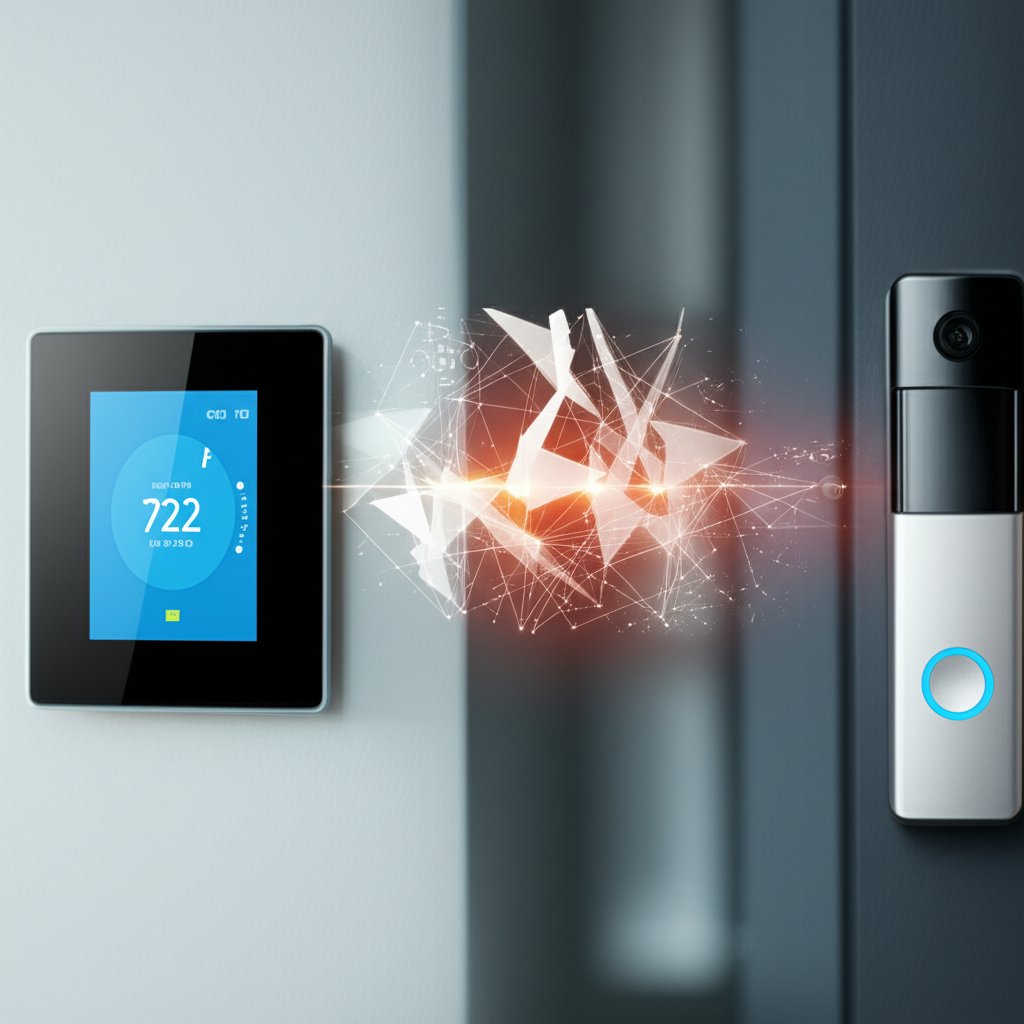
    These are goldmines for data (visuals of your home, facial recognition data). AI can be used for “adversarial attacks” – subtle alterations to images that trick the camera’s AI into misidentifying a person or object. Imagine an AI-generated image or a strategically placed laser beam making your camera ignore an intruder standing right in front of it, or misidentifying a known family member as an unknown person, triggering false alarms.

    Voice Assistants (Alexa, Google Assistant)

    They record and process your speech. AI-powered voice mimicry (deepfakes) could potentially trick these assistants into unlocking doors, disabling alarms, or ordering products. For instance, an AI could learn your voice patterns and generate a convincing command to “disarm the alarm” or “unlock the front door” while you’re away, granting unauthorized access.

    Smart Locks & Garage Door Openers

    While usually secure, if compromised, they offer direct physical access. AI can be used to scan for and exploit known vulnerabilities in their communication protocols faster than human attackers. An AI could relentlessly probe a smart lock for firmware flaws or insecure connections, potentially discovering a back door that gives an attacker full control.

    Smart Thermostats, Lighting, Plugs

    Though seemingly innocuous, these can serve as entry points into your network. If hijacked, they could become part of a botnet, silently participating in large-scale attacks without your knowledge, or even be used to monitor your home’s occupancy patterns for malicious purposes. An AI could learn your daily routine from smart light usage – when you leave, when you return – and communicate that to an accomplice for a physical break-in.

    Smart Hubs

    These are the brains of many smart homes. A compromised hub can give an attacker control over virtually all your connected devices. An AI could breach a hub, then systematically disable security cameras, unlock doors, and manipulate other devices in a coordinated attack, all while attempting to cover its tracks.

    The lack of standardized security protocols across manufacturers means varying levels of protection, creating a diverse landscape of potential weaknesses for AI to probe and exploit.

    Secure Setup & Installation: Closing AI’s Entry Points

    How you set up your smart home is incredibly important. You’ll want to take these critical steps from day one:

    1. Strong, Unique Passwords & Two-Factor Authentication (2FA): This is your first line of defense.
      • Change Default Passwords: This is non-negotiable. Manufacturers often use generic, easily guessable default passwords that AI tools are programmed to test first.
      • Unique Passwords for Every Device/Account: Don’t reuse passwords. Use a password manager to help you create and store strong, complex passwords for every single device and associated app. AI excels at “credential stuffing,” where stolen credentials from one site are used to try logging into hundreds of others. Unique passwords stop this in its tracks.
      • Enable 2FA: Wherever possible, activate two-factor authentication. This adds an extra layer of security, typically a code sent to your phone or generated by an app, making it much harder for AI-powered credential stuffing attacks to succeed even if your password is stolen.
    2. Keep Everything Updated: Software and Firmware are Key:
      • Install Updates Promptly: Updates aren’t just for new features. They fix critical security vulnerabilities that AI tools are designed to find and exploit automatically. Enable automatic updates if available.
      • Don’t Forget Your Router: Your Wi-Fi router is the gateway to your entire smart home. To further fortify your home network, ensure its firmware is always up-to-date. It’s often the first target for AI-driven network scans.
    3. Fortify Your Home Wi-Fi Network:
      • Strong Encryption: Use WPA3 encryption if your router supports it, otherwise WPA2-PSK (AES). Avoid older, less secure options like WEP, which AI tools can crack in minutes.
      • Change Router Credentials: Just like your devices, change your router’s default login username and password. These are often generic and publicly known.
      • Separate “Guest” or IoT Network: Many modern routers let you create a separate Wi-Fi network. Put all your smart home devices on this isolated network, away from your computers and phones. If a smart plug gets compromised by an AI attack, it won’t give an attacker easy access to your sensitive personal data on your main devices.
      • Disable UPnP and WPS: Universal Plug and Play (UPnP) and Wi-Fi Protected Setup (WPS) can be convenient but also introduce security risks by automatically opening ports or having easily brute-forced PINs. Disable them if you don’t actively need them, as AI can quickly exploit these common weak points.

    Automating Safely: Preventing AI-Driven Exploits in Routines

    Automation is a core benefit of smart homes, allowing devices to act based on triggers (e.g., “turn on lights when motion detected at night”). These routines can be incredibly useful, but they also represent a potential attack vector.

    If an AI-powered phishing attack manages to compromise your smart home hub’s account or a critical device, those carefully crafted automations could be turned against you. Imagine lights turning on and off to signal an empty house to an intruder, or locks disengaging under false pretenses initiated by a compromised routine. Regularly review your automation routines and the permissions they grant. Ensure that any accounts linked to your automation platform are secured with strong passwords and 2FA, and consider what impact a compromised routine could have.

    Voice Control & Deepfakes: Protecting Your Digital Voice

    Voice control is arguably one of the coolest features of a smart home. “Hey Alexa, dim the lights!” is wonderfully convenient. But as AI advances, so does its ability to generate highly realistic fake audio – known as deepfakes or voice mimicry. The potential is clear: an AI-generated voice could trick your smart assistant into executing commands or revealing information that should only be accessible to you.

    While direct smart home hacks using deepfake voices are still an emerging threat, it’s wise to be cautious about the level of trust you place in voice authentication. Review the privacy settings for your voice assistants, limit access to sensitive controls (like unlocking doors or making purchases) that can be voice-activated, and regularly delete voice recordings if your device allows it. Consider setting up a PIN for critical voice commands if your system supports it.

    Core Security Considerations: Direct Defenses Against AI Threats

    Beyond the initial setup, ongoing vigilance is key to combating advanced threats:

    Prioritize Privacy Settings & Data Minimization

    Smart devices collect a lot of data. Review the app permissions for all your smart devices. Does your smart light really need access to your microphone or location? Probably not. Revoke unnecessary access. Understand what data your devices collect and how it’s used by the manufacturer. Where possible, opt for local data storage (e.g., for security camera footage) instead of cloud storage. This minimizes the data footprint AI attackers can potentially exploit for profiling or extortion. Consider using a dedicated email address for smart home device registrations to further segment your digital footprint.

    Monitor Your Network and Devices

    You can’t defend against what you don’t know is happening. While advanced network monitoring might be technical, pay attention to unusual device behavior. Are your smart lights turning on or off unexpectedly? Is a camera recording when it shouldn’t be? These could be signs of compromise, potentially by an AI-driven attack seeking to establish a foothold or exfiltrate data. Some consumer-friendly smart firewalls can help detect suspicious traffic from IoT devices, alerting you to unusual activity.

    Leverage AI for Your Defense

    It’s not all doom and gloom! AI can also be a powerful ally. Many modern security systems and advanced routers now incorporate AI to detect anomalies in network traffic, identify suspicious patterns, and block attacks. Look for smart cameras with AI features like person/package detection, as these can reduce false alarms and provide smarter, more relevant alerts, enhancing your security without overwhelming you. Choosing devices with built-in AI defenses can effectively fight fire with fire.

    Understanding Automated Scanning and Exploitation

    AI tools can tirelessly scan the internet for vulnerable devices, identifying open ports, weak passwords, and unpatched software with incredible efficiency. Once found, they can automatically launch exploitation attempts. For instance, an AI might quickly find an older smart bulb with known firmware flaws, then use that access to map out your entire home network for further attacks. Your best defense here is strong, unique passwords, regularly updated firmware, and a properly configured firewall/router as detailed above.

    Intelligent Data Exfiltration

    Beyond simply getting in, AI can be used to analyze network traffic and stealthily extract sensitive data over long periods, making it very hard to detect. It might slowly siphon off fragments of information, blending into normal network activity – like collecting your home’s occupancy patterns, energy usage, or even snippets of conversations, without triggering typical alarms. Network segmentation (your dedicated IoT network) and careful monitoring are crucial here to prevent an AI from silently gathering intelligence on your household.

    Cost-Benefit Analysis of Smart Home Security

    Investing in smart home security isn’t just about buying expensive gear; it’s about smart habits and sometimes, minor upgrades. While a premium security-focused router or a smart firewall might have an upfront cost, consider it an investment. The potential cost of a data breach – identity theft, financial fraud, loss of privacy, or even physical security compromises – far outweighs these preventative measures. An ounce of prevention is truly worth a pound of cure when facing intelligent, automated threats.

    Many of the most effective steps, like changing default passwords, enabling 2FA, and regularly updating software, cost nothing but a few minutes of your time. The benefit is peace of mind and robust protection against increasingly sophisticated, AI-powered threats.

    Troubleshooting Security Issues: When AI Attacks

    Even with the best defenses, things can happen. If you suspect an AI-powered cyberattack or notice unusual activity, here’s what to do:

      • Disconnect the Suspect Device: Immediately unplug the device or disable its Wi-Fi connection to prevent further compromise or data exfiltration.
      • Change Passwords: Change the password for the compromised device, its associated app, and any linked accounts. Enable 2FA if you haven’t already.
      • Review Activity Logs: Check the device’s app or web portal for any suspicious activity logs that might indicate unauthorized access or commands.
      • Factory Reset: If unsure, a factory reset of the device might be necessary to wipe any lingering malware, followed by a secure re-installation using strong passwords and updated firmware.
      • Scan Your Network: Use a network scanner tool (many free options are available) to check for other compromised devices or open ports on your router.
      • Contact Support: Reach out to the device manufacturer’s customer support for guidance or to report a potential vulnerability.

    Future-Proofing Your Smart Home: Adapting to Evolving AI Threats

    The arms race between cyber attackers and defenders is continuous. As AI tools for threats become more sophisticated, so too will defensive AI. Staying ahead means understanding that security isn’t a one-time setup; it’s an ongoing process of education and adaptation.

    Keep an eye on cybersecurity news, especially concerning IoT and AI. Be critical of new devices and always prioritize security over convenience. Your proactive security habits are your most powerful tool in this evolving digital landscape, ensuring your smart home remains a sanctuary, not a vulnerability.

    Final Thoughts: Empowering Your Digital Home Security

    The prospect of AI-powered threats can sound intimidating, but it doesn’t have to be. By understanding the risks and implementing these straightforward, non-technical steps, you can significantly bolster your smart home’s defenses. It’s about combining smart technology with smarter user habits. You have the power to control your digital security and protect your sanctuary.

    Take these steps, starting with the easiest ones, and build your confidence. Your digital home security is in your hands, and by staying informed and proactive, you can stand strong against the next generation of cyber threats.


  • Smart Home Security: 5 Critical Vulnerabilities to Fix Now

    Smart Home Security: 5 Critical Vulnerabilities to Fix Now

    Welcome to the era of the smart home! You know, where your lights respond to your voice, your thermostat learns your preferences, and your front door locks itself when you leave. It’s incredibly convenient, isn’t it? But have you ever paused to consider what all this interconnectedness means for your security? While these devices promise to simplify our lives, they can also unwittingly roll out a welcome mat for cybercriminals, turning our sanctuaries into potential digital nightmares. This isn’t about fear-mongering; it’s about empowerment.

    As a security professional, I’ve seen firsthand how readily these conveniences can become critical vulnerabilities if left unaddressed. With more smart devices entering our homes and small businesses every day, our digital attack surface is expanding, making us prime targets. This article isn’t just going to point out the problems; we’re going to dive into 5 critical smart home security vulnerabilities that you need to fix now, providing you with practical, easy-to-understand solutions to safeguard your digital life and peace of mind.

    The Hidden Risks: Why Smart Homes Attract Cybercriminals

    Why are smart homes such tempting targets for hackers? It’s a combination of factors. These devices are constantly connected, often collecting a wealth of personal data – from your daily routines to your conversations. The sheer variety of manufacturers means security standards can vary wildly, and many devices are rushed to market without sufficient security measures in place. This creates numerous entry points for attackers.

    The types of attacks can range from annoying to devastating: think data breaches exposing your personal information, device hijacking where hackers take control of your cameras or smart locks, using your devices to launch Distributed Denial of Service (DDoS) attacks, or simply invading your privacy by listening in on your conversations. Smart devices, whether for your home or small business, are becoming integral to our lives, so understanding and mitigating these risks is no longer optional.

    How We Selected These 5 Critical Vulnerabilities

    When identifying the most pressing smart home security vulnerabilities, we focused on several key criteria:

      • Prevalence: How common are these issues in typical smart home setups?
      • Ease of Exploitation: How simple is it for an attacker, even one with limited skills, to take advantage of these weaknesses?
      • Potential Impact: What’s the worst that could happen if this vulnerability is exploited? (e.g., data theft, physical security compromise, privacy invasion).
      • Actionability: Can an everyday user or small business owner implement effective fixes without requiring advanced technical expertise?

    Based on these criteria, the following five vulnerabilities represent the most critical and widespread threats to your smart home’s security, demanding your immediate attention.

    1. Weak and Default Passwords

    This might sound like basic advice, but it’s astonishing how many smart devices and Wi-Fi networks still rely on weak, easily guessable, or even factory-default passwords. Think “admin/password,” “12345,” or the name of your router manufacturer. Hackers absolutely love this, and honestly, can you blame them?

    The Problem: Many devices are shipped with universal default login credentials, or users simply don’t bother to create strong, unique passwords during setup. Criminals leverage automated tools to scan for devices with these known defaults or to run brute force attacks, guessing common passwords until they get in. Once they have your Wi-Fi password or access to a single smart device, they can often gain a foothold into your entire home network, potentially spying on you, stealing data, or even recruiting your devices into a botnet to launch further attacks. For small businesses, this could mean unauthorized access to sensitive company data or network resources.

    The Fix Now:

      • Change Everything: Immediately change all default passwords on your router and every new smart device you set up. If you’re not sure, check the device’s manual or manufacturer’s website.
      • Go Strong and Unique: Use a combination of uppercase and lowercase letters, numbers, and symbols. Aim for at least 12-16 characters. Crucially, each device and your Wi-Fi network should have a unique password.
      • Embrace a Password Manager: Don’t try to remember them all! A reputable password manager will generate strong, unique passwords for you and store them securely, making this task effortless.

    Risk Level: High

    Potential Impact:

      • Complete network compromise
      • Data theft and privacy invasion
      • Device hijacking and misuse

    2. Outdated Firmware and Software

    Just like your smartphone or computer, your smart home devices run on software—often called firmware. Manufacturers regularly release updates for this firmware, and not just to add new features. A significant portion of these updates are critical security patches designed to close newly discovered vulnerabilities that hackers could exploit. Ignoring them is like leaving your front door wide open after the lock manufacturer tells you they’ve found a flaw.

    The Problem: Many users simply neglect to install these updates, either because they don’t know they exist, it seems too complicated, or they just don’t get around to it. This leaves devices running on vulnerable software, creating easy entry points for attackers to gain unauthorized access, control your devices, or even install malicious code. Some older devices might even be running on outdated operating systems (like older versions of Linux or Android) that are no longer supported, making them permanent targets unless replaced. For small businesses, an unpatched smart security camera or door lock is an open invitation for a digital breach.

    The Fix Now:

      • Regularly Check for Updates: Make it a habit to check for and install firmware/software updates for all your smart devices, including your Wi-Fi router, smart cameras, smart hubs, smart speakers, and even smart light bulbs. Most devices have an accompanying app where you can do this.
      • Enable Automatic Updates: Wherever available, enable automatic updates. This ensures you’re always running the latest, most secure version of the software without having to think about it.
      • Know When to Replace: If a device manufacturer no longer provides security updates (a common issue with older IoT gadgets), it’s time to retire that device, as it will remain a perpetual security risk.

    Risk Level: High

    Potential Impact:

      • Device hijacking and control
      • Network intrusion
      • Data exfiltration

    3. Insecure Wi-Fi Networks

    Your Wi-Fi network is the central nervous system of your smart home. Every single smart device relies on it to communicate. If your Wi-Fi is weak or improperly configured, it doesn’t matter how secure your individual devices are; your entire smart home ecosystem is at risk. It’s like having a high-tech alarm system but leaving the main gate unlocked.

    The Problem: Weak Wi-Fi passwords, similar to device passwords, are easily guessed. Even worse, some older routers might still be using outdated encryption protocols like WEP, which can be cracked in minutes by basic tools. Furthermore, poorly isolated guest networks or using Universal Plug and Play (UPnP) without understanding its implications can inadvertently expose your internal devices to the internet. An insecure Wi-Fi network grants an attacker easy access to everything connected to it, from your smart fridge to your home office computers.

    The Fix Now:

      • Strong Wi-Fi Password & WPA2/WPA3: Ensure your Wi-Fi network has a strong, unique password (different from your router’s login password!). Verify that your router is using WPA2 or, even better, WPA3 encryption. Avoid WEP or WPA.
      • Change Router Login: Don’t forget to change the default login credentials for your router itself (usually accessed via a web browser). This is separate from your Wi-Fi password.
      • Consider a Dedicated IoT Network: If your router supports it, create a separate guest network or a dedicated IoT network (often called a VLAN) for your smart devices. This isolates them from your primary network where your sensitive computers and phones reside, limiting potential damage if an IoT device is compromised.
      • Disable UPnP: Universal Plug & Play (UPnP) can simplify device setup but often creates security holes by automatically opening ports on your router. Disable it unless you have a specific, essential need and understand the risks.

    Risk Level: High

    Potential Impact:

      • Full network compromise
      • Access to all connected devices
      • Interception of network traffic

    4. Lack of Multi-Factor Authentication (MFA)

    Let’s face it: passwords get stolen. Sometimes it’s a data breach on a service you use, other times it’s a phishing attack. But if a hacker manages to get their hands on one of your smart home account passwords, and you don’t have Multi-Factor Authentication (MFA) enabled, they’ve got the keys to the castle. MFA adds an extra layer of security, typically requiring a second form of verification like a code from your phone.

    The Problem: Many smart home apps, hubs, or associated cloud accounts (like those from Amazon, Google, or Apple) offer MFA but users simply don’t enable it. If an attacker acquires your password, without MFA, they can log straight in and gain full control over your devices, access your data, or even impersonate you. This vulnerability isn’t just about the device itself, but the centralized account that controls it. Imagine a hacker logging into your smart home ecosystem app and unlocking your doors, viewing camera feeds, or ordering products.

    The Fix Now:

      • Enable MFA Everywhere: Make it a non-negotiable step. Enable MFA (also known as two-factor authentication or 2FA) on all smart home apps, device manufacturer accounts, and related big-tech accounts (e.g., Amazon, Google, Apple) wherever it is offered.
      • Prioritize Strong Passwords: For any devices or services where MFA isn’t an option, double down on exceptionally strong, unique passwords. A password manager is your best friend here.
      • Choose Secure MFA Methods: While SMS codes are better than nothing, authenticator apps (like Google Authenticator, Authy, or Microsoft Authenticator) or hardware security keys offer stronger protection.

    Risk Level: Medium to High (depending on password strength)

    Potential Impact:

      • Account takeover and device control
      • Personal data exposure
      • Financial fraud

    5. Overly Permissive Device Settings & Data Collection

    Smart devices are designed to be helpful, but that often means they collect a lot of data about you. Many come with default settings that prioritize convenience over privacy and security, granting broad permissions or enabling features you might not even need. This often includes everything from always-on microphones to cameras streaming unencrypted feeds, or remote access that leaves your home exposed.

    The Problem: The rush to market can lead to devices with insufficient privacy controls or confusing settings menus. By default, your smart camera might be uploading video to the cloud without encryption, your smart speaker might be recording more than you think, or your smart lock app might share your location data. Attackers can exploit these overly permissive settings to access sensitive data, spy on your activities, or even bypass local network defenses if devices are directly exposed to the internet. This isn’t just about hackers; it’s about manufacturers and third parties potentially having more insight into your life than you realize.

    The Fix Now:

      • Review Privacy Settings: Go through the settings of each smart device and its accompanying app with a fine-tooth comb. Adjust privacy settings to be as restrictive as possible, only enabling what you truly need.
      • Disable Unused Features: Turn off features like Bluetooth, remote access, or microphones/cameras if you don’t actively use them. Less functionality equals a smaller attack surface.
      • Avoid Direct Internet Exposure: Unless absolutely necessary for a specific function, do not expose local network devices directly to the internet via port forwarding or insecure cloud access. Use secure VPNs if remote access is truly required.
      • Research Before You Buy: Before purchasing a new smart device, take a few minutes to research its privacy policy and known security track record. Look for companies committed to user privacy and robust security.

    Risk Level: Medium to High (privacy & data perspective)

    Potential Impact:

      • Extensive privacy invasion
      • Sensitive data exposure
      • Unauthorized monitoring

    Beyond the 5: General Best Practices for Smart Home Security

    Securing your smart home isn’t a one-time task; it’s an ongoing commitment. To truly defend your digital sanctuary, consider these additional best practices:

      • Regularly Audit Your Devices: Periodically review all your connected devices and associated accounts. Do you still use them? Are they still receiving updates? Remove any unused devices from your network.
      • Separate Email for IoT: Consider using a dedicated, separate email address specifically for registering your smart home devices and apps. This limits the blast radius if that email is ever compromised.
      • Be Cautious on Social Media: Think twice before posting detailed updates about your vacation plans or new smart home gadgets. Such information can signal to potential intruders that your home is empty or has valuable, accessible tech.
      • Consider a Smart Home Security Scanner: Some security software offers tools to scan your home network for smart devices and identify potential vulnerabilities. This can provide an extra layer of detection.
      • Educate Yourself and Your Family: Security is a shared responsibility. Ensure everyone in your household understands the basics of smart home security, including the importance of strong passwords and privacy settings.

    Vulnerability Overview & Action Plan Summary

    Here’s a quick reference to the critical vulnerabilities and their immediate fixes:

    Vulnerability The Problem Immediate Fix Key Impact if Unaddressed
    Weak & Default Passwords Easy access for hackers via brute force or known defaults. Change all defaults, use strong unique passwords, employ a password manager. Network compromise, data theft.
    Outdated Firmware & Software Unpatched security flaws create easy entry points for attackers. Regularly install updates, enable auto-updates, replace unsupported devices. Device hijacking, network intrusion.
    Insecure Wi-Fi Networks Weak passwords or protocols expose your entire smart home backbone. Strong WPA2/WPA3 password, change router login, consider IoT-specific network, disable UPnP. Full network compromise, interception of traffic.
    Lack of Multi-Factor Authentication (MFA) Stolen passwords grant full account access without a second barrier. Enable MFA on all possible accounts, use strong passwords where MFA isn’t available. Account takeover, device control.
    Overly Permissive Device Settings & Data Collection Default settings expose too much data or allow unnecessary access. Review and adjust privacy settings, disable unused features, research device policies. Privacy invasion, sensitive data exposure.

    Conclusion

    The convenience of a smart home is undeniable, but it comes with a demand for vigilance. Your connected devices are miniature computers, and just like your laptop or phone, they require active security management. Ignoring these common vulnerabilities means you’re leaving the back door open for cybercriminals, potentially compromising your privacy, data, and even your physical security.

    But here’s the good news: you don’t need to be a cybersecurity expert to secure your smart home. By understanding these 5 critical vulnerabilities and taking the straightforward, actionable steps we’ve outlined, you can significantly reduce your risks and fortify your digital defenses. Don’t wait for a security incident to force your hand. Start implementing these fixes today for a more secure smart home and reclaim your peace of mind. Your digital sanctuary is worth protecting.


  • Protect Your Smart Home Network: Essential Security Guide

    Protect Your Smart Home Network: Essential Security Guide

    The allure of a smart home is undeniable. We effortlessly dim lights with a voice command, monitor our property from afar, and enjoy thermostats that intuitively learn our preferences. This convergence of convenience and technology is truly a marvel. Yet, beneath this seamless façade lies a sophisticated network of devices, all interconnected via your internet and, by extension, to the wider world. This pervasive connectivity, while incredibly beneficial, inherently introduces a layer of security risks—risks many users may not even be aware of.

    You’ve likely found yourself pondering: “How can I ensure my smart doorbell isn’t an unwitting entry point for attackers?” or “Is my smart thermostat inadvertently sharing sensitive data?” These are not just valid questions; they are critical concerns that resonate with countless smart home owners. The deluge of technical jargon can be daunting, leading many to simply hope for the best. This is precisely where we step in. This guide transcends a mere list of tips; it’s your definitive, actionable resource designed to demystify smart home security. We’ll cut through the complexity, providing clear, non-technical steps to secure everything from your foundational network settings to individual device configurations, protecting your digital sanctuary and personal privacy from the ground up. Understanding the nuances of such advanced security models, including potential Zero-Trust failures, is key to comprehensive protection.

    Our mission is to empower you to take full control of your smart home security. Consider this your comprehensive playbook for enduring peace of mind. Let’s embark on securing your connected world.

    Understanding Smart Home Vulnerabilities: What Makes Your Devices a Target?

    Before we can effectively defend our smart home, we must first understand the threats we’re defending against. This isn’t about fostering alarm; it’s about being thoroughly informed. Despite their sophisticated benefits, smart devices can sometimes possess surprising vulnerabilities when it comes to security. Let’s examine the common reasons why your gadgets might become targets.

    Weak Default Passwords & Easy Access Points

    Often, it’s the most basic oversights that create the greatest risks. Many smart devices, straight out of the box, come equipped with generic default passwords such as “admin,” “12345,” or even no password at all. Imagine buying a house where the front door is unlocked and the key is left under the mat—it’s an open invitation for trouble. These easily guessed or publicly known credentials are a cybercriminal’s preferred entry point. They don’t need to be master hackers; they simply need to try the obvious.

    Outdated Software & Firmware

    Just like your smartphone or computer, smart home devices operate on software, commonly referred to as firmware. Regrettably, not all manufacturers consistently release updates to address newly discovered vulnerabilities. An outdated device is akin to leaving a window open after learning there’s a burglar in the neighborhood. These unpatched flaws represent prime targets for cyber attackers, enabling them to gain unauthorized access or even seize control of your devices.

    Unsecured Wi-Fi Networks

    Your Wi-Fi router serves as the undisputed front door to your entire smart home ecosystem. Every smart device, from your video doorbell to your smart light bulbs, connects through it. If this front door isn’t properly locked and fortified, the individual security of your devices becomes largely irrelevant; an attacker could potentially bypass them all and access your entire home network. We cannot overstate the critical importance of router security.

    Data Privacy Concerns

    A crucial question we must ask ourselves is: what data are my devices collecting, and where is it being sent? Smart devices frequently gather a wealth of information about your habits, daily routines, and even your conversations. This can encompass video feeds, audio recordings, location data, and energy usage patterns. If this data isn’t adequately encrypted or secured by the manufacturer, or if you’re not diligent with privacy settings, it risks being exposed, shared, or even sold. This is your personal data, and you absolutely should maintain control over it.

    The “Weakest Link” Principle

    Consider a chain; its strength is ultimately determined by its weakest link. Your smart home network operates on this very principle. A single vulnerable device—perhaps an older smart plug that no longer receives security updates—could become the weak link that compromises your entire network. Once one device is breached, an attacker might leverage it as a stepping stone to access other, more sensitive devices or even your personal computers and data. This reality necessitates a holistic approach to secure every component of your connected home.

    Fortifying Your Foundation: Smart Home Router Security

    As we’ve established, your Wi-Fi router is the cornerstone of your smart home’s defenses. It acts as the primary gatekeeper, and securing it properly represents the single most impactful step you can take. Let’s ensure that gate is impenetrable, offering a strong foundation for securing your home network.

    Change Default Router Credentials IMMEDIATELY

    This is rule number one, and it is astonishingly overlooked. Your router came with a default username and password, often printed on the device itself or easily discoverable online. Hackers are well aware of these defaults. Access your router’s settings (typically by entering its IP address, such as 192.168.1.1, into a web browser) and change both the administrator username and password to something robust and unique. Additionally, rename your Wi-Fi network (SSID) to something less identifiable than the factory default (e.g., “MyHomeNetwork” instead of “Linksys12345”).

    Strong Wi-Fi Encryption (WPA2/WPA3)

    Your Wi-Fi encryption protocol scrambles the data that travels between your devices and your router, rendering it unreadable to anyone attempting to intercept it. Ensure your router is configured to use WPA2-AES or, even better, WPA3 encryption. While WPA2 is currently the standard, WPA3 offers enhanced security, particularly against brute-force attacks. Avoid older, weaker protocols like WEP or WPA (TKIP), as they are easily compromised. You can typically find and configure this setting within your router’s wireless security section.

    Create a Dedicated Guest Network (and an IoT Network)

    Segmenting your network is a sophisticated yet accessible practice for everyday users. Most modern routers provide the option to create a separate “guest network.” Utilize this for visitors. Furthermore, if your router supports it, create a distinct network specifically for your IoT (Internet of Things) devices. This isolates your smart gadgets from your main network, where your computers, smartphones, and sensitive data reside. Should an IoT device be compromised, it cannot easily pivot to your primary network. This is a powerful strategy for enhancing your smart home network protection.

    Disable Unnecessary Features

    Fewer open doors equate to fewer opportunities for unauthorized entry. Features like WPS (Wi-Fi Protected Setup) and UPnP (Universal Plug and Play) are designed for convenience but can introduce significant security vulnerabilities. WPS, for instance, has known flaws that simplify the process for attackers to guess your Wi-Fi password. UPnP can allow devices to open ports on your firewall without your explicit permission. We strongly recommend disabling both of these features in your router settings unless you have a very specific, thoroughly understood need for them.

    Enable Your Router’s Firewall

    Your router almost certainly incorporates a built-in firewall, and it represents a crucial, foundational layer of defense. Ensure it is enabled. A firewall acts as a filter, controlling which traffic can enter and exit your network. It helps block unauthorized access attempts and prevents malicious software from communicating with external servers. While not an absolute shield, it is a fundamental component of robust home network security.

    Keep Your Router’s Firmware Updated

    Recall our discussion about outdated software being a risk? Your router’s firmware is no exception. Manufacturers regularly release updates to fix bugs, enhance performance, and patch newly discovered security vulnerabilities. Check your router’s administration panel for a firmware update section or consult your router’s manual. Some routers are capable of automatic updates, which is the ideal scenario. Make it a habit to check for updates every few months; it requires minimal effort for substantial smart home network protection.

    Consider Upgrading Your Router

    If your router is several years old, it may not support the latest security protocols like WPA3 or might no longer receive firmware updates from its manufacturer. An outdated router is a potential weak link. Investing in a newer, more secure router can significantly bolster your overall smart home security posture. Look for routers that prioritize security features, offer robust update support, and ideally, support network segmentation specifically for IoT devices.

    Securing Your Smart Devices: From Light Bulbs to Locks

    Beyond your router, each individual smart device demands its own careful attention. Every gadget you integrate into your home represents a potential entry point, and we must diligently secure each one.

    Change All Default Device Passwords

    This point bears repeating because of its paramount importance: every single smart gadget you own, from your smart doorbell to your robot vacuum, requires a unique, strong password. Never use the factory default. Never reuse the same password across multiple devices. Treat each device as its own mini-computer that demands individual protection. This is fundamental to effective IoT device security.

    Implement Strong, Unique Passwords for Every Device/Account

    You know the drill: long, complex passwords utilizing a mix of uppercase and lowercase letters, numbers, and symbols. But how can you possibly remember them all? This is where a reputable password manager becomes an indispensable tool. It generates and securely stores unique, strong passwords for all your online accounts and smart devices. You only need to remember one master password, and the manager handles the rest, drastically reducing your risk. For an even more seamless and secure experience, you might also explore the potential of passwordless authentication.

    Enable Multi-Factor Authentication (MFA) Everywhere Possible

    Think of MFA as an essential second lock on your digital door. Even if an attacker somehow obtains your password, they would still require a second piece of information—typically a code sent to your phone or generated by an app—to gain access. Most major smart home platforms (such as Google Home, Alexa, Apple HomeKit) and many individual device manufacturers offer MFA. Enable it. Seriously, enable it on every account that supports it. It stands as one of the most effective cybersecurity measures you can possibly take.

    Regularly Update Device Firmware and Software

    Just like your router, your smart devices need to remain updated. Firmware updates frequently include critical security patches for vulnerabilities that have been discovered. Enable automatic updates whenever available. If not, establish a quarterly routine to manually check for updates across all your smart devices. This is a critical habit for ongoing smart home network protection.

    Review Privacy Settings and Permissions

    Dedicate a few minutes to explore the privacy settings within each smart device’s accompanying app. You might be surprised by the data they are collecting or the permissions they are requesting. Limit data collection to only what is absolutely essential for the device to function. For instance, does your smart light bulb truly require access to your microphone or location? Probably not. Be an active participant in managing your online privacy.

    Disable Unused Features (e.g., Remote Access, Bluetooth)

    Any feature you are not actively using can represent an unnecessary entry point for an attacker. If you don’t need remote access to a particular device, disable it. If your smart speaker has Bluetooth but you never utilize it, turn it off. Reducing the “attack surface”—the number of potential vulnerabilities—is a core principle of digital security. This simple step significantly enhances your IoT device security.

    Research Before You Buy

    Prevention is invariably superior to cure. Before introducing any new smart device into your home, conduct a quick search for its security track record. Look for brands with transparent privacy policies, a clear commitment to regular firmware updates, and robust encryption standards. Check independent reviews for any reported security issues. A little upfront research can spare you significant headaches down the line.

    Disconnect Unused Devices

    If you possess old smart devices gathering dust in a drawer, or if you’ve determined a device no longer adds value, disconnect it from your network. Better yet, unplug it entirely. An unused device that remains connected is a potential, unmonitored vulnerability. If you don’t require its “smart” functionality, revert it to a “dumb” device, or simply remove it from your digital landscape altogether.

    Everyday Habits for a Cyber-Secure Smart Home

    Beyond technical configurations, your daily habits play an immense role in maintaining a secure smart home. Consider these your personal digital security best practices.

    Be Wary of Public Wi-Fi: Use a VPN If You Must

    Public Wi-Fi networks (such as those found at coffee shops or airports) are notoriously insecure. Avoid accessing or controlling your smart home devices or apps while connected to public Wi-Fi. If you absolutely must, utilize a Virtual Private Network (VPN). A VPN encrypts your internet traffic, creating a secure tunnel and shielding your data from prying eyes, even on unsecured networks. It’s a crucial tool for protecting connected devices when you’re on the go.

    Monitor Your Network for Unknown Devices

    Periodically check your router’s administration panel for a comprehensive list of all connected devices. Do you recognize every entry? If you spot an unfamiliar device, it could be a clear sign of unauthorized access. You can typically eject unknown devices from your network and then immediately change your Wi-Fi password. Staying vigilant is paramount for proactive smart home network protection.

    Understand the Apps You Use

    Each smart device is accompanied by its own application, and these apps frequently request permissions on your smartphone or tablet. Pay close attention to the permissions you are granting. Does a smart light bulb app truly require access to your contacts or microphone? Likely not. Regularly review app permissions on your mobile devices and revoke any that appear excessive or unnecessary. Understanding data sharing is absolutely crucial for safeguarding your online privacy.

    Secure Your Mobile Devices

    Your smartphone or tablet often serves as the central control panel for your entire smart home. If your mobile device is compromised, your smart home could very well be the next target. Ensure your mobile devices are protected with strong passcodes, biometrics, and up-to-date operating systems. Install reputable anti-malware software and exercise caution regarding suspicious links or applications. Your phone is your smart home’s remote control; protect it as such.

    The Human Factor: Phishing Awareness and Social Engineering

    Sometimes, the easiest way into your smart home isn’t through a technical hack, but by skillfully deceiving you. Phishing emails, text messages, or phone calls designed to steal your login credentials represent a pervasive threat. For a deeper dive into protecting your inbox, check out common email security mistakes and how to fix them. Never click on suspicious links, download unexpected attachments, or provide personal information in response to unsolicited requests. Always be skeptical and verify the authenticity of such communications. You are the strongest firewall against social engineering attacks.

    What to Do If You Suspect a Breach

    Even with the most meticulous precautions, security incidents can occur. If you suspect your smart home network or a device has been compromised, remain calm but act decisively and quickly.

      • Disconnect Immediately: Unplug the suspected compromised device(s) from power. If you suspect your router or the entire network is affected, power off your Wi-Fi or even unplug your modem and router temporarily.

      • Change ALL Passwords: Start with your router’s credentials, then proceed to your smart home platform accounts (Google Home, Alexa, etc.), and finally all individual smart devices and any other online accounts you utilize. Implement strong, unique passwords for every single one.

      • Factory Reset: Perform a factory reset on the compromised device(s) and your router. This action will wipe all settings and revert them to their original state. Be prepared to reconfigure everything from scratch, meticulously following all the security best practices we’ve outlined.

      • Check for Unauthorized Activity: Review activity logs for your smart home apps, email accounts, and other online services for any unusual or unrecognized activity. Contact your bank or credit card companies if you detect suspicious financial transactions.

      • Report the Incident: Depending on the severity of the breach, you might consider reporting the incident to relevant authorities (e.g., local police, FBI’s Internet Crime Complaint Center – IC3). If a specific device manufacturer’s security flaw was at fault, inform them promptly.

      • Review and Learn: Once the immediate threat has been contained, dedicate time to critically review your security practices. What elements contributed to the compromise? What specific actions can you take to prevent a recurrence?

    Conclusion

    Building a truly smart home extends far beyond merely acquiring the latest gadgets; it necessitates proactively protecting the sophisticated digital ecosystem you are creating. We’ve covered a significant amount of ground, from understanding inherent vulnerabilities to fortifying your router, securing individual devices, and adopting essential daily habits. While this might seem like a lot to absorb, remember that every single step you implement significantly boosts your smart home security posture.

    You do not need to be a cybersecurity expert to safeguard your connected life. With this ultimate resource guide, you are now equipped with actionable, non-technical steps to take definitive control of your digital security. Do not defer action! Start small and incrementally expand your protective measures. Join our smart home community for additional tips and troubleshooting, and begin implementing these crucial security measures today to ensure your smart home remains safe, private, and truly yours.


  • Secure Your AI Smart Home: Practical Protection Guide

    Secure Your AI Smart Home: Practical Protection Guide

    Welcome to your home of tomorrow, today! We’re not talking about flying cars just yet, but the way our homes function has been dramatically revolutionized by Artificial Intelligence (AI). From voice assistants that manage your schedule to smart thermostats that learn your habits and security cameras that identify faces, AI-powered smart homes offer incredible convenience and efficiency. But with great power comes great responsibility, doesn’t it?

    As a security professional, I’ve seen firsthand how these incredible advancements, while making our lives easier, can also introduce new vulnerabilities if not properly secured. You’ve embraced the future, and that’s fantastic! Now, it’s time to ensure your digital sanctuary is truly safe. This guide isn’t here to alarm you; it’s here to empower you. We’ll break down the potential risks into understandable terms and give you practical, non-technical steps to take control of your smart home’s cybersecurity. You don’t need to be a tech expert to safeguard your peace of mind, and we’ll show you exactly how.

    Smart Home Basics: What’s Under Your Roof?

    Before we dive into security, let’s quickly define what we mean by an “AI-powered smart home.” Essentially, it’s a network of connected devices that can communicate with each other and often with the internet, performing tasks automatically or on command. The “AI-powered” part means these devices aren’t just reacting; they’re learning, adapting, and making decisions based on data they collect about your routines, preferences, and environment. Think of it: your thermostat knows when you’re home, your lights can simulate occupancy, and your voice assistant can order groceries.

    These devices typically fall into categories like:

      • Voice Assistants: Devices like Amazon Alexa, Google Assistant, and Apple Siri, serving as the central hub for voice commands and integration.
      • Security & Surveillance: Smart cameras, video doorbells, motion sensors, smart locks, and alarm systems that monitor and control access to your home.
      • Climate Control: Smart thermostats and smart blinds that manage your home’s temperature and light based on schedules or environmental factors.
      • Lighting: Smart bulbs and light switches that offer remote control, scheduling, and dynamic lighting effects.
      • Appliances: Smart refrigerators, ovens, washing machines, and even coffee makers that can be controlled remotely and offer advanced features.
      • Entertainment: Smart TVs, streaming devices, and sound systems that integrate into the smart home ecosystem for unified control.
      • Sensors & Environmental Monitors: Devices detecting everything from air quality and water leaks to open windows and doors, providing alerts and triggering automations.

    Understanding the ecosystem and devices you have is the first step toward effective security, as each type of device presents its own set of potential vulnerabilities.

    Potential Risks: Guarding Your Digital Castle

    This is where we get serious about protecting your smart home. AI can learn and adapt, but it also creates more entry points for those who might exploit them. Understanding these common threats is the first step toward building a robust defense:

    The convenience of a smart home comes with inherent risks if not properly managed. Here are the primary areas of concern:

      • Data Privacy Invasion: Your smart devices collect a wealth of personal information—your routines, conversations, viewing habits, even when you’re home or away. If compromised, this data can be harvested for identity theft, targeted scams, or simply an alarming loss of privacy. Imagine a hacker knowing your daily schedule or listening to your private conversations. To gain greater control over your personal data, explore the concepts of decentralized identity.
      • Physical Security Breaches: Smart locks, security cameras, and garage door openers offer incredible control, but if hacked, they can become entry points for physical intruders. An attacker could unlock your doors, disable your alarm, or monitor your home unnoticed.
      • Network Compromise: Many smart devices have weaker security than computers or phones. If a single smart light or thermostat on your network is compromised, it can act as a backdoor for attackers to gain access to your entire home network, including your personal computers, financial data, and other sensitive information. This is often referred to as “lateral movement” within a network.
      • Remote Access Exploitation: The ability to control your home from anywhere is a key benefit, but it also means your devices are constantly exposed to the internet. Vulnerabilities in remote access protocols can allow unauthorized individuals to take control of your devices, whether it’s changing your thermostat settings, activating your microphone, or even broadcasting through your smart speaker.
      • DDoS Attacks (Distributed Denial of Service): While less common for individual homes, compromised smart devices can be recruited into “botnets” used to launch large-scale attacks against other targets on the internet. Your device might be used without your knowledge, consuming your bandwidth and potentially slowing down your internet.

    Weak passwords, outdated software, and unsecured networks are like open windows for cybercriminals. But don’t worry, taking control is simpler than you think.

    Building Your Digital Fortress: Practical Steps for a Secure Smart Home

    Now that we understand the potential threats, let’s talk about how to mitigate them. You don’t need to be a cybersecurity expert to secure your smart home. These practical, non-technical steps will empower you to take control.

    Foundational Steps: Your Smart Home Security Checklist

    These are the fundamental safeguards that apply to almost every aspect of your digital life, and they are absolutely critical for your smart home.

    1. Change Every Default Password: This is arguably the most critical step. Most new devices come with generic default passwords (e.g., “admin,” “password,” “123456”). Hackers know these and will try them first. Change them immediately to strong, unique passwords for every single device and associated account. We can’t stress this enough. Use a reputable password manager to generate and store these complex passwords – it’s a lifesaver! For a deeper dive into the future, consider exploring passwordless authentication.
    2. Enable Two-Factor Authentication (2FA) Everywhere Possible: 2FA adds a second layer of security, usually a code sent to your phone or generated by an authenticator app, on top of your password. It’s like a second lock on your digital front door. If a hacker somehow gets your password, they still can’t get in without that second code. Always enable it for your smart home accounts and any connected services that offer it.
    3. Keep Everything Updated: Your Digital Immunization Shots: Software and firmware updates aren’t just about new features; they’re primarily about patching security holes that hackers love to exploit.
      • Why Updates Matter: Imagine your smart lock has a known vulnerability. If you don’t update its software, it’s like leaving a spare key under the doormat that everyone knows about.
      • How to Update: Check your device’s companion app, manufacturer website, or device settings for update notifications. Better yet, enable automatic updates whenever possible. Don’t forget your router itself needs updates! Router firmware updates are just as important as device updates for patching vulnerabilities.
    4. Fortify Your Wi-Fi Network: The Digital Gatekeeper: Your Wi-Fi network is the main entry point to all your smart devices. For a comprehensive guide on fortifying your home network, refer to our expert guide.
      • Strong Router Password & Encryption: Ensure your Wi-Fi network itself has a strong, unique password and uses WPA2 or, even better, WPA3 encryption. You can usually configure this via your router’s administration page (check your router’s manual for login details).
      • Separate Networks (Guest/IoT Network): This is a powerful technique. Many modern routers allow you to create a separate “guest” or “IoT” (Internet of Things) network. Put all your smart devices on this network, keeping them isolated from your main computers, phones, and sensitive data. If an IoT device is compromised, the damage is contained to that separate network, preventing hackers from easily jumping to your personal devices. This concept is similar to secure zero-trust principles. Understanding the broader implications of Zero Trust can further enhance your network’s resilience.

    Device-Specific Security: Smart Gadgets, Smart Protection

    Beyond the foundational steps, consider these protections tailored to common smart device types:

    • Smart Cameras & Video Doorbells:
      • Strategic Placement: Place cameras to monitor what’s necessary, not intrusively. Avoid pointing them into neighbors’ windows or public spaces unless absolutely required and legally permissible.
      • Privacy Zones: Most good cameras allow you to define “privacy zones” – areas in the camera’s field of view that are intentionally blacked out or ignored, ensuring sensitive areas aren’t recorded.
      • Secure Cloud Storage: Understand how your footage is stored. Is it encrypted? Who has access? Look for devices that offer end-to-end encryption for video streams and stored footage.
    • Smart Locks & Access Control Systems:
      • Monitor Access Logs: Regularly check the logs of your smart locks. Who entered and when? This helps you spot unauthorized access.
      • Biometric & Temporary Codes: Utilize biometric features (fingerprint) if available. For guests or service providers, issue temporary or time-limited access codes instead of permanent ones.
    • Voice Assistants: Your Words, Their Data:
      • Review Privacy Settings: Every voice assistant platform (Alexa, Google Assistant, Siri) allows you to review and adjust privacy settings. We strongly recommend you dive into these. You can usually control what data is collected, how long it’s stored, and who can access it.
      • Delete Command History: Most platforms store recordings of your commands to “improve” the service. While this helps the AI understand you better, you have the right to review and delete these recordings. Make it a habit to periodically clear your command history.
      • Microphone Control: Many voice assistants have a physical mute button for the microphone. Use it! When you’re not actively using the assistant, muting the microphone is a simple yet effective way to ensure it’s not listening in. It’s a fundamental step to protect your privacy.
    • Smart Thermostats, Lighting, & Plugs:
      • Data Minimization: Does your smart plug really need to know your location 24/7? Review what information these devices *really* need to function.
      • Disable Unnecessary Features: If you’re not using a specific feature (e.g., remote access on a device you only control locally), disable it. Less functionality means fewer potential vulnerabilities.

    Smart Routines & Automations: Convenience with a Careful Eye

    Automations are the magic of a smart home – lights turning on when you enter a room, the thermostat adjusting when you leave, or the coffee maker starting at sunrise. While incredibly convenient, these routines can also reveal patterns about your life that you might not want public.

      • Be Mindful of Information Exposure: When setting up routines, consider what information they might implicitly reveal. For example, linking a “goodnight” routine that arms your alarm and turns off your bedroom lights clearly indicates you’re going to bed.
      • Regularly Review Routines: Periodically check your active automations. Are they still necessary? Have your habits changed? Delete any that are no longer in use.
      • Limit External Triggers: If possible, avoid automations triggered by external, unsecured sources. Prefer triggers based on local sensors (like motion detectors) over open webhooks if security is a primary concern.

    The Human Element: Educating Your Household

    Even the most technically secure smart home can be compromised by human error. Everyone in your household needs to be part of the security plan. It’s not just your responsibility; it’s a shared effort. Here’s what you can do:

    • Simple Rules for Family Members:
      • Passwords: Explain why strong, unique passwords are essential and why they shouldn’t be shared.
      • Smart Device Usage: Teach everyone how to properly use smart devices, including how to mute voice assistants or check camera feeds responsibly.
      • Suspicious Notifications: Instruct them to report any unusual emails, texts, or device behavior to you immediately.
      • Lead by Example: Show them how you manage privacy settings, update devices, and use 2FA. When you prioritize security, they’re more likely to do the same. This holistic approach helps secure your entire connected living space.

    Shopping Smart: Choosing Secure AI Devices

    The best defense starts before you even buy a device. When expanding your smart home, be a savvy consumer:

      • Research Manufacturers: Look for companies with a proven track record of prioritizing security and privacy. Do they offer regular updates? Do they have transparent privacy policies?
      • Read Privacy Policies (The TL;DR Version): We know, they’re long and boring. But at least skim the sections on what data they collect, how it’s used, and whether it’s shared with third parties. Many companies offer a condensed “privacy summary” that’s much easier to digest.
      • Look for Security Features: Actively seek out devices that advertise features like two-factor authentication, end-to-end encryption, and guaranteed regular software updates. Consider which smart home ecosystem (Amazon Alexa, Google Home, Apple HomeKit) best aligns with your privacy preferences, as some offer more local processing options.

    Ongoing Vigilance: Staying Ahead of the Curve

    Even with the best precautions, you need to remain vigilant. The world of AI-powered smart homes is constantly evolving, and so are the threats.

    Troubleshooting: When Things Go Wrong

    Sometimes you might encounter issues that could signal a security concern. Here’s a basic approach to troubleshooting:

      • Unusual Behavior: Is a light turning on by itself? Is your camera streaming when it shouldn’t be? First, check your automation routines. If they aren’t the cause, change the device’s password immediately and disconnect it from your network.
      • Network Slowdown: A sudden, unexplained slowdown in your Wi-Fi could indicate unauthorized activity. Check your router’s connected devices list. If you see unfamiliar devices, block them.
      • Account Alerts: If you receive an email or notification about unusual login attempts on your smart home accounts, act immediately. Change your password, enable 2FA if you haven’t, and review recent activity.
      • Manufacturer Support: Don’t hesitate to contact the device manufacturer’s support if you suspect a breach or have persistent security concerns.

    Future Expansion: Proactive Protection

    AI itself is becoming more sophisticated, moving beyond simple automation to predictive analytics and behavioral learning. This means your smart home could eventually become a self-defending fortress, proactively detecting and neutralizing threats.

      • Proactive Protection: Future smart home security systems will likely use AI to analyze normal behavior and flag anomalies, offering predictive defense against emerging threats. Discover how AI-powered security orchestration can improve incident response in more complex environments.
      • Balancing Convenience with Ongoing Privacy: As AI gets smarter, the balance between convenience and privacy will remain a critical discussion. Stay informed about new privacy features and regulations.
      • Continuous Learning: Just as your smart home learns, you should too. Stay up-to-date with cybersecurity best practices and news to adapt your defenses as new technologies and threats emerge. For more advanced protection, you might consider professional guidance like an IoT penetration testing guide.

    Conclusion: Take Control of Your Connected Sanctuary

    Your AI-powered smart home is an amazing convenience, but it also represents a significant expansion of your digital footprint. By taking a few practical, consistent steps, you can significantly enhance its security and protect your privacy without needing a computer science degree.

    Remember the fundamentals: strong, unique passwords for every device, two-factor authentication enabled wherever possible, and keeping all your software and firmware updated. Fortify your Wi-Fi, be mindful of your voice assistant’s privacy settings, and involve your whole household in the security effort. You’ve got this!

    Start small and expand! Join our smart home community for tips and troubleshooting.


  • Fortify Smart Home Security: Beginner’s IoT Guide

    Fortify Smart Home Security: Beginner’s IoT Guide

    The allure of a smart home is undeniable. Imagine dimming lights with your voice, adjusting the thermostat from your phone, or having your coffee brewing as you wake up. These conveniences aren’t just futuristic dreams anymore; they’re everyday realities for millions. But as our homes become smarter, they also become more connected, and with connectivity comes vulnerability. As a security professional, I want to help you navigate this exciting but sometimes risky landscape. We’re going to explore how you can fortify your smart home, ensuring that the technology designed to make your life easier doesn’t inadvertently expose you to cyber threats.

    This isn’t about fear-mongering; it’s about empowerment. It’s about giving you the knowledge and simple, actionable steps to take control of your digital security. You don’t need to be a tech wizard to protect your Internet of Things (IoT) devices. We’ll break down the basics, from choosing the right components to setting them up securely and maintaining that security over time. Let’s make your smart home truly brilliant—and safe.

    Here’s what we’ll cover:

      • Understanding the core concepts of smart home technology.
      • Choosing the right ecosystem for your needs.
      • Setting up your devices securely from day one.
      • Mastering automation and voice control safely.
      • A deep dive into essential security considerations for all your connected devices.
      • Practical advice on costs, troubleshooting, and future-proofing your smart sanctuary.

    Smart Home Basics: Your Gateway to Connected Living

    At its core, a smart home uses devices that connect to the internet and communicate with each other, allowing you to control them remotely or automate tasks. This network of physical objects embedded with sensors, software, and other technologies for the purpose of connecting and exchanging data with other devices and systems over the internet is what we call the Internet of Things (IoT). Think of everything from smart thermostats (like a Nest or Ecobee) and lights (such as Philips Hue bulbs) to smart doorbells (Ring, Arlo), security cameras, and even connected refrigerators. They’re designed for convenience, but this convenience often comes with a trade-off: increased potential for cyber risks.

    Why are smart homes a target? Well, they collect a treasure trove of personal data—your routines, your presence, even your voice and image. This data is valuable, and if compromised, it can lead to privacy concerns, identity theft, or even physical security risks. We’ve seen instances of devices being hijacked for botnet attacks, where thousands of insecure smart cameras or DVRs are used to launch massive attacks, or even malicious parties gaining unauthorized access to talk through a compromised security camera. Understanding these fundamental security risks is your first step toward protection.

    Ecosystem Selection: Choosing Your Smart Home’s Brain

    Before you even buy your first smart bulb, you’ll want to pick a central ecosystem. The big players are Amazon Alexa, Google Home, and Apple HomeKit. Each has its strengths, device compatibility, and, importantly, its own approach to security and privacy. When you’re making your choice, don’t just consider features; consider the manufacturer’s reputation for security updates and privacy practices, as this directly impacts your home’s resilience against threats.

      • Amazon Alexa (Echo devices): Known for broad device compatibility and a vast array of voice commands. Their security generally relies on robust cloud infrastructure, but the sheer number of integrated third-party devices means careful vetting of each device is crucial.
      • Google Home (Nest devices): Offers deep integration with Google services and AI, often excelling in proactive automation and context awareness. Google has a strong security focus across all its products, leveraging its experience in cloud security.
      • Apple HomeKit: Emphasizes privacy and local processing, often requiring devices to meet stringent security standards for HomeKit certification. It typically offers a more closed, but often more secure, ecosystem, with privacy as a core differentiator.

    Researching a manufacturer’s security history and commitment to consistent, timely updates should be a key part of your decision-making. A system with a history of prompt security patches and transparent handling of vulnerabilities is always a better bet.

    Device Categories: What’s in Your Connected Home?

    The variety of smart devices available today is staggering. They fall into several categories, each with its own set of conveniences and potential security considerations:

      • Lighting: Smart bulbs and switches (e.g., Philips Hue, Lutron Caséta) offer ambiance and energy savings. A compromised smart bulb might seem low risk, but it could be a gateway if not properly secured.
      • Thermostats: Devices like Nest and Ecobee learn your habits to optimize climate control. They collect data on your presence and routines, which is valuable for privacy.
      • Security & Surveillance: Smart doorbells (e.g., Ring, Arlo), cameras, and locks (e.g., August, Yale Smart Lock) provide peace of mind but handle highly sensitive data like video feeds, entry logs, and even biometric information. These are prime targets for attackers.
      • Voice Assistants: Amazon Echo, Google Nest Hub, Apple HomePod serve as central control points, always listening for commands. The privacy implications of these “always-on” microphones are a significant consideration.
      • Smart Plugs: Simple devices that turn any appliance into a smart one, from lamps to coffee makers. While seemingly innocuous, a vulnerable smart plug could still be exploited to gain a foothold in your network.
      • Appliances: Refrigerators, ovens, and washing machines with smart features. These often have less robust security given their primary function, but still represent potential entry points.

    It’s important to remember that any device that connects to your network is a potential entry point. The more sensitive the data it handles (like a security camera, smart lock, or voice assistant), the more critical its security becomes. Each device is a potential digital door to your home.

    Setup & Installation: Laying the Groundwork for Security

    Once you’ve chosen your ecosystem and devices, the initial setup is critical. This is where you establish your first lines of defense. While exact instructions vary by device, these general principles apply to nearly all smart home gadgets:

      • Read the Manual (Yes, really!): It often contains specific security warnings and setup advice unique to your device. Don’t skip it.
      • Use a Strong, Unique Wi-Fi Password: Your Wi-Fi network is the backbone of your smart home. Protect it fiercely with a complex password that mixes uppercase, lowercase, numbers, and symbols, and is not easily guessable.
      • Change Default Passwords Immediately: This is arguably the most critical first step for any new device. Manufacturers often use simple, generic default passwords (e.g., “admin,” “password,” “0000”). Attackers know these and actively scan for devices that still use them. Every single smart device, and especially your router, needs a strong, unique password. If you don’t, you’re leaving the digital front door wide open for opportunistic hackers.
      • Enable Multi-Factor Authentication (MFA): If the device’s associated app or cloud service offers MFA (also known as two-factor authentication), turn it on! This adds an extra layer of security, usually requiring a code from your phone or an authenticator app in addition to your password. It’s a powerful deterrent against unauthorized access, even if your password is stolen. For example, your Ring doorbell app should definitely have MFA enabled.
      • Install Updates Promptly: Think of firmware and software updates as critical armor patches for your devices. They fix newly discovered vulnerabilities that attackers could exploit. Enable automatic updates whenever possible, or make a habit of checking for them regularly (e.g., once a month).
      • Review and Tighten Privacy Settings: Don’t just click “Accept” during setup. Dig into the device’s app settings. Limit data collection and sharing where you can. Does your smart camera really need to record 24/7 if you only care about motion detection alerts? Can you disable location tracking on a smart appliance if it’s not essential for its function?

    Automation Routines: Smart Living, Securely Designed

    Automation is where the real magic of a smart home happens. “If I leave, lock the doors and turn off the lights.” “At sunset, close the blinds.” These routines make life easier, but we’ve got to consider their security implications too.

      • Keep It Simple and Logical: Avoid overly complex automations that might inadvertently grant unwanted access or create unintended scenarios. For instance, an automation that unlocks your front door when a specific smart bulb turns on could be risky if that bulb is ever compromised.
      • “If This, Then That” (IFTTT) Considerations: Many smart homes use services like IFTTT to link devices from different manufacturers. While convenient, ensure you understand the permissions you’re granting and the data that might be shared between services. A poorly configured IFTTT applet could allow one vulnerable device to control another sensitive one.
      • Think About Consequences: What if a linked device is compromised? Could an attacker unlock your front door through a chain reaction triggered by a vulnerable smart plug that controls your smart lock? Always consider the worst-case scenario when designing your routines, especially for devices related to physical security.

    Voice Control: Speaking to Your Home Safely

    Voice assistants are incredibly convenient, but they’re also microphones constantly listening in your home. It’s a privacy trade-off we make for convenience. While manufacturers assure us that recordings are only sent to the cloud after a “wake word,” the possibility of accidental activation or unauthorized eavesdropping is a concern for many.

      • Review Voice History: Most voice assistants (e.g., Amazon Alexa, Google Assistant) allow you to review and delete your voice command history. Make this a regular practice to manage your data.
      • Mute When Not In Use: Many voice assistant devices have a physical mute button for the microphone. Use it if you’re having sensitive conversations, don’t want the device listening, or simply prefer more privacy during certain times.
      • Understand What Data is Collected: Be aware of what your voice assistant is tracking—from your shopping habits to your music preferences. Dive into the settings of your Amazon Echo or Google Nest device to understand and control data retention policies.
      • Position Strategically: Consider where you place your voice assistant devices. Avoid placing them in highly private areas or where they might accidentally pick up sensitive conversations from other rooms.

    Security Considerations: Fortifying Your Digital Home

    Now, let’s dive deep into how to truly secure your smart home. This isn’t a one-time setup; it’s an ongoing commitment to digital hygiene. We’re going to combine device-level protection with robust network security, proactive buying habits, and consistent daily practices.

    Your Devices: The First Line of Defense

    Your individual smart devices are the frontline in your home’s digital security. Each one needs careful attention.

      • Change Default Passwords (Immediately!): I can’t stress this enough. Every single smart device, from your security camera to your smart thermostat, comes with a default username and password. Attackers know these. Change them to strong, unique passwords for every single device. Using a password manager can be an immense help here, generating and securely storing these complex credentials for you.
      • Enable Multi-Factor Authentication (MFA): If the device’s associated app or cloud service offers MFA, turn it on. This adds a critical second layer of verification, typically a code sent to your phone, making it much harder for unauthorized users to gain access even if they somehow get your password. For example, ensure MFA is active on your smart doorbell, smart lock, and voice assistant accounts.
      • Keep Devices & Software Updated: Software isn’t perfect; vulnerabilities are discovered regularly. Manufacturers release firmware and software updates to patch these security holes. Treat updates like critical vaccines for your devices. Enable automatic updates where possible, or make it a point to check for them manually every month. An outdated smart bulb or camera could be an easy target.
      • Adjust Privacy Settings (Don’t just accept defaults): During setup, and periodically afterward, review the privacy settings on all your smart devices and their associated apps. Limit data collection and sharing to only what’s absolutely necessary for the device to function. Does your smart TV really need access to your precise location, or your smart vacuum cleaner a map of your entire home shared with third parties? Be an active participant in your privacy.

    Your Network: The Strong Foundation

    Your home network is the highway connecting all your smart devices. If the highway isn’t fortified, all your devices are at risk. A strong foundation here is non-negotiable.

    • Secure Your Wi-Fi Router: This is your home’s digital gatekeeper.

      • Change its default username and password immediately.
      • Use strong Wi-Fi encryption (WPA2 or, even better, WPA3). Avoid older, insecure standards like WEP or WPA.
      • Change the default router name (SSID) to something generic that doesn’t identify your home or router model (e.g., avoid “SmithFamilyNet”).
      • Disable remote management unless absolutely necessary, and if so, use strong passwords and MFA.
      • Segment Your Network (The “Guest Network” for Devices): This is a powerful but often underutilized strategy. Most modern routers allow you to create a “guest network.” While designed for visitors, it’s perfect for your smart devices. By putting your IoT devices on a separate network, you’re essentially building a firewall between them and your computers, phones, and other sensitive devices. If one smart device (like a smart plug or camera) is compromised, the attacker won’t have direct access to your main network where your laptops, personal files, and banking apps reside.
      • Regularly Reboot Your Router: This simple act can do wonders. It clears out potential malware, refreshes network connections, and helps apply any pending updates. Make it a weekly habit.
      • Use a VPN for Remote Access: If you must access your smart home controls or apps on unsecured public Wi-Fi networks (like at a coffee shop or airport), always use a Virtual Private Network (VPN). A VPN encrypts your internet connection, protecting your data from eavesdropping and making it much safer to manage your smart home remotely.

    Proactive Security: Smart Buying Choices

    The best defense starts before you even bring a device into your home.

      • Research Before You Buy: Don’t impulse-buy smart gadgets. Look into the manufacturer’s security reputation, their track record for providing updates, and how they handle reported vulnerabilities. Are there any security certifications or industry standards they adhere to? Avoid “no-name” brands with no clear support or update policy, as they are often quickly abandoned or built with minimal security.
      • Understand Data Collection & Privacy Policies: It’s tedious, I know, but take a few minutes to skim the privacy policy. What data is the device collecting, how is it used, and is it shared with third parties? If a device seems to collect an excessive amount of data for its function, reconsider your purchase.
      • Avoid Unnecessary Features: Every feature is a potential vulnerability. If a smart light bulb has a microphone you’ll never use, or a camera with facial recognition you don’t need, consider disabling those features or choosing a simpler device to reduce the attack surface. More features mean more potential points for exploitation.

    Daily Digital Hygiene: Smart Habits for a Safer Home

    Security isn’t just about setup; it’s about ongoing vigilance.

      • Regularly Review Connected Devices: Periodically log into your router’s interface and review the list of connected devices. Do you recognize everything? If you see an unfamiliar device, investigate it immediately.
      • Educate Your Household Members: Your smart home’s security is only as strong as its weakest link. Ensure everyone in your household understands the importance of strong, unique passwords, not sharing access, being mindful of privacy settings, and recognizing phishing attempts.
      • Be Mindful of Voice Commands: Avoid shouting sensitive information or passwords when a voice assistant is active. Remember the physical mute button.

    What If Things Go Wrong?

    Even with the best precautions, sometimes things happen. If you suspect a smart device has been compromised:

      • Isolate the Device: Disconnect it from your network immediately. Unplug it, or block its MAC address on your router.
      • Change All Related Passwords: Change the device’s password, the password for its associated app/service, and any other accounts that used the same password. Assume the worst.
      • Contact the Manufacturer: Report the suspected breach to the device manufacturer. They may have specific guidance, patches, or solutions.
      • Monitor Your Accounts: Keep a close eye on your online accounts (email, banking, social media) for any unusual activity, especially if personal data might have been exposed through the smart device.

    Cost Breakdown: Investing in Smart, Secure Living

    The cost of a smart home varies wildly, from a few smart plugs at $15 each to elaborate whole-home systems costing thousands. When budgeting, don’t just consider the purchase price. Think about:

      • Device Costs: Individual devices range from budget-friendly to premium. Remember that “cheap” can sometimes mean “less secure.”
      • Hub Requirements: Some ecosystems require a central hub (e.g., Philips Hue Bridge, SmartThings hub) which adds to the initial cost.
      • Subscription Services: Many security cameras or advanced features (like extended cloud storage for video, or professional monitoring) come with monthly or annual fees.
      • Network Requirements: A reliable, robust Wi-Fi network is essential. You might need to upgrade your router or add mesh Wi-Fi extenders for optimal coverage and performance, especially if you plan to connect a large number of devices securely.

    Consider the cost-benefit analysis of enhanced security features. Sometimes, paying a bit more for a reputable brand with a strong security track record, or investing in a quality router, is a worthwhile investment that pays dividends in peace of mind and protection.

    Troubleshooting: Keeping Your Smart Home Running Smoothly

    Smart homes, like any technology, can encounter glitches. Most issues are minor:

      • Connectivity Issues: Check your Wi-Fi signal, reboot your router, or ensure devices are within range. Many smart home problems stem from a weak or unstable Wi-Fi connection.
      • App Malfunctions: Try restarting the app, checking for app updates, or reinstalling it.
      • Device Unresponsiveness: A simple power cycle (unplugging and re-plugging) often resolves issues with individual devices.
      • Security Alerts: If you get notifications about unusual activity (e.g., “unknown login attempt”), immediately refer to the “What If Things Go Wrong?” section above. Don’t ignore these warnings.

    Always consult the manufacturer’s support resources or community forums for specific device problems. They’re often invaluable for finding solutions to common issues.

    Future Expansion: What’s Next for Your Connected Home?

    The smart home landscape is constantly evolving. As you become more comfortable, you might want to explore further integrations:

      • Matter & Thread: These new industry standards aim to improve device compatibility and local control across different brands, which can enhance both convenience and security by reducing reliance on cloud services. Stay informed as these technologies mature.
      • Advanced Automation: Integrating more complex routines, perhaps even with machine learning, to make your home truly intuitive while always keeping security in mind.
      • Health & Wellness: Smart devices are increasingly moving into personal health monitoring and environmental sensing (e.g., air quality sensors).

    The key is to maintain your security vigilance as you expand. Each new device or integration is a new point to consider for potential vulnerabilities. Staying informed about emerging technologies and security best practices will be crucial for keeping your smart home safe and future-proof.

    Taking Control: Your Secure Smart Home Awaits

    The journey to a truly smart and secure home is an ongoing one. But it doesn’t have to be overwhelming. By understanding the basics, making informed choices, and adopting consistent security habits, you can empower yourself to enjoy all the incredible conveniences your connected home offers, without sacrificing your privacy or peace of mind.

    Remember, your smart home security hinges on a few core principles:

      • Strong Foundations: Secure your router and segment your network.
      • Vigilant Devices: Change default passwords, enable MFA, and update everything.
      • Smart Choices: Research before you buy and understand privacy policies.
      • Ongoing Awareness: Practice good digital hygiene and know what to do if things go wrong.

    Don’t let the fear of cyber threats deter you from embracing the future of home living. Instead, use this guide as your roadmap to building a smart sanctuary that is both innovative and impregnable. Start small, implement these practical steps today, and take control of your digital security. Your brilliant, secure smart home is within reach.