Tag: data privacy

  • Scalable AI Security Compliance for Small Businesses

    Scalable AI Security Compliance for Small Businesses

    Simplified AI Security: A Scalable Compliance Roadmap for Small Businesses

    The future of business is increasingly intertwined with Artificial Intelligence (AI), and small businesses like yours are already harnessing its power. From automating customer service and generating marketing content to streamlining data analysis and accounting, AI promises unprecedented boosts in productivity. However, this powerful technology also introduces significant new security and privacy challenges that demand your immediate attention. Ignore them at your peril, or embrace proactive protection and empower your business to thrive securely.

    You might believe that “compliance” is a concern reserved for large corporations with vast legal departments. While understandable, that perspective overlooks a crucial truth: a strong security and compliance program is your shield, protecting your business, your customers, and your hard-earned reputation, regardless of your size. This guide isn’t designed to overwhelm you with technical jargon or enterprise-level complexity. Instead, we offer a straightforward, scalable roadmap to building robust AI security. It’s about taking control, minimizing risk, and building a resilient business for the future. For broader insights into optimizing your operations and securing your digital foundation, you might also find value in our guide on foundational cybersecurity best practices for small businesses, which can help streamline essential compliance processes.

    The Challenge: Navigating AI’s Double-Edged Sword for Small Businesses

    AI’s adoption rate across businesses is skyrocketing. The ‘Global AI Adoption Index 2023’ by IBM highlights this trend, revealing that 42% of enterprise-scale organizations (over 1,000 employees) have actively deployed AI, with a similar percentage exploring its potential. Yet, this rapid integration creates a host of new, sophisticated security vulnerabilities that directly impact small businesses.

    We’re talking about:

      • Advanced Phishing and Social Engineering: AI can craft hyper-realistic deepfake audio and video, impersonating executives or trusted contacts to trick employees into revealing sensitive information or transferring funds. It can also generate highly personalized and convincing phishing emails that bypass traditional spam filters, making detection incredibly difficult.
      • Data Exposure and Leakage: Feeding sensitive customer data, proprietary business strategies, or employee information into public or inadequately secured AI models can lead to catastrophic data breaches. This isn’t just about accidental input; malicious “prompt injection” attacks can trick AI systems into revealing confidential training data or executing unauthorized actions.
      • Intellectual Property Theft: If your team uses AI for design, code generation, or content creation, inadequate controls could lead to your proprietary ideas or creative works being inadvertently exposed, replicated, or even claimed by others.
      • Data Poisoning and Model Manipulation: Attackers can intentionally feed false or biased data into your AI models, corrupting their accuracy, leading to flawed business decisions, or even causing them to generate harmful content that damages your brand.

    These aren’t abstract threats; they are tangible risks that could lead to significant financial losses, reputational damage, and operational disruption. For a deeper dive into modern approaches to safeguarding your digital assets, and how AI can even enhance your compliance efforts, explore our article on leveraging AI for security compliance processes.

    Market Context: Why “Scalable AI Security Compliance” Is Your Competitive Edge

    So, what does “scalable AI security compliance” truly mean for a small business owner like you? Simply put, it’s about diligently following smart rules and best practices to keep your AI tools, and the invaluable data they handle, safe and private. It’s far more than just legal speak; it’s fundamentally smart business that builds trust and resilience.

    Why Your Small Business Cannot Afford to Ignore AI Compliance:

      • Preventing Data Breach Disasters: AI systems often process vast amounts of data, making them attractive targets. A single breach can be catastrophic, leading to severe financial losses, operational disruption, and potentially even business closure.
      • Protecting Your Reputation: In our interconnected world, customer trust is your most valuable asset. If your business is linked to a privacy scandal or data exposure, regaining that trust can be an incredibly difficult and expensive uphill battle.
      • Avoiding Legal & Financial Penalties: Regulations like GDPR, CCPA, and emerging AI-specific laws apply to any business handling personal data, regardless of size. Non-compliance can lead to hefty fines that a small business simply cannot absorb, threatening its very existence.
      • Building Trust & Gaining Competitive Advantage: Proactively demonstrating that you are a trustworthy, secure, and responsible user of AI sets you apart. It attracts and retains customers who increasingly value their privacy and data security, turning compliance into a genuine competitive differentiator.

    And what about “scalable”? This term is crucial because your business isn’t static. It means starting with basic, manageable steps and gradually building upon them as your business grows, as you adopt more AI tools, and as the regulatory landscape inevitably evolves. It’s an ongoing journey, not a one-time sprint, ensuring your security posture adapts with your growth.

    Strategy Overview: Your 4-Step Scalable AI Security Roadmap

    We’ve broken down what might seem like a daunting task into four clear, actionable steps. Think of these as foundational building blocks for your AI security program. Each step is designed to be approachable for small businesses, focusing on practical implementation without requiring a dedicated IT department.

      • Step 1: Discover & Understand Your AI Landscape (Your AI “Inventory”)
      • Step 2: Establish Basic “AI Usage Rules” for Your Team (Policies & Training)
      • Step 3: Implement Foundational Security Controls for Your AI Ecosystem
      • Step 4: Monitor, Review, and Adapt (Ensuring Long-Term Scalability)

    Implementation Steps: Building Your Program

    Step 1: Discover & Understand Your AI Landscape (Your AI “Inventory”)

    You cannot protect what you don’t know you have. Your first critical step is to gain a clear, comprehensive picture of all the AI tools your business uses and how they interact with your data.

    • Identify All AI Tools in Use: Create a simple, exhaustive list. This must include officially sanctioned software (like an AI-driven CRM, marketing automation platform, or accounting AI), but also critically, tools employees might be using independently without formal approval – often referred to as “Shadow AI.” Ask around: Which free online AI chatbots, image generators, or text synthesizers are your team members leveraging?
    • Determine What Data Your AI Touches: This is paramount. Does your AI process customer data (names, emails, payment information, health records)? Does it handle internal business data (financials, strategic plans, employee records)? Precisely understand the sensitivity and classification of this data.
    • Trace the Data Flow: Map the data’s journey. Where does the AI acquire its information (input)? What does it do with it (processing)? Where does the output go (storage, display, integration with other systems)? Understanding these touchpoints is key to identifying vulnerabilities.
    • Vendor Vetting Made Simple: When you use a third-party AI service, you are entrusting them with your valuable data. Ask these crucial questions:
      • “Do you use my data to train your AI for others?” (Look for explicit opt-out options or guarantees that your data is deleted after processing.)
      • “What security certifications do you hold?” (Mentions of SOC 2 Type 2 or ISO 27001 are strong indicators of robust security practices.)
      • “How do you protect my data privacy, and who within your organization can access it?”
      • “What happens to my data if I decide to terminate my service with you?”

    Step 2: Establish Basic “AI Usage Rules” for Your Team (Policies & Training)

    Even with the most secure systems, the human element can often be the weakest link. Clear guidelines and continuous training are essential to empower your team to be an active part of your security solution.

    • Create a Simple AI Usage Policy: Avoid over-complication. This should be an easy-to-understand, accessible document for everyone on your team, clearly outlining acceptable and unacceptable uses of AI tools.
      • Approved AI Tools: Clearly state which AI tools are sanctioned for business use and for what specific purposes.
      • Sensitive Data Handling: Emphasize, unequivocally, that confidential customer or proprietary business data should NEVER be input into public, unapproved AI tools.
      • Human Oversight is Critical: Stress that AI-generated content or decisions must always be thoroughly reviewed and verified by a human. AI can make factual errors, generate biased content, “hallucinate” information, or produce output that is factually incorrect or inappropriate.
      • Intellectual Property & Copyright: Remind your team to be extremely mindful of copyright, licensing, and attribution when using AI-generated content, especially for external communications.
      • Reporting Concerns: Establish a clear, easy-to-access channel for employees to report suspicious AI behavior, potential security issues, or policy violations without fear of reprisal.
    • Designate an “AI Safety Champion”: Even within a small team, assign one person (it could be you, the owner!) to be responsible for overseeing AI tool usage, keeping policies updated, and serving as the primary point of contact for questions. This doesn’t have to be a full-time role, but clear ownership significantly enhances accountability.
    • Essential Employee Training: Integrate AI security best practices into your regular cybersecurity awareness training.
      • Explain the AI usage policy in simple, relatable terms.
      • Provide real-world examples of safe versus unsafe AI use relevant to your business.
      • Reinforce fundamental cybersecurity practices: the absolute necessity of strong, unique passwords and Multi-Factor Authentication (MFA) for *all* AI accounts and related platforms.
      • Heighten awareness about new, sophisticated phishing and social engineering scams that leverage AI for hyper-realistic and convincing attacks.

    Step 3: Implement Foundational Security Controls for Your AI Ecosystem

    Once you understand your AI landscape and have established usage rules for your team, it’s time to put practical, robust protections in place. These controls form the bedrock of your AI security program.

    • Data Encryption: Think of encryption as scrambling your data so only authorized individuals with the correct digital key can read it. Ensure that any sensitive data your AI tools store (“data at rest”) and any data transmitted to or from them (“data in transit”) is encrypted. Most reputable cloud-based AI services offer this automatically, but it’s crucial to verify this feature.
    • Robust Access Controls: This embodies the principle of “least privilege.” Who absolutely needs access to which AI tools, and with what level of data? Restrict access to only those individuals who require it for their specific job functions. Regularly review and update these permissions, especially when roles change or employees leave.
    • Secure All Accounts Rigorously: This might seem basic, but its effectiveness is astonishingly high in preventing breaches.
      • Strong, Unique Passwords: Utilize a reputable password manager to generate and securely store complex, unique passwords for every AI tool and related platform.
      • Always Use MFA: Multi-Factor Authentication (MFA) adds a critical, second layer of security, typically requiring a code from your phone or an authenticator app in addition to your password. It effectively prevents unauthorized access even if a password is stolen or compromised.
      • Keep Everything Updated: Make a habit of regularly updating your AI software, operating systems, web browsers, and any cybersecurity tools you use. Updates frequently include critical security patches that fix vulnerabilities hackers actively exploit.
      • Basic Data Backup: If your AI tools generate, store, or interact with critical business data, ensure you have regular, verified backups. This protects you in the event of system failure, accidental deletion, data corruption, or a ransomware attack.

    Step 4: Monitor, Review, and Adapt (Ensuring Long-Term Scalability)

    The AI landscape, much like the broader digital world, is in constant flux. Your security program must be dynamic, not a static, “set-it-and-forget-it” solution. Continuous monitoring and adaptation are key to long-term resilience.

    • Ongoing Monitoring: Keep a vigilant eye on your AI environment.
      • Regularly check usage logs or administrative reports from your AI tools for any unusual activity, unauthorized access attempts, or anomalies.
      • Simple network monitoring can help detect if employees are using unapproved “Shadow AI” apps that might pose a significant risk.
    • Schedule Periodic Reviews: We strongly recommend revisiting your AI usage policy, vendor contracts, and security practices at least every 6-12 months.
      • Are you using new AI tools or integrating AI more deeply into your business operations?
      • Have any new data privacy regulations or AI-specific guidelines emerged that might affect your business?
      • Are there new risks or vulnerabilities you need to address based on recent cyber threat intelligence or industry best practices?
    • Simplified Incident Response Plan: Knowing exactly what to do if something goes wrong is half the battle. Develop a basic, actionable plan for AI-related security incidents, such as a data breach involving an AI tool or an attack leveraging AI.
      • Who do you contact immediately (e.g., your “AI Safety Champion” or external IT/cybersecurity consultant)?
      • What immediate steps do you take to contain the issue and prevent further damage?
      • How do you document the incident for future learning, legal requirements, and potential regulatory reporting?
      • AI as Your Ally: It’s important to remember that AI isn’t solely a source of risk. AI itself can be a powerful tool to enhance your cybersecurity, for example, through advanced threat detection, anomaly flagging, or automated monitoring within modern antivirus software or dedicated security platforms.

    Real-World Examples: Small Businesses in Action

    Let’s look at how these steps can practically play out for businesses like yours:

    Case Study 1: “The Marketing Agency’s Content Conundrum”

    Problem: “Creative Sparks,” a small marketing agency, began using AI tools like ChatGPT and Midjourney to boost content creation. Initially, team members were feeding confidential client campaign details, sensitive demographic data, and proprietary brand voice guidelines into public AI tools, unaware of the significant data privacy and intellectual property implications.

    Solution: The agency immediately implemented Step 1 by creating a thorough inventory of all AI tools in use and meticulously documenting what data they processed. They then moved to Step 2, developing a clear and concise “AI Usage Policy” that strictly forbade inputting sensitive client or proprietary business data into non-approved, public tools. The policy also mandated human review of all AI-generated content for accuracy, bias, and compliance. An “AI Safety Champion” was appointed to lead brief, monthly training sessions on secure AI practices. This proactive approach not only prevented potential data leaks and IP infringement but also significantly assured clients of their commitment to data privacy, strengthening client trust and cementing their reputation.

    Case Study 2: “The E-commerce Shop’s Customer Service Upgrade”

    Problem: “Artisan Finds,” an online handcrafted goods store, integrated an AI chatbot into its website to handle customer inquiries 24/7. While remarkably efficient, they hadn’t fully considered the security implications of payment information, shipping addresses, or personal details customers might inadvertently share with the bot.

    Solution: Artisan Finds focused rigorously on Step 3: implementing foundational security controls. They collaborated closely with their chatbot vendor to ensure robust data encryption for all customer interactions, both in transit and at rest. They established strict access controls, limiting who on their team could view or modify chatbot conversation logs containing sensitive customer data. Furthermore, they enforced Multi-Factor Authentication (MFA) for all backend AI platform logins to prevent unauthorized access. This comprehensive approach protected customer data, built confidence, and allowed them to confidently scale their customer service operations, knowing their privacy controls were robust and their customers’ trust was secure.

    Metrics to Track Your Success

    How do you know if your scalable AI security program is working effectively? You don’t need complex, expensive dashboards. Simple, actionable metrics can give you valuable insights into your progress and areas for improvement:

      • AI Tool Inventory Completion Rate: Track the percentage of known AI tools that have been identified, documented, and assessed for risk. A higher percentage indicates better visibility and control.
      • Policy Acknowledgment Rate: The percentage of your team members who have formally read and acknowledged your AI Usage Policy. This indicates engagement and awareness of expectations.
      • AI Security Training Completion: The proportion of employees who have completed your mandatory AI security awareness training sessions.
      • Reported “Shadow AI” Instances: A decreasing number of reported unapproved AI tool usages could indicate better policy enforcement and clearer communication, while an increasing number might signal a need for more accessible approved tools or better policy reinforcement.
      • Security Incident Rate (AI-related): Track the number of incidents (e.g., suspicious AI tool activity, data mishandling, successful phishing attempts leveraging AI) over time. Ideally, this number should remain consistently low or demonstrate a clear downward trend.

    Common Pitfalls to Avoid

    Even with a clear roadmap, it’s easy to stumble when building your AI security program. Watch out for these common missteps that can undermine your efforts:

      • Ignoring “Shadow AI”: Unapproved AI tools used by employees can completely bypass your established security measures and controls, creating significant, unseen vulnerabilities. Actively identifying and addressing these “rogue” tools is paramount.
      • Treating AI Security as a One-Time Fix: The AI landscape, along with associated cyber threats, evolves at an incredibly rapid pace. Your security program needs continuous attention, regular review, and ongoing adaptation to remain effective.
      • Neglecting Employee Training: Technology is only as strong as the people using it. Without ongoing, practical, and engaging training, even the most meticulously crafted policies and advanced security tools will be ineffective.
      • Believing “We’re Too Small to Be a Target”: This is a dangerous misconception. Small businesses are often perceived by cybercriminals as easier targets compared to larger, more fortified enterprises. Don’t let your size provide a false sense of security; you are a target.
      • Over-relying on AI Output Without Human Review: Blindly trusting AI-generated content or decisions can lead to factual misinformation, reputational damage, legal issues, or even biased or incorrect outcomes being published or acted upon. Always maintain human oversight.

    Budget-Friendly Tips for Building Your AI Security Program

    We understand that resources are often tight for small businesses. Here are some practical, low-cost ways to effectively implement your AI security program without breaking the bank:

      • Start Small, Prioritize Critically: Don’t try to secure absolutely everything at once. Focus your initial efforts on the most sensitive data and the highest-risk AI tools your business uses. Implement in phases.
      • Leverage Built-in Security Features: Many reputable AI platforms (especially business or enterprise-tier versions) come with powerful built-in privacy and security features. Make sure you are actively activating, configuring, and utilizing them to their full potential.
      • Utilize Free & Affordable Resources: The internet offers a wealth of free, high-quality cybersecurity awareness training materials (organizations like NIST provide excellent, adaptable resources) and simple policy templates you can customize for your business.
      • Outsource Smart & Strategically: If you’re feeling overwhelmed or lack in-house expertise, consider consulting a trusted small business IT or cybersecurity specialist for initial setup guidance and periodic reviews. A few hours of expert help can prevent immense headaches and costly breaches down the road.

    Future-Proofing Your Business with Smart AI Security

    Embracing AI is undoubtedly a game-changer for small businesses, offering unprecedented opportunities for growth, efficiency, and innovation. But to truly unlock its full, transformative potential, integrating a scalable security and compliance program is not merely an option—it’s a foundational imperative. It is not a burden; it is a strategic investment that builds unwavering customer trust, significantly enhances business resilience, and allows you to innovate confidently and securely.

    Remember, this is an ongoing journey of continuous improvement, not a one-time fix. By diligently taking these practical, step-by-step measures, you are doing more than just protecting your data; you are actively future-proofing your business in an increasingly AI-driven world. We truly believe that you have the power to take control of your digital security and leverage AI safely, responsibly, and with absolute confidence.

    Implement these strategies today and track your results. Share your success stories and secure your future!



  • Zero-Knowledge Proofs: Practical Guide to Digital Privacy

    Zero-Knowledge Proofs: Practical Guide to Digital Privacy

    Unlock True Privacy: A Practical Guide to Zero-Knowledge Proofs for Your Digital Identity

    In our increasingly connected world, the phrase “data privacy” often feels like an oxymoron. We’re constantly sharing personal information online, whether it’s for banking, shopping, or just keeping in touch. But what if there was a way to verify your identity or prove a piece of information without actually revealing the underlying data? What if you could take back control of your digital self?

    As a security professional, I’ve seen firsthand how quickly digital threats evolve. The challenges facing our online identity and personal data are real, and they affect everyone. This guide is for individuals concerned about their online privacy, small businesses safeguarding customer information, and anyone who wants to understand how to build a more secure and private digital future. We need robust, future-proof solutions, and that’s where Zero-Knowledge Proofs (ZKPs) come in. This isn’t just a technical buzzword; it’s a revolutionary approach to data privacy that promises to fundamentally change how we interact online. Let’s dive in and demystify it.

    The Data Privacy Problem: Why Your Online Identity is at Risk

    Think about how often you’re asked to prove who you are or provide sensitive details online. You fill out forms, upload documents, and create accounts, often entrusting your most private information to centralized databases. But here’s the uncomfortable truth: these traditional identity verification methods are inherently risky.

    Every piece of personal data you share – your full name, date of birth, address, social security number, or even just your email – becomes another potential target for cybercriminals. Data breaches are unfortunately common, leading to widespread identity theft, financial fraud, and privacy invasions. For small businesses, this isn’t just about personal risk; it’s about protecting customer data and maintaining trust, all while navigating complex regulatory landscapes. When a system demands more information than it truly needs, it creates an unnecessary risk exposure, doesn’t it?

    It’s clear we need a better way. A method that allows us to prove what’s necessary without oversharing. And that’s exactly what ZKPs offer.

    What Exactly Are Zero-Knowledge Proofs (ZKPs)? (No Tech Jargon, Promise!)

    At its core, a Zero-Knowledge Proof is a cryptographic method where one party (the “prover”) can convince another party (the “verifier”) that a given statement is true, without revealing any information beyond the validity of the statement itself. It’s like a digital “trust me” that comes with mathematical certainty, allowing you to confirm a fact without ever exposing the underlying details.

    The “Ali Baba’s Cave” Analogy: Proving Knowledge Without Revealing It

    To truly grasp this, let’s use a classic analogy. Imagine there’s a magical cave with a secret door inside, which opens only if you say a secret word. The cave has two entrances (A and B) and a circular path connecting them, with the secret door in the middle. You’re the “prover,” and I’m the “verifier.” You want to prove to me that you know the secret word, but you absolutely do not want to tell me what the word is.

      • I wait outside the cave, unable to see you once you’ve entered.
      • You enter through either entrance A or B (your choice).
      • Once you’re completely out of my sight, I randomly shout out one of the entrances (say, “A!”).
      • You must then exit through the entrance I called out.

    If you didn’t know the secret word, you would only be able to exit through the entrance you originally entered. For example, if you entered via B, but I called out “A,” you’d be stuck. But if you did know the word, you could open the secret door, walk through to the other side of the cave, and exit through whichever entrance I requested. We repeat this many times, with me randomly calling out “A” or “B” each time.

    If you consistently exit through my chosen entrance, I become convinced you know the secret word. I haven’t learned the word itself, only that you possess that specific, verifiable knowledge. That’s a ZKP in a nutshell: you’ve proven knowledge without revealing the knowledge itself.

    The Three Pillars of ZKPs (Simplified for Trust)

    For a ZKP to be a robust and trustworthy system, it relies on three fundamental properties:

      • Completeness: If the statement is actually true, a truthful prover can always convince the verifier. No tricks, just truth.
      • Soundness: If the statement is false, a dishonest prover cannot trick the verifier into believing it’s true (unless they’re incredibly lucky, which is astronomically improbable with enough repetitions).
      • Zero-Knowledge: The verifier learns absolutely nothing about the statement beyond its truthfulness. They don’t gain any extra information that could be used to deduce the secret. This is the “magic” part for privacy.

    Beyond the Theory: ZKPs in Action for Your Digital Life & Small Business

    Now, let’s bring this powerful concept into the realm of your digital identity. ZKPs aren’t just about theoretical cryptography; they’re a practical solution to many of the data privacy dilemmas we face today. Here’s how they revolutionize identity management and offer concrete solutions:

      • Solving the Oversharing Problem with “Selective Disclosure”: This is monumental for privacy. Instead of being forced to hand over your entire driver’s license to prove your age, a ZKP allows for “selective disclosure.” You could simply prove you’re over 18 without revealing your exact birthdate, address, or license number. You only share what’s absolutely necessary, nothing more.

      • Beyond Passwords: Enabling Secure Authentication: Imagine logging into an online service without ever sending your password over the internet, or even having it stored on the service’s server. ZKPs can enable advanced passwordless authentication methods where you prove you own an account without exposing your credentials. This fundamentally reduces the risk of credential theft and phishing.

      • Empowering Decentralized Control: ZKPs empower users by giving them more control over their own identity data. Instead of relying on centralized databases (which are prime targets for hackers), ZKPs can work with decentralized identity systems, giving you the power to manage your own digital credentials. You’re no longer just a data point; you’re the owner of your information.

      • “Zero-Knowledge KYC” (Know Your Customer): Traditional KYC processes, commonly used by banks and financial institutions, require you to submit extensive personal documentation. While necessary for compliance, this often means your sensitive data sits in numerous databases. ZKPs offer a path to “Zero-Knowledge KYC,” where you could prove compliance (e.g., you’re not on a sanctions list, or you meet residency requirements) without sharing the underlying sensitive information. This dramatically reduces the risk surface for both you and the business.

    Practical Applications: ZKPs in Your Everyday Digital Life & Small Business

    You might be thinking, “This sounds great, but how does it actually apply to me?” Let’s look at some real-world scenarios where ZKPs can make a tangible difference:

      • Online Authentication (Passwordless Login): Imagine clicking a “Login” button and simply approving a prompt on your phone. Behind the scenes, a ZKP could be verifying your identity without sending any password data. This dramatically reduces the risk of credential stuffing and phishing attacks, making your online experience faster and safer.

      • Age Verification: Going to an age-restricted website or purchasing age-restricted goods online? Instead of entering your birthdate, a ZKP could allow you to prove you’re over 18 (or 21, etc.) without revealing your exact age or any other personal details. This is significantly more private and secure.

      • Eligibility & Qualifications: Need to prove you’re a student for a discount, or that you hold a specific professional license for a job application? ZKPs can verify these qualifications without you having to hand over your full student ID or license number, protecting your privacy and preventing unnecessary data collection.

      • Credit Checks & Financial Verification: When applying for a loan or a rental, you often have to expose your entire financial history. With ZKPs, you could prove you meet certain credit score thresholds or have sufficient funds in your account without revealing your exact score or balance. This protects sensitive financial details from potential misuse.

      • Healthcare & Medical Records: Securely sharing parts of your medical information with a specialist or a new doctor could become much safer. You might grant access to specific test results or conditions without exposing your entire medical history, giving you granular control over who sees what.

      • Fraud Prevention for Small Businesses: Businesses often collect a lot of personal data to verify customer legitimacy and prevent fraud. ZKPs allow them to verify a customer’s bona fides (e.g., they’re a real person, they reside in a certain area, they have an established credit history) without collecting excessive, privacy-invasive data. This reduces the business’s own liability and minimizes data breach risk, fostering greater customer trust.

    The Clear Benefits: Why ZKPs Matter for You

    The implications of ZKPs are profound. Here’s why this technology is poised to be a game-changer for your digital life:

      • Unprecedented Privacy: This is the headline. You keep your personal information truly private, revealing only the bare minimum required for a transaction or verification.

      • Enhanced Security: If your sensitive data isn’t being transmitted or stored unnecessarily, it can’t be intercepted or stolen. ZKPs drastically reduce the “attack surface” for hackers, making systems inherently more secure.

      • Reduced Risk of Identity Theft: Fewer places holding your full identity means fewer opportunities for it to be compromised. It’s simple math: less exposure equals less risk.

      • Greater User Control: You become the gatekeeper of your own data. You decide what information gets verified, not a third party. This shift in power is central to true digital privacy.

      • Simpler & Faster Interactions: Imagine an online world where verification is instant, seamless, and private. ZKPs promise streamlined processes that make your online experience more efficient and less cumbersome.

      • Future-Proofing Your Digital Identity: Embracing ZKPs now positions you for a more secure, private, and user-centric internet where your data works for you, not against you.

    Is There a Catch? Understanding the Nuances

    While Zero-Knowledge Proofs are incredibly promising, it’s important to understand a few things. Creating the underlying cryptographic protocols for ZKPs is highly complex and requires advanced mathematical expertise. However, the beauty is that users won’t need to understand these intricacies. You’ll simply interact with user-friendly applications and services that have ZKP capabilities built in, much like you use secure banking apps today without understanding their underlying encryption.

    Also, it’s worth noting that ZKPs, like most cryptographic systems, are often probabilistic rather than absolutely deterministic. This means there’s an astronomically small chance of a false statement being accepted as true. But we’re talking about probabilities so tiny they’re practically negligible, making them incredibly robust for real-world applications. The goal for everyday users and small businesses is to implement these solutions without needing to be cryptographers themselves.

    The Future of Identity is Private: Embracing ZKPs

    Zero-Knowledge Proofs represent a pivotal shift in how we approach online privacy and identity management. They offer a powerful, elegant solution to the pervasive problem of data oversharing and vulnerability. This isn’t just about obscure cryptography; it’s about reclaiming our digital autonomy.

    As these technologies mature and become more integrated into our digital infrastructure, we’ll start to see ZKP-enabled services become the norm, not the exception. For everyday internet users and small businesses, staying informed about ZKPs is an act of empowerment. Advocate for privacy-preserving technologies and actively seek out services that prioritize your right to selective disclosure.

    Conclusion: Reclaiming Your Digital Privacy, One Proof at a Time

    The data privacy problem isn’t going away on its own, but with innovations like Zero-Knowledge Proofs, we have powerful tools to fight back. ZKPs aren’t just a technical curiosity; they are a practical, powerful answer to many of our most pressing privacy concerns. They offer a future where you can prove who you are, or that you meet a certain criteria, without ever laying your sensitive data bare.

    Protect your digital life! Start by understanding and advocating for technologies that put your privacy first. While ZKPs will simplify much, fundamental steps like using a strong, unique password manager and setting up Two-Factor Authentication today are crucial foundations for your digital security. Take control of your digital identity.


  • Secure Your AI Smart Home: Practical Protection Guide

    Secure Your AI Smart Home: Practical Protection Guide

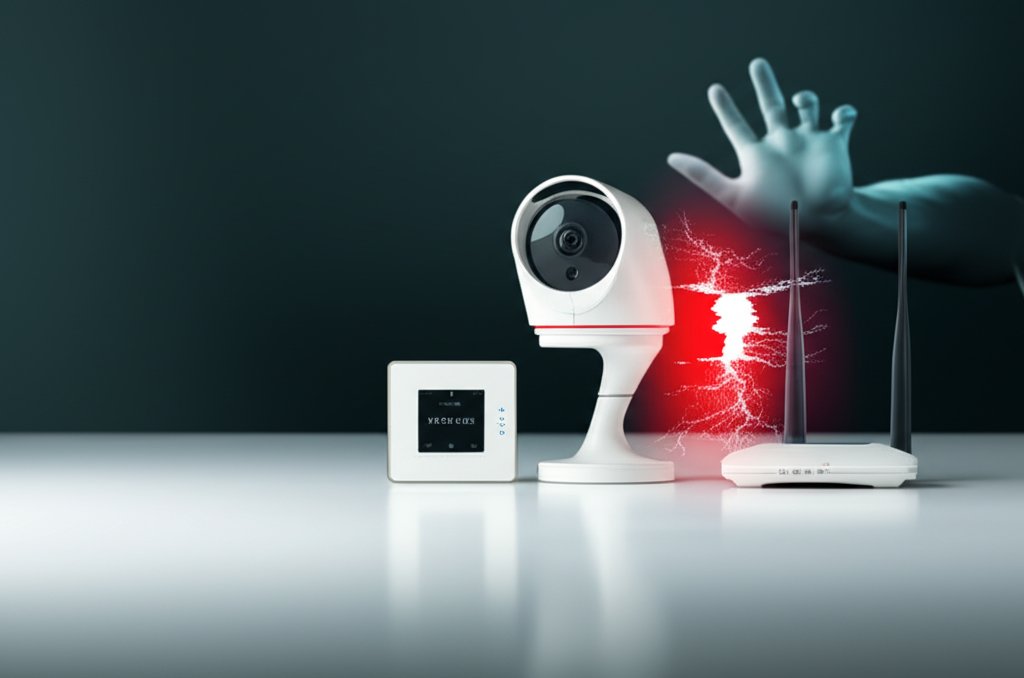
    Welcome to your home of tomorrow, today! We’re not talking about flying cars just yet, but the way our homes function has been dramatically revolutionized by Artificial Intelligence (AI). From voice assistants that manage your schedule to smart thermostats that learn your habits and security cameras that identify faces, AI-powered smart homes offer incredible convenience and efficiency. But with great power comes great responsibility, doesn’t it?

    As a security professional, I’ve seen firsthand how these incredible advancements, while making our lives easier, can also introduce new vulnerabilities if not properly secured. You’ve embraced the future, and that’s fantastic! Now, it’s time to ensure your digital sanctuary is truly safe. This guide isn’t here to alarm you; it’s here to empower you. We’ll break down the potential risks into understandable terms and give you practical, non-technical steps to take control of your smart home’s cybersecurity. You don’t need to be a tech expert to safeguard your peace of mind, and we’ll show you exactly how.

    Smart Home Basics: What’s Under Your Roof?

    Before we dive into security, let’s quickly define what we mean by an “AI-powered smart home.” Essentially, it’s a network of connected devices that can communicate with each other and often with the internet, performing tasks automatically or on command. The “AI-powered” part means these devices aren’t just reacting; they’re learning, adapting, and making decisions based on data they collect about your routines, preferences, and environment. Think of it: your thermostat knows when you’re home, your lights can simulate occupancy, and your voice assistant can order groceries.

    These devices typically fall into categories like:

      • Voice Assistants: Devices like Amazon Alexa, Google Assistant, and Apple Siri, serving as the central hub for voice commands and integration.
      • Security & Surveillance: Smart cameras, video doorbells, motion sensors, smart locks, and alarm systems that monitor and control access to your home.
      • Climate Control: Smart thermostats and smart blinds that manage your home’s temperature and light based on schedules or environmental factors.
      • Lighting: Smart bulbs and light switches that offer remote control, scheduling, and dynamic lighting effects.
      • Appliances: Smart refrigerators, ovens, washing machines, and even coffee makers that can be controlled remotely and offer advanced features.
      • Entertainment: Smart TVs, streaming devices, and sound systems that integrate into the smart home ecosystem for unified control.
      • Sensors & Environmental Monitors: Devices detecting everything from air quality and water leaks to open windows and doors, providing alerts and triggering automations.

    Understanding the ecosystem and devices you have is the first step toward effective security, as each type of device presents its own set of potential vulnerabilities.

    Potential Risks: Guarding Your Digital Castle

    This is where we get serious about protecting your smart home. AI can learn and adapt, but it also creates more entry points for those who might exploit them. Understanding these common threats is the first step toward building a robust defense:

    The convenience of a smart home comes with inherent risks if not properly managed. Here are the primary areas of concern:

      • Data Privacy Invasion: Your smart devices collect a wealth of personal information—your routines, conversations, viewing habits, even when you’re home or away. If compromised, this data can be harvested for identity theft, targeted scams, or simply an alarming loss of privacy. Imagine a hacker knowing your daily schedule or listening to your private conversations. To gain greater control over your personal data, explore the concepts of decentralized identity.
      • Physical Security Breaches: Smart locks, security cameras, and garage door openers offer incredible control, but if hacked, they can become entry points for physical intruders. An attacker could unlock your doors, disable your alarm, or monitor your home unnoticed.
      • Network Compromise: Many smart devices have weaker security than computers or phones. If a single smart light or thermostat on your network is compromised, it can act as a backdoor for attackers to gain access to your entire home network, including your personal computers, financial data, and other sensitive information. This is often referred to as “lateral movement” within a network.
      • Remote Access Exploitation: The ability to control your home from anywhere is a key benefit, but it also means your devices are constantly exposed to the internet. Vulnerabilities in remote access protocols can allow unauthorized individuals to take control of your devices, whether it’s changing your thermostat settings, activating your microphone, or even broadcasting through your smart speaker.
      • DDoS Attacks (Distributed Denial of Service): While less common for individual homes, compromised smart devices can be recruited into “botnets” used to launch large-scale attacks against other targets on the internet. Your device might be used without your knowledge, consuming your bandwidth and potentially slowing down your internet.

    Weak passwords, outdated software, and unsecured networks are like open windows for cybercriminals. But don’t worry, taking control is simpler than you think.

    Building Your Digital Fortress: Practical Steps for a Secure Smart Home

    Now that we understand the potential threats, let’s talk about how to mitigate them. You don’t need to be a cybersecurity expert to secure your smart home. These practical, non-technical steps will empower you to take control.

    Foundational Steps: Your Smart Home Security Checklist

    These are the fundamental safeguards that apply to almost every aspect of your digital life, and they are absolutely critical for your smart home.

    1. Change Every Default Password: This is arguably the most critical step. Most new devices come with generic default passwords (e.g., “admin,” “password,” “123456”). Hackers know these and will try them first. Change them immediately to strong, unique passwords for every single device and associated account. We can’t stress this enough. Use a reputable password manager to generate and store these complex passwords – it’s a lifesaver! For a deeper dive into the future, consider exploring passwordless authentication.
    2. Enable Two-Factor Authentication (2FA) Everywhere Possible: 2FA adds a second layer of security, usually a code sent to your phone or generated by an authenticator app, on top of your password. It’s like a second lock on your digital front door. If a hacker somehow gets your password, they still can’t get in without that second code. Always enable it for your smart home accounts and any connected services that offer it.
    3. Keep Everything Updated: Your Digital Immunization Shots: Software and firmware updates aren’t just about new features; they’re primarily about patching security holes that hackers love to exploit.
      • Why Updates Matter: Imagine your smart lock has a known vulnerability. If you don’t update its software, it’s like leaving a spare key under the doormat that everyone knows about.
      • How to Update: Check your device’s companion app, manufacturer website, or device settings for update notifications. Better yet, enable automatic updates whenever possible. Don’t forget your router itself needs updates! Router firmware updates are just as important as device updates for patching vulnerabilities.
    4. Fortify Your Wi-Fi Network: The Digital Gatekeeper: Your Wi-Fi network is the main entry point to all your smart devices. For a comprehensive guide on fortifying your home network, refer to our expert guide.
      • Strong Router Password & Encryption: Ensure your Wi-Fi network itself has a strong, unique password and uses WPA2 or, even better, WPA3 encryption. You can usually configure this via your router’s administration page (check your router’s manual for login details).
      • Separate Networks (Guest/IoT Network): This is a powerful technique. Many modern routers allow you to create a separate “guest” or “IoT” (Internet of Things) network. Put all your smart devices on this network, keeping them isolated from your main computers, phones, and sensitive data. If an IoT device is compromised, the damage is contained to that separate network, preventing hackers from easily jumping to your personal devices. This concept is similar to secure zero-trust principles. Understanding the broader implications of Zero Trust can further enhance your network’s resilience.

    Device-Specific Security: Smart Gadgets, Smart Protection

    Beyond the foundational steps, consider these protections tailored to common smart device types:

    • Smart Cameras & Video Doorbells:
      • Strategic Placement: Place cameras to monitor what’s necessary, not intrusively. Avoid pointing them into neighbors’ windows or public spaces unless absolutely required and legally permissible.
      • Privacy Zones: Most good cameras allow you to define “privacy zones” – areas in the camera’s field of view that are intentionally blacked out or ignored, ensuring sensitive areas aren’t recorded.
      • Secure Cloud Storage: Understand how your footage is stored. Is it encrypted? Who has access? Look for devices that offer end-to-end encryption for video streams and stored footage.
    • Smart Locks & Access Control Systems:
      • Monitor Access Logs: Regularly check the logs of your smart locks. Who entered and when? This helps you spot unauthorized access.
      • Biometric & Temporary Codes: Utilize biometric features (fingerprint) if available. For guests or service providers, issue temporary or time-limited access codes instead of permanent ones.
    • Voice Assistants: Your Words, Their Data:
      • Review Privacy Settings: Every voice assistant platform (Alexa, Google Assistant, Siri) allows you to review and adjust privacy settings. We strongly recommend you dive into these. You can usually control what data is collected, how long it’s stored, and who can access it.
      • Delete Command History: Most platforms store recordings of your commands to “improve” the service. While this helps the AI understand you better, you have the right to review and delete these recordings. Make it a habit to periodically clear your command history.
      • Microphone Control: Many voice assistants have a physical mute button for the microphone. Use it! When you’re not actively using the assistant, muting the microphone is a simple yet effective way to ensure it’s not listening in. It’s a fundamental step to protect your privacy.
    • Smart Thermostats, Lighting, & Plugs:
      • Data Minimization: Does your smart plug really need to know your location 24/7? Review what information these devices *really* need to function.
      • Disable Unnecessary Features: If you’re not using a specific feature (e.g., remote access on a device you only control locally), disable it. Less functionality means fewer potential vulnerabilities.

    Smart Routines & Automations: Convenience with a Careful Eye

    Automations are the magic of a smart home – lights turning on when you enter a room, the thermostat adjusting when you leave, or the coffee maker starting at sunrise. While incredibly convenient, these routines can also reveal patterns about your life that you might not want public.

      • Be Mindful of Information Exposure: When setting up routines, consider what information they might implicitly reveal. For example, linking a “goodnight” routine that arms your alarm and turns off your bedroom lights clearly indicates you’re going to bed.
      • Regularly Review Routines: Periodically check your active automations. Are they still necessary? Have your habits changed? Delete any that are no longer in use.
      • Limit External Triggers: If possible, avoid automations triggered by external, unsecured sources. Prefer triggers based on local sensors (like motion detectors) over open webhooks if security is a primary concern.

    The Human Element: Educating Your Household

    Even the most technically secure smart home can be compromised by human error. Everyone in your household needs to be part of the security plan. It’s not just your responsibility; it’s a shared effort. Here’s what you can do:

    • Simple Rules for Family Members:
      • Passwords: Explain why strong, unique passwords are essential and why they shouldn’t be shared.
      • Smart Device Usage: Teach everyone how to properly use smart devices, including how to mute voice assistants or check camera feeds responsibly.
      • Suspicious Notifications: Instruct them to report any unusual emails, texts, or device behavior to you immediately.
      • Lead by Example: Show them how you manage privacy settings, update devices, and use 2FA. When you prioritize security, they’re more likely to do the same. This holistic approach helps secure your entire connected living space.

    Shopping Smart: Choosing Secure AI Devices

    The best defense starts before you even buy a device. When expanding your smart home, be a savvy consumer:

      • Research Manufacturers: Look for companies with a proven track record of prioritizing security and privacy. Do they offer regular updates? Do they have transparent privacy policies?
      • Read Privacy Policies (The TL;DR Version): We know, they’re long and boring. But at least skim the sections on what data they collect, how it’s used, and whether it’s shared with third parties. Many companies offer a condensed “privacy summary” that’s much easier to digest.
      • Look for Security Features: Actively seek out devices that advertise features like two-factor authentication, end-to-end encryption, and guaranteed regular software updates. Consider which smart home ecosystem (Amazon Alexa, Google Home, Apple HomeKit) best aligns with your privacy preferences, as some offer more local processing options.

    Ongoing Vigilance: Staying Ahead of the Curve

    Even with the best precautions, you need to remain vigilant. The world of AI-powered smart homes is constantly evolving, and so are the threats.

    Troubleshooting: When Things Go Wrong

    Sometimes you might encounter issues that could signal a security concern. Here’s a basic approach to troubleshooting:

      • Unusual Behavior: Is a light turning on by itself? Is your camera streaming when it shouldn’t be? First, check your automation routines. If they aren’t the cause, change the device’s password immediately and disconnect it from your network.
      • Network Slowdown: A sudden, unexplained slowdown in your Wi-Fi could indicate unauthorized activity. Check your router’s connected devices list. If you see unfamiliar devices, block them.
      • Account Alerts: If you receive an email or notification about unusual login attempts on your smart home accounts, act immediately. Change your password, enable 2FA if you haven’t, and review recent activity.
      • Manufacturer Support: Don’t hesitate to contact the device manufacturer’s support if you suspect a breach or have persistent security concerns.

    Future Expansion: Proactive Protection

    AI itself is becoming more sophisticated, moving beyond simple automation to predictive analytics and behavioral learning. This means your smart home could eventually become a self-defending fortress, proactively detecting and neutralizing threats.

      • Proactive Protection: Future smart home security systems will likely use AI to analyze normal behavior and flag anomalies, offering predictive defense against emerging threats. Discover how AI-powered security orchestration can improve incident response in more complex environments.
      • Balancing Convenience with Ongoing Privacy: As AI gets smarter, the balance between convenience and privacy will remain a critical discussion. Stay informed about new privacy features and regulations.
      • Continuous Learning: Just as your smart home learns, you should too. Stay up-to-date with cybersecurity best practices and news to adapt your defenses as new technologies and threats emerge. For more advanced protection, you might consider professional guidance like an IoT penetration testing guide.

    Conclusion: Take Control of Your Connected Sanctuary

    Your AI-powered smart home is an amazing convenience, but it also represents a significant expansion of your digital footprint. By taking a few practical, consistent steps, you can significantly enhance its security and protect your privacy without needing a computer science degree.

    Remember the fundamentals: strong, unique passwords for every device, two-factor authentication enabled wherever possible, and keeping all your software and firmware updated. Fortify your Wi-Fi, be mindful of your voice assistant’s privacy settings, and involve your whole household in the security effort. You’ve got this!

    Start small and expand! Join our smart home community for tips and troubleshooting.


  • Data Residency: Why It’s Non-Negotiable for Global Complianc

    Data Residency: Why It’s Non-Negotiable for Global Complianc

    In our increasingly connected world, where information flows across borders with a click, there’s a concept rapidly moving from niche technical jargon to a mainstream concern for everyone: data residency. You might not have heard about it much until recently, but where your data physically lives—its “home address”—is now a seriously big deal. For small business owners and even everyday internet users, understanding why data residency is suddenly non-negotiable isn’t just about compliance; it’s about protecting yourself, your customers, and your reputation in a globally regulated digital landscape. This challenge is amplified in a decentralized world, where the control and ownership of data become even more complex. We’re going to break down what it means, why it matters so much right now, and what practical steps you can take to stay secure and compliant, empowering you to take control of your digital security.

    Table of Contents

    Basics

    What exactly is data residency?

    Data residency refers to the physical or geographic location where your digital data is stored. It’s about knowing which country’s borders your emails, photos, customer records, or website backups physically reside within at any given moment. More importantly, it’s about understanding which country’s laws govern that data.

    Think of it like this: if you have a physical filing cabinet filled with important documents, data residency dictates which country that filing cabinet must be kept in, and consequently, which government has jurisdiction over its contents. In the digital world, this applies to everything from your cloud storage accounts (like Dropbox or Google Drive) to your website hosting, email providers, and even your social media profiles. Understanding this concept is crucial for online privacy and small business compliance, as a data breach occurring in one country might be subject to the laws and penalties of another based solely on where the data was stored. Being aware of your data’s “home” is the first practical step toward securing it.

    How is data residency different from data localization and data sovereignty?

    While often used interchangeably, data residency, localization, and sovereignty have distinct meanings that significantly impact digital privacy laws, creating a complex legal landscape.

      • Data residency specifies the geographic location where data is stored. It’s a factual statement about where the servers are.
      • Data localization is a stricter regulatory requirement, mandating that certain types of data (e.g., personal data of citizens, financial records, health information) must be processed and stored physically within a specific country’s borders. It’s a legal obligation.
      • Data sovereignty is a legal principle stating that data is subject to the laws of the nation where it is stored. This means that if your data resides in Country X, Country X’s laws dictate who can access it, how it’s handled, and who controls it—even if you’re not a citizen or business of that country. This concept is particularly crucial as it determines legal obligations and potential risks depending on where your or your customers’ data ultimately resides.

    For example, a country might enforce data localization for its citizens’ health records, meaning those records must physically reside within its borders. Simultaneously, data sovereignty ensures that those localized health records are always subject to that country’s specific health and privacy laws, regardless of where the hospital or service provider is headquartered. Understanding these distinctions is fundamental to navigating international data protection effectively.

    Why has data residency become such a big deal lately?

    Data residency has become suddenly non-negotiable primarily due to a confluence of factors: the rapid global expansion of robust data privacy regulations, growing public concern over personal data misuse, and the increasingly complex nature of modern cloud computing infrastructure. We’re seeing governments worldwide reacting to high-profile data breaches and the perceived lack of control individuals have over their digital footprint.

    These new laws aim to give individuals more control over their personal information, and a key part of that control often involves knowing and sometimes mandating where that data is stored. Geopolitical tensions also play a role, with nations seeking to protect their citizens’ data from foreign surveillance or access. Couple this with the global reach of cloud services, which can replicate data across multiple data centers worldwide for efficiency and resilience, and you’ve got a challenge that requires everyone to pay attention. This is a fundamental shift in how we think about data protection, moving from a “set it and forget it” mentality to one of active management and awareness.

    Intermediate

    Which global privacy regulations enforce data residency?

    Several influential global privacy regulations have significantly elevated the importance of data residency, creating a complex web of requirements for businesses and individuals alike. The most prominent include:

      • Europe’s General Data Protection Regulation (GDPR): While not always explicitly mandating data localization, GDPR imposes strict conditions for transferring personal data outside the EU/EEA, often pushing businesses to store and process EU citizens’ data within the region unless specific safeguards (like Standard Contractual Clauses or Binding Corporate Rules) are in place. Ignorance of these rules can lead to substantial fines. You can find official guidance on data transfers on the European Data Protection Board (EDPB) website.
      • China’s Personal Information Protection Law (PIPL): PIPL is much stricter, explicitly requiring critical information infrastructure operators and those handling large volumes of personal information to store data locally within China. Any cross-border transfers require extensive assessments and separate consent.
      • California Consumer Privacy Act (CCPA) and California Privacy Rights Act (CPRA): While not directly enforcing data residency, these US regulations grant robust privacy rights to California residents, empowering them to know what data is collected and where it’s processed, thereby influencing how companies manage their data storage. The California Privacy Protection Agency (CPPA) provides further details.
      • Brazil’s Lei Geral de Proteção de Dados (LGPD): Similar to GDPR, LGPD focuses on data protection principles and cross-border transfer rules, encouraging local storage or robust transfer mechanisms.
      • Canada’s Personal Information Protection and Electronic Documents Act (PIPEDA): PIPEDA also addresses cross-border data flows, requiring organizations to be transparent about where data is processed and to ensure comparable protection levels.

    These laws collectively illustrate that where your data lives can trigger significant legal obligations, even if your business isn’t physically located in these regions. For a deeper dive into these requirements, you might find our “Master Data Residency Compliance: Global Business Guide” helpful.

    What are the risks of ignoring data residency laws?

    Ignoring data residency laws carries substantial risks that can severely impact both individuals and small businesses, often with far-reaching consequences beyond initial estimation. The most immediate and often feared consequence is the potential for hefty financial penalties. Regulations like GDPR are known for their staggering fines, which can run into millions of euros or a significant percentage of a company’s annual global turnover. We’ve seen high-profile cases involving tech giants facing multi-million dollar penalties for data handling infractions.

    However, the risks extend far beyond just monetary fines:

      • Reputational Damage and Loss of Trust: In today’s privacy-conscious world, consumers are increasingly choosing businesses that demonstrate a clear commitment to protecting their data. A single public incident of non-compliance, such as a regulator imposing a fine or a data breach revealing improper data storage, can erode years of trust and lead to a detrimental decline in business. Imagine a small e-commerce business that, unknowingly, stores its European customer data on servers in a country with weak data protection laws. A data breach occurs, and suddenly they’re not only facing regulatory fines from the EU but also a devastating loss of trust from their customer base and potentially legal action.
      • Legal Action and Operational Disruptions: Non-compliance can lead to civil lawsuits from affected individuals, data access interruptions if regulators mandate data repatriation, or even injunctions preventing you from processing certain data. This can severely disrupt your business operations and incur significant legal costs.
      • Loss of Competitive Edge: Businesses that are proactive about data residency and privacy can leverage this as a competitive advantage, attracting customers who prioritize data protection. Conversely, those who ignore it risk being seen as outdated or untrustworthy.

    It’s not just about avoiding punishment; it’s about building a foundation of integrity and security that fosters customer loyalty and ensures business continuity.

    How do cloud services complicate data residency for small businesses?

    Cloud services, while incredibly convenient and efficient for scalability and accessibility, introduce a significant layer of complexity to data residency for small businesses. When you use a cloud provider like Google Drive, Dropbox, Shopify, or even your email service, your data often isn’t stored in a single, easily identifiable location. Instead, it might be:

      • Replicated across multiple global data centers: This is done for reliability, disaster recovery, and faster access (by serving data from the nearest location). However, it means a portion of your customer data could reside in a country with different legal frameworks than your home country or your customers’ countries, potentially putting you at odds with data residency laws.
      • Subject to the “shared responsibility model”: Cloud providers manage the security of the cloud (e.g., data center physical security, infrastructure), but businesses are responsible for security in the cloud (e.g., data configuration, access controls, and compliance with data residency laws). This distinction is often misunderstood.
      • Difficult to track for non-technical users: For small business owners without dedicated IT staff, figuring out exactly where their data lives with these third-party services can feel like solving a complex puzzle. Default settings often prioritize performance and availability over geo-specific storage.

    This inherent distribution in a Decentralized world means proactive inquiry and careful vendor selection are vital. Practical steps include: always asking your cloud provider for guarantees regarding data storage regions and ensuring these are contractually bound through Data Processing Addendums (DPAs) or other agreements. Many reputable providers now offer region-specific hosting options (e.g., “EU-only data centers”) that can significantly simplify compliance for businesses targeting specific geographic markets. Failing to properly manage these services can lead to misconfigured cloud storage vulnerabilities.

    What should everyday internet users know about data residency?

    Even as an everyday internet user, data residency significantly impacts your personal online privacy. While you might not face regulatory fines, understanding where your personal data is stored helps you make informed choices about the services you use and empowers you to better protect your privacy.

    Here’s what you should know and do:

      • Read Privacy Policies (Even Just the Highlights): When you sign up for social media, email, or cloud storage, their privacy policies often disclose where your data might be processed or stored. It’s worth a quick scan for keywords like “data storage location” or “data transfer.” For instance, a free email service might process your data globally, while a paid, privacy-focused alternative might explicitly state your data will reside in a specific country like Switzerland or Germany. Also, consider common email security mistakes that could compromise your data regardless of residency.
      • Choose Privacy-Focused Providers: Actively seek out services that prioritize user privacy and offer transparency about their data handling practices. Many email, cloud storage, and VPN providers specifically market their services based on their data residency policies and the legal jurisdiction they operate under.
      • Understand VPNs’ Role: Services like VPNs (Virtual Private Networks) are valuable tools for enhancing personal privacy. A VPN encrypts your internet traffic and masks your IP address, making it appear as if you’re accessing the internet from another location. While a VPN doesn’t change where a service provider *stores* your data after you’ve submitted it, it can prevent your internet service provider (ISP) or other third parties from knowing your physical location and intercepting your immediate browsing data. Use a reputable VPN provider that also clearly states its own data residency and logging policies.

    Taking control of your privacy starts with awareness. By making conscious choices about the digital services you use and understanding their data geography, you empower yourself to build a more secure personal online presence.

    Advanced

    How does data residency affect my small business’s website and online tools?

    For a small business, data residency can touch almost every aspect of your online operations, often in ways you might not immediately consider. Each online tool you use potentially creates a new data residency concern:

      • Website Hosting: Your website hosting provider determines the physical location of your site’s files, databases, and potentially any data collected through contact forms or sign-ups. If your customers are primarily in the EU, but your website is hosted on servers in the US without appropriate data transfer mechanisms, you could have a compliance issue. Actionable Step: Choose a hosting provider that offers geo-specific hosting options and clearly states where your data will reside.
      • Website Analytics: Tools like Google Analytics, while invaluable for understanding user behavior, collect and process user data. By default, this data might be processed on servers outside your target region. Actionable Step: Implement IP anonymization within Google Analytics and explore server-side tagging or privacy-focused analytics alternatives that allow you to control data storage location more precisely.
      • Customer Relationship Management (CRM) Systems: Platforms like HubSpot or Salesforce store vast amounts of customer purchase data, contact information, and behavioral analytics. Actionable Step: When choosing a CRM, actively inquire if they offer specific data center locations (e.g., “EU data center option”) for your region of operation and verify this in your contract.
      • Email Marketing Platforms: Services like Mailchimp or ConvertKit handle extensive subscriber lists and email communication data. Actionable Step: Review their data processing addendums and confirm their data storage and processing locations align with your customers’ data residency requirements.
      • E-commerce Platforms: Shopify, WooCommerce, and other platforms manage customer orders, payment details, and shipping information. Actionable Step: Understand where these platforms store your customer data and ensure any third-party payment processors or shipping integrations also comply with relevant data residency laws.

    Every point where data is stored or processed needs a careful look. This is especially true in a Decentralized digital landscape, where data can be spread across various geographical nodes without your direct knowledge. Your practical step is to maintain a comprehensive inventory of all tools and services that handle customer data and actively verify their data residency practices.

    What’s the first step to ensure my business complies with data residency rules?

    The very first and most crucial step for any small business looking to comply with data residency rules is to conduct a thorough data audit and mapping exercise. You can’t protect what you don’t know you have or where it is. This foundational step provides the clarity needed to make informed compliance decisions.

    Here’s how to approach it:

      • Identify all sensitive data: Start by cataloging every type of sensitive data you collect, process, and store. This includes personally identifiable information (PII) like names, emails, addresses, payment information, health data, employee records, and customer communications.
      • Map data flows: For each type of data, trace its entire lifecycle. Where does the data originate? Where is it input? Where is it processed, transformed, or analyzed? Where is it stored? Is it transferred to third-party services, and if so, which ones?
      • Identify storage locations: For every storage point, determine the physical geographic location (country, and ideally region or city) of the servers. Is it on your local server, in specific cloud applications, with your website host, or within third-party tools like your CRM or email marketing platform?
      • Document data retention policies: Understand how long each type of data is kept and why.

    Creating this comprehensive inventory will give you a clear picture of your data’s “journey” and its current “home addresses,” providing the necessary foundation for making informed compliance decisions. This isn’t a one-time task; it should be an ongoing process, regularly updated as your business evolves and new tools are adopted.

    How can I review my service providers’ data residency practices?

    Reviewing your service providers’ data residency practices is not just essential; it’s a critical component of your overall data security and compliance strategy. You need to be proactive and ask the right questions to ensure their practices align with your obligations. Here’s a practical approach:

    1. Scrutinize Documentation: Start by carefully examining the terms of service, privacy policies, and any security or data processing addendums (DPAs) of all your cloud hosts, SaaS providers, and website developers. Look for explicit statements about data storage locations, data processing regions, and any clauses regarding data transfers across borders.
    2. Ask Direct Questions: Don’t hesitate to reach out directly to your vendors. Ask them specific questions like:
      • “Do you offer options to specify data storage regions (e.g., ‘EU-only hosting’ or ‘US-only data centers’)?”
      • “What are your standard data transfer mechanisms for cross-border data (e.g., Standard Contractual Clauses, Binding Corporate Rules)?”
      • “Are you certified under any relevant data protection frameworks (e.g., ISO 27001, SOC 2)?”
      • “What is your incident response plan if a data breach impacts data stored in a specific jurisdiction?”
      • Prioritize Contractual Agreements: Verbal assurances are not enough. Ensure that any commitments regarding data residency and data handling are explicitly documented in your service contracts or a Data Processing Addendum (DPA). For GDPR compliance, a robust DPA specifying processing instructions and storage locations is non-negotiable.
      • Seek Transparency: Reputable providers are increasingly transparent about their data geography options. If a vendor is evasive or unable to provide clear answers, it’s a significant red flag.

    This diligence helps you manage risk in a Decentralized digital environment where data can be widely distributed. Remember, as the data controller, the ultimate responsibility for compliance lies with you, even if you outsource the processing.

    What does “Privacy by Design” mean for data residency?

    “Privacy by Design” means integrating privacy considerations into the very core of your business operations, products, and services from the outset, not as an afterthought. When it comes to data residency, this proactive approach is incredibly powerful because it allows you to build systems that are inherently compliant, rather than attempting to retrofit solutions to existing problems.

    Practically, applying Privacy by Design principles to data residency involves:

      • Minimizing Data Collection: Ask from the beginning: “Do we really need to collect this piece of data?” By collecting only the absolutely necessary data, you immediately reduce the volume of data that needs to comply with residency rules.
      • Default Privacy Settings: Design systems where the most privacy-protective settings are the default. For data residency, this could mean ensuring that sensitive customer data is, by default, stored in the customer’s region of origin, if technically feasible and legally required.
      • Segregating Data: Instead of having one massive, globally distributed database for all customer information, Privacy by Design encourages segregating data based on its sensitivity or the user’s origin. For example, highly sensitive personal identifiers for EU citizens might be stored exclusively in EU data centers, while less sensitive, anonymized analytics data might be stored elsewhere.
      • Anonymization and Pseudonymization: Can data be anonymized or pseudonymized at the earliest possible stage, especially before it leaves a specific region? This reduces its classification as “personal data” and thus alleviates some residency requirements.
      • Transparency: Be transparent with users about where their data is stored and why. This builds trust and aligns with regulatory requirements.

    By collecting only essential data and considering its geographic implications upfront, you inherently reduce your exposure to complex data residency issues. It’s about making privacy, and by extension, compliant data residency, the default setting, which ultimately simplifies compliance and strengthens your security posture.

    How can I stay informed about evolving data residency laws?

    Staying informed about evolving data residency laws can feel daunting, as regulations are constantly changing, but it’s a critical part of maintaining compliance and avoiding costly pitfalls. For small businesses and individuals, the key is to focus on reliable, digestible sources of information rather than trying to wade through complex legal texts. Here are practical steps to stay informed:

      • Follow Reputable Cybersecurity and Privacy Blogs: Many industry-leading security and privacy companies (like this one!) publish regular updates and analyses of new legislation, explaining their practical implications in understandable terms.
      • Subscribe to Industry Newsletters: Look for newsletters from data protection authorities, legal firms specializing in privacy, or technology associations that offer concise breakdowns of new legislation, significant legal interpretations, and enforcement actions.
      • Monitor Official Regulatory Bodies: Keep an eye on the official websites of key data protection authorities in regions where you operate or have customers. Examples include the European Data Protection Board (EDPB) for GDPR, the Office of the Information Commissioner (OIC) for various countries, or the California Privacy Protection Agency (CPPA). They often publish guidance and advisories.
      • Engage with Industry Associations: Many industry-specific associations offer compliance resources and workshops tailored to their members’ needs.
      • Consider Legal Counsel for Complex Cases: While monitoring accessible resources is crucial, for particularly complex situations, especially when operating internationally or handling highly sensitive data, it’s wise to consult with legal counsel specializing in data privacy.

    Don’t let the perceived complexity stop you; knowledge is your best defense. A consistent habit of monitoring these accessible resources will keep you well-informed and proactive, empowering you to adjust your practices as the legal landscape evolves.

    Related Questions

        • Is data residency important for personal VPN use?

        • Can blockchain technology solve data residency issues?

        • What’s the difference between data residency and data governance?

    As you can see, data residency is no longer a fringe concern; it’s a foundational element of digital security and trust in our increasingly decentralized world. For both individuals and small businesses, understanding these principles and taking practical steps isn’t just about avoiding penalties—it’s about empowering yourself and building a more secure and trustworthy online presence. By knowing where your data lives and being intentional about its management, you’re truly taking control of your digital footprint.

    And while navigating data residency is crucial, don’t forget the fundamentals of everyday online protection. Protect your digital life! Start with a reliable password manager and two-factor authentication today to safeguard your accounts against the most common threats. Exploring advanced identity solutions like passwordless authentication can further strengthen your digital defenses. Taking these proactive steps ensures that you’re not just reacting to risks, but actively building a robust defense for your digital assets.


  • Decentralized Identity & Quantum Privacy: Data Security

    Decentralized Identity & Quantum Privacy: Data Security

    In our increasingly connected world, your digital identity is arguably as important as your physical one. We use it for everything from online banking to social media, often without truly understanding the inherent risks. But what if the very foundations of how we protect that identity were about to change? What if a looming threat could render today’s strongest encryption useless? That’s the challenge the “Quantum Age” presents, and it’s why understanding concepts like Decentralized Identity (DID)think of it as a digital passport that you truly own and control – and Post-Quantum Cryptography (PQC) – a new generation of cryptographic ‘locks’ that even future quantum computers can’t pick – isn’t just for tech experts anymore. It’s for you, for me, and for every small business navigating the digital frontier.

    I know, those terms might sound intimidating at first glance. But my goal today isn’t to turn you into a cryptography expert. Instead, it’s to empower you with knowledge, to help you understand the current risks and future challenges, and most importantly, to show you practical steps you can take right now, as well as what to watch for in the future, to guard your digital self. We’re going to explore how these advanced concepts fit into the everyday cybersecurity practices you already know, and why their emergence makes those practices even more critical.

    Understanding Today’s Risks and Tomorrow’s Quantum Threats

    Let’s be honest, your data privacy is already under siege. Most of our digital lives are built on a centralized model. Think about it: your social media logins, your bank accounts, even many government services, all rely on massive databases owned and managed by a single entity. These central authorities hold vast amounts of your personal information, making them prime targets for cybercriminals.

    Imagine entrusting your entire physical identity – your driver’s license, passport, birth certificate, and bank cards – to a single, giant safe managed by a third party. If that one safe is breached, everything is exposed. This is the essence of the “centralized identity trap”: one breach, and suddenly, your name, email, password, and maybe even your financial details are out there for anyone to exploit. We’ve seen this happen countless times, haven’t we? You’re often renting, not truly owning, your digital identity, entrusting your precious data to someone else, hoping they’ll protect it. Beyond the immediate breach risk, there’s also the constant data harvesting and profiling happening behind the scenes, often without your full awareness or explicit consent. Companies collect, analyze, and monetize your digital footprints, painting a detailed picture of who you are, what you like, and what you might buy.

    Now, imagine a new, unprecedented threat on the horizon: Quantum computing. These aren’t just faster computers; they operate on entirely different principles that could shatter current cryptographic defenses. While we’re not there yet, quantum computers have the theoretical power to break today’s standard encryption algorithms – the very ones protecting your online banking, your VPNs, and virtually all secure communications. This isn’t science fiction; it’s a looming reality. The “harvest now, decrypt later” threat is particularly chilling: sensitive data intercepted today, even if encrypted, could be stored and decrypted by powerful quantum computers in the future. This means your current sensitive communications aren’t just secure for now, but potentially vulnerable down the line. It’s a significant, long-term shift in how we must think about data security.

    Password Management: Fortifying Your First Line of Defense

    Immediate Action: Strong Password Practices

    Even with advanced threats on the horizon, the basics still matter. A strong, unique password for every account is your fundamental safeguard. Using a reputable password manager isn’t just a convenience; it’s a necessity. It generates complex passwords you don’t have to remember and stores them securely. This significantly reduces your vulnerability to credential stuffing attacks and breaches that recycle passwords across multiple platforms.

    Future Outlook: Decentralized Identity’s Role

    Looking ahead, Decentralized Identity (DID) aims to transform this landscape. Imagine a world where you don’t need dozens of passwords. Instead, you’d use a single, user-controlled digital identity, secured by cryptography you own. This isn’t about eliminating security; it’s about shifting control. Your DID could serve as a portable, cryptographically secure key to various services, dramatically reducing “password fatigue” and the attack surface associated with centralized password databases.

    For these future DID-based authentication systems to be truly resilient, they’ll need Post-Quantum Cryptography (PQC). PQC ensures that the underlying cryptographic “locks” securing your decentralized identity and its associated digital proofs can withstand attacks from quantum computers. So, while we’re still using passwords today, it’s wise to anticipate a future where more robust, quantum-safe authentication methods, built on principles of user control, could take their place.

    Two-Factor Authentication (2FA): Strengthening Your Digital Gates

    Immediate Action: Activating Robust 2FA

    Two-Factor Authentication (2FA) is your essential second layer of defense. It means even if a cybercriminal gets your password, they’d still need a second piece of information – something you have (like your phone) or something you are (like your fingerprint) – to access your account. Enabling 2FA on all your critical accounts is a non-negotiable step for immediate security. Look for app-based 2FA (like Authenticator apps) or hardware keys, as they’re generally more secure than SMS-based codes, which can be vulnerable to SIM-swapping attacks.

    Future Outlook: 2FA with Verifiable Credentials

    In a DID-enabled future, 2FA could evolve significantly. Instead of relying on a centralized service to send you a code, your Verifiable Credentials (VCs) – digital proofs you own – could serve as robust second factors. For instance, instead of an SMS code, your digital wallet might present a cryptographically verified claim that only you can authorize. This means fewer points of failure and greater control over your authentication process.

    Crucially, the integrity of these VCs and their cryptographic signatures would need to be quantum-resistant. PQC algorithms would protect the underlying mathematics that prove your VCs are authentic and haven’t been tampered with. This ensures that even in the quantum age, your decentralized 2FA methods remain impenetrable.

    VPN Selection: Protecting Your Connection in a Quantum-Aware World

    Immediate Action: Choosing a Secure VPN

    A Virtual Private Network (VPN) encrypts your internet traffic and masks your IP address, protecting your online activities from snoopers, especially on public Wi-Fi. When choosing a VPN, look for providers with a strong no-logs policy, audited security practices, and robust encryption standards. This ensures your online movements are kept private from your ISP and potential eavesdroppers.

    Future Outlook: Quantum-Resistant VPN Protocols

    As we approach the quantum era, the encryption protocols used by VPNs will become critically important. Today’s standard encryption, like certain forms of RSA and ECC, could be vulnerable to quantum attacks. Future-proof VPNs will need to adopt Post-Quantum Cryptography (PQC) to ensure the security of their encrypted tunnels for the long term. While this is an area of active research and development, it’s something to keep an eye on as you consider your long-term online privacy strategy. Eventually, you’ll want to ensure your VPN is using quantum-safe algorithms. For now, a good VPN still offers significant protection against current threats.

    Decentralized Identity, while less directly tied to VPN protocols, could play a role in how you securely and privately authenticate to VPN services. Imagine using a verifiable credential to prove your subscription without revealing your full identity to the VPN provider, enhancing privacy further.

    Encrypted Communication: Keeping Your Conversations Private, Permanently

    Immediate Action: Utilizing End-to-End Encrypted Apps

    In an age where data surveillance is rampant, using encrypted communication apps is paramount. Services like Signal or ProtonMail offer end-to-end encryption, meaning only the sender and intended recipient can read the messages. This is a vital step for safeguarding sensitive personal and business conversations from interception and unauthorized access.

    Future Outlook: Quantum-Safe Communication & Verified Identities

    However, the quantum threat looms large over even these encrypted communications. If today’s messages, encrypted with current algorithms, are intercepted and stored, they could theoretically be decrypted by future quantum computers. This is where PQC comes in. New PQC algorithms are being developed and standardized to ensure that encrypted communications remain confidential even against quantum attacks. As these standards mature, you’ll want to look for communication platforms that integrate “quantum-safe” encryption. This helps protect the integrity and privacy of your conversations for the long haul.

    Decentralized Identity could further enhance communication privacy by enabling strong, verifiable identification of participants without relying on central authorities. You’d know you’re talking to the right person, and they’d know it’s you, all while maintaining a higher degree of privacy about the underlying identity details.

    Browser Privacy: Navigating the Web with Granular Control

    Immediate Action: Hardening Your Browser

    Your web browser is a primary gateway to your digital life, and it can be a significant source of privacy leaks. Hardening your browser settings, using privacy-focused extensions (like ad blockers and tracking protectors), and opting for privacy-centric browsers (like Brave or Firefox with enhanced tracking protection) are crucial steps. Regularly clearing cookies and browsing history also helps reduce your digital footprint and the data collected about you.

    Future Outlook: DID for Selective Disclosure & Quantum-Safe HTTPS

    Decentralized Identity can revolutionize browser privacy by giving you granular control over the information you share with websites. Instead of a website requesting your full profile from a centralized identity provider, you could use selective disclosure from your DID wallet to present only the specific claim needed (e.g., “I am over 18” without revealing your birthdate or name). This drastically minimizes the data collected about you as you browse.

    Post-Quantum Cryptography will also play a role in browser privacy by securing the HTTPS connections that form the backbone of the web. As browsers and web servers adopt PQC, your browsing sessions will be protected against quantum adversaries, ensuring that your data isn’t exposed during transit, regardless of future advancements in computing power.

    Social Media Safety: Reclaiming Your Narrative and Data

    Immediate Action: Mastering Privacy Settings

    Social media platforms are notoriously complex when it comes to privacy. Taking the time to understand and customize your privacy settings on each platform is essential. Be mindful of what you share, who you connect with, and the data permissions you grant to apps. Remember, once something is online, it’s very difficult to retract fully, so exercise caution.

    Future Outlook: DID for Verified, Private Social Interactions

    Decentralized Identity offers a powerful way to reclaim control over your social media presence. Imagine a world where you don’t log in with a Facebook or Google account, but with your own DID. You could selectively prove aspects of your identity (e.g., “I am a verified user,” “I live in X city”) without giving the platform a comprehensive profile. This could lead to a significant reduction in data harvesting by social media giants and potentially help combat issues like fake accounts by enabling verified, yet privacy-preserving, identities.

    Furthermore, PQC would secure the underlying cryptographic operations of these platforms. This ensures that even as social media evolves to potentially incorporate DID, the cryptographic integrity of your posts, messages, and identity claims remains secure from quantum attacks.

    Data Minimization: The Ultimate Privacy Principle

    Immediate & Future Impact: The Power of Less

    The principle of data minimization is simple but profoundly effective: collect, store, and share only the absolute minimum amount of personal data necessary for a specific purpose. This dramatically reduces the risk of data breaches, unauthorized profiling, and future misuse of your information. If the data isn’t there, it can’t be stolen or abused. It’s a proactive defense that pays dividends.

    This is precisely where Decentralized Identity truly shines and supercharges the data minimization principle. With Verifiable Credentials (VCs) and selective disclosure, you gain unprecedented control. Instead of giving a website your full driver’s license to prove your age, your DID wallet could simply present a VC that cryptographically confirms, “This person is over 18.” The website gets the specific piece of information it needs, and you keep the rest of your personal data private. This inherent design of DID radically supports data minimization, putting you firmly in the driver’s seat of your personal information.

    Secure Backups: Future-Proofing Your Digital Assets

    Immediate Action: Encrypting Your Backups

    Backing up your important data is a fundamental cybersecurity practice. Hard drive failures, accidental deletions, or ransomware attacks can all lead to devastating data loss. But simply backing up isn’t enough; those backups must be secure, especially as we look to the future. Encrypting your backups, whether they’re stored locally or in the cloud, is vital to protect them from unauthorized access.

    Future Outlook: Quantum-Safe Encryption for Archived Data

    Post-Quantum Cryptography (PQC) will be absolutely essential for future-proofing these encrypted backups. If your backups are encrypted with today’s standard algorithms, they could be vulnerable to decryption by quantum computers in the future. As PQC standards are finalized and implemented, you’ll want to ensure your backup solutions are using these “quantum-safe” algorithms. This ensures that your archived data remains confidential and accessible only to you, regardless of how computing power evolves in the decades to come.

    Decentralized Identity could also play a role here by securely managing access control to your encrypted backups. Imagine using a verifiable credential to authenticate and authorize access to your cloud storage, adding an extra layer of user-centric security and control.

    Threat Modeling: Preparing for an Evolving Digital Landscape

    Thinking proactively about potential threats is a powerful way to improve your security posture. Threat modeling involves asking: “What assets do I need to protect? Who might want them? How could they try to get them?” It helps you identify vulnerabilities and prioritize your defenses effectively. As the digital landscape shifts with the advent of quantum computing and decentralized technologies, our threat models absolutely need to adapt.

    Decentralized Identity and Post-Quantum Cryptography aren’t just buzzwords; they represent fundamental shifts in how we can approach digital security. DID empowers you with control over your identity, moving away from vulnerable centralized systems. PQC protects the cryptographic foundations of our digital world from a looming, powerful threat. Together, they offer a robust framework for a more secure and private future. Understanding these shifts and proactively incorporating them into your personal and business security strategy is a crucial step toward true digital resilience.

    The Path Forward: A Decentralized and Quantum-Safe Future

    The journey to a fully decentralized, quantum-safe digital world is ongoing, but the direction is clear: greater user control and robust, future-proof security. While technologies like Decentralized Identity and Post-Quantum Cryptography are complex, their core benefits – enhanced privacy, reduced breach risks, and protection against future threats – are undeniable. By understanding these concepts and integrating them into your broader cybersecurity strategy, you’re not just reacting to threats; you’re building a proactive, resilient defense for your digital future.

    Protect your digital life! Start with a reputable password manager and strong 2FA today.


  • Smart Home Security: Are Your IoT Devices Spying On You?

    Smart Home Security: Are Your IoT Devices Spying On You?

    The allure of a smart home is undeniably powerful: lights that obey your voice, thermostats that intelligently adapt to your routine, and security cameras that offer peace of mind from anywhere. These conveniences promise a simpler, more efficient life, but they often spark a fundamental question: Is your smart home secretly spying on you? It’s a completely valid concern, and as a security professional, I want to assure you that while data collection is indeed inherent to these devices, understanding the precise risks and taking proactive, concrete steps empowers you to fully embrace smart technology without ever sacrificing your privacy or security. This guide is designed to be your comprehensive resource for IoT device security, equipping you with the knowledge and actionable strategies to take absolute control of your digital home.

    Table of Contents

    Smart Home Security Basics

    What exactly are “smart home” devices?

    Smart home devices, frequently referred to as Internet of Things (IoT) devices, are essentially everyday objects embedded with sensors, software, and other technologies that allow them to connect to the internet, send and receive data, and often be controlled remotely. Their purpose is to make your home more automated, efficient, and responsive to your needs.

    Consider familiar examples: smart speakers like Amazon Echo or Google Home, learning thermostats such as Nest or Ecobee, video doorbells like Ring or Arlo, or even smart appliances. Each leverages internal components—microphones for voice commands, cameras for visual monitoring, motion sensors for activity detection, and temperature sensors for climate control—to interact with its environment. This intricate connectivity to your home network and the broader internet is what makes them “smart,” but it also introduces a distinct set of security considerations that every homeowner must understand.

    How do smart devices collect data?

    Smart devices are fundamentally data-driven. They collect a diverse array of information through their embedded sensors, microphones, and cameras, as well as by meticulously tracking your usage patterns and interactions. This data isn’t just a byproduct; it’s absolutely essential for their core functionality.

      • Smart Speakers & Voice Assistants: These devices constantly listen for a “wake word.” Once detected, they record your voice commands, which are then transmitted to cloud servers for processing and interpretation. This data allows them to execute tasks, but it also captures your linguistic patterns and potentially personal information spoken aloud.
      • Smart Cameras & Doorbells: Equipped with lenses and often microphones, these devices continuously capture video and audio feeds. They may record only when motion is detected, or offer continuous recording, depending on settings and subscription. This data is stored locally or in the cloud and allows you to monitor your property, but also details movements, visitors, and sounds around your home.
      • Smart Thermostats: They collect data on your presence, temperature preferences, energy consumption, and even local weather. This allows them to learn your habits, optimize heating/cooling schedules, and integrate with utility providers for energy-saving programs.
      • Smart Plugs & Light Bulbs: While seemingly simple, these devices track usage patterns—when lights are turned on/off, how long they stay on, and energy consumption. This data informs automation routines and potentially energy audits.
      • Activity Trackers & Health Devices: These collect highly sensitive biometric data, sleep patterns, heart rate, and activity levels, often transmitting them to companion apps and cloud services for health monitoring.

    Beyond these direct interactions, most devices also gather diagnostic data, performance metrics, and anonymized usage statistics. This “telemetry data” helps manufacturers identify bugs, push updates, and improve future product iterations. Understanding this fundamental flow of data, from your device to the cloud, is the crucial first step in asserting control over your digital privacy.

    Who is collecting your data and why?

    Primarily, the device manufacturer is the entity collecting your data. Their primary motivations include improving product functionality, providing essential services, and—in many cases—for internal analytics or marketing purposes. Beyond manufacturers, third-party services that integrate with your devices (e.g., streaming services on a smart TV) might also collect data. The most concerning scenario, however, is when malicious actors gain unauthorized access to your data due to inadequate security measures.

    Manufacturers leverage this data to analyze device usage, pinpoint common issues, develop new features, and understand broader user preferences. For example, your smart TV might track viewing habits to offer tailored content recommendations or serve targeted advertisements. While much of this represents legitimate business practice, it’s imperative to distinguish it from unauthorized access. The “why” often balances your convenience with the company’s product development and profit. Your underlying concern, however, should always be the potential for misuse or unauthorized access by cybercriminals, regardless of the initial intent.

    Is my smart home actually “spying” on me, or is it just collecting data?

    The critical distinction between “data collection” and “spying” hinges on three key factors: consent, intent, and authorized access. Most smart devices collect data for operational purposes, typically with your consent—albeit often hidden within lengthy privacy policies. This, by definition, is not malicious spying. However, the risk of true, unauthorized “spying” becomes alarmingly real when vulnerabilities are exploited by hackers or when device settings are improperly managed.

    When you activate a voice assistant, its design dictates it must listen for a specific wake word; this is a form of data collection essential for its function. It is not “spying” in the nefarious sense, unless it proceeds to record and transmit everything without your explicit consent or activation. Conversely, if a cybercriminal exploits a weak password or an unpatched vulnerability to gain unauthorized access to your smart camera or microphone, that absolutely constitutes malicious surveillance or spying. Our goal is to empower you to control that risk and clearly differentiate between a device’s intended function and its potential exploitation.

    How can I protect my smart home from unauthorized access?

    Protecting your smart home from unauthorized access requires establishing robust digital hygiene practices. This begins with fundamental steps such as implementing strong, unique passwords for every device and your Wi-Fi network. Additionally, consistently keeping your devices updated, enabling two-factor authentication (2FA) whenever available, and diligently reviewing device privacy settings are non-negotiable foundations.

    Think of it akin to securing your physical home: you wouldn’t merely lock the front door; you’d also secure windows, perhaps install an alarm system, and routinely inspect for any weak points. Similarly, your smart home demands a multi-layered security approach. Regular software and firmware updates are crucial for patching known vulnerabilities, thereby raising the barrier for cybercriminals. Two-factor authentication adds an indispensable extra layer of defense, ensuring that even if a password is compromised, unauthorized access remains exceptionally difficult. We will delve deeper into these practical, actionable solutions in subsequent sections, providing you with the tools to effectively secure your digital environment.

    Understanding Smart Home Risks

    What are the biggest entry points for hackers into my smart home?

    The most common and significant entry points for hackers into your smart home are often surprisingly basic, yet fundamentally critical: weak or default passwords, outdated software or firmware with known vulnerabilities, and insecure Wi-Fi networks. These foundational flaws are the easiest and most frequently exploited by cybercriminals.

      • Weak/Default Passwords: Many smart devices ship with easy-to-guess default credentials (e.g., “admin,” “password,” “123456”) or even no password at all, which are prime targets for automated hacking attempts. Using these is like leaving your front door unlocked.
      • Outdated Software/Firmware: If you don’t regularly update your devices, they retain known security holes that manufacturers have already patched. Hackers actively scan for these unpatched vulnerabilities, using widely available tools to gain entry.
      • Insecure Wi-Fi Networks: Your Wi-Fi network serves as the digital gateway to all your smart devices. If your router has a weak password, outdated encryption (like WEP instead of WPA2/WPA3), or poor configuration, every connected device is immediately at risk. This can allow attackers to snoop on your traffic or even directly access devices.
      • Malicious Companion Apps: Downloading unofficial or compromised companion apps can install malware that grants attackers access to your devices or data.
      • Phishing/Social Engineering: Attackers might trick you into revealing login credentials through deceptive emails or messages, granting them direct access to your smart home accounts.

    Addressing these core areas first can dramatically improve your smart home’s overall security posture and help you protect your digital space effectively. For a comprehensive guide on fortifying your entire home network, especially in today’s remote work environment, further resources are available.

    How do outdated software and firmware create risks?

    Outdated software and firmware create profound security risks because they invariably contain unpatched vulnerabilities—essentially, digital weaknesses or flaws—that cybercriminals can readily exploit. This exploitation can lead to unauthorized access, compromise of your sensitive data, or even complete control over your smart devices. Manufacturers routinely release updates specifically to fix these security flaws, making their prompt installation absolutely critical for your protection.

    Consider this analogy: every piece of software or firmware is like a complex blueprint, and inevitably, some bugs or design flaws (vulnerabilities) are discovered after its release. Once such a vulnerability becomes known, the manufacturer engineers a “patch”—a fix delivered via an update. If you neglect to install this update, your device remains exposed to that specific, known weakness. Hackers are acutely aware of these published vulnerabilities and actively scan the internet for devices running older software, as they know exactly how to exploit them. It’s akin to knowing a particular model of car has a faulty lock and specifically targeting that car because you know how to open it.

    Can companion apps for smart devices be a security risk?

    Yes, companion apps for smart devices can absolutely represent a significant security risk. These apps frequently serve as the primary control interface and the main conduit for data exchange with your devices. Consequently, vulnerabilities within the apps themselves, or lax security practices when accessing them, can inadvertently provide hackers with a backdoor into your entire smart home ecosystem.

    If an app contains coding flaws, it could be exploited to grant unauthorized access to your device’s controls or the data it collects. Moreover, if you use a weak, easily guessable password for the app account, or if your mobile device itself is compromised through malware, hackers could gain complete control over all connected smart devices. To mitigate this, always ensure companion apps are downloaded only from reputable sources (official app stores), kept meticulously updated to their latest versions, and protected with strong, unique credentials. Wherever available, enable two-factor authentication for these app accounts. This holistic approach is indispensable for protecting your entire smart home setup from a mobile entry point.

    What are IoT botnets, and how can my devices be involved?

    IoT botnets are malicious networks composed of compromised smart devices that have been infected with malware and are controlled by a single attacker, often without the owners’ knowledge. Your device can unwittingly become part of such a botnet if it possesses unpatched vulnerabilities, uses default credentials, or has weak security, allowing cybercriminals to remotely recruit it into their army of compromised devices for larger cyberattacks.

    Once your smart speaker, camera, or even smart refrigerator becomes part of a botnet, it can be commanded to participate in large-scale malicious activities. These often include launching distributed denial-of-service (DDoS) attacks against websites (overwhelming them with traffic), sending massive volumes of spam emails, or even mining cryptocurrency, all while consuming your bandwidth and processing power. Because many IoT devices are designed with convenience over robust security, they remain easy targets for botnet creators. Keeping your devices meticulously updated, promptly changing all default passwords, and employing strong Wi-Fi security are absolutely essential steps to prevent your smart home from becoming an unwitting participant in these cybercrimes.

    Are data breaches from manufacturers a risk even if my home network is secure?

    Yes, unequivocally. Even if your home network is flawlessly secured and your individual devices are locked down, a data breach at the manufacturer’s end or at a third-party service provider can still expose your personal information. These companies often store vast amounts of user account data, device usage logs, and sometimes even sensitive recordings (audio or video) in their cloud servers, making them highly attractive targets for sophisticated cyberattacks.

    If a manufacturer’s database is compromised, details such as your login credentials, device usage history, associated email addresses, payment information, and potentially even recorded audio or video data from your home could be leaked to malicious actors, often due to misconfigured cloud storage. This unsettling reality underscores the critical importance of choosing smart devices from reputable companies known for strong data security practices and transparently reviewing their privacy policies. While you have no direct control over a manufacturer’s internal security, you can mitigate your personal risk by providing only absolutely necessary information, utilizing unique passwords for each service, and opting for devices that offer robust end-to-end encryption and granular privacy controls. Your data’s journey extends far beyond your home network.

    Advanced Smart Home Protection

    How can I implement two-factor authentication (2FA) for my smart devices?

    Implementing two-factor authentication (2FA) is one of the most impactful steps you can take to secure your smart home. It adds a crucial second layer of verification beyond just your password, making it significantly harder for unauthorized individuals to access your accounts even if they somehow obtain your password.

    Here’s how to implement it:

    1. Access Account Settings: Log in to the companion app or web portal for your smart device’s primary account. Look for sections typically labeled “Security,” “Account Settings,” “Login & Security,” or “Privacy.”
    2. Locate 2FA Option: Within these settings, search for “Two-Factor Authentication,” “Multi-Factor Authentication (MFA),” “Login Verification,” or a similar phrase.
    3. Choose Your Method: Most services offer several 2FA methods:
      • Authenticator App (Recommended): Apps like Google Authenticator, Authy, or Microsoft Authenticator generate time-sensitive codes. This is generally the most secure method.
      • SMS Text Message: A code is sent to your registered mobile phone number. While convenient, it’s slightly less secure than an authenticator app due to potential SIM-swapping attacks.
      • Email: A code is sent to your registered email address. This method is only as secure as your email account.
      • Follow On-Screen Prompts: The service will guide you through the setup, which usually involves scanning a QR code with your authenticator app or verifying your phone number/email.
      • Save Backup Codes: Many services provide backup codes. Store these in a safe, offline location (e.g., a password manager or encrypted document) in case you lose access to your primary 2FA method.

    Important: Not all smart devices or their associated services currently offer 2FA. For those that do, however, it is a non-negotiable security step. If a service doesn’t offer 2FA, ensure your password for that service is exceptionally strong and unique, and consider if you are comfortable with the inherent risk. For an even more advanced approach to identity management, explore the potential of passwordless authentication.

    Is a separate IoT network truly necessary, and how do I set one up?

    A separate IoT network, often referred to as network segmentation or creating a dedicated guest network, isn’t strictly mandatory for every home, but it is highly recommended for significantly enhanced security, especially in homes with numerous smart devices or for small businesses. Its primary benefit is to isolate your smart devices from your main network, preventing them from being used as a bridge to attack more sensitive devices like your computers, smartphones, or personal data storage.

    Why it’s important: Many IoT devices have weaker security protocols, receive less frequent updates, or are more susceptible to vulnerabilities. If one of these devices is compromised, a separate network confines the attacker’s reach, preventing them from easily “pivoting” to your laptop containing sensitive financial documents or your phone with personal photos.

    How to set one up:

    1. Access Your Router Settings: Open a web browser on a computer connected to your primary Wi-Fi network. Type your router’s IP address (commonly 192.168.1.1, 192.168.0.1, or 10.0.0.1) into the address bar and press Enter. You’ll need your router’s admin login credentials (often found on a sticker on the router itself, or in the manual).
    2. Locate Guest Network Feature: Once logged in, navigate through the settings menu. Look for sections like “Wireless Settings,” “Guest Network,” “Network Segmentation,” or “VLANs.”
    3. Enable and Configure:
      • Enable the Guest Network: Toggle the “Guest Network” feature to ON.
      • Assign a Unique Name (SSID): Give your new IoT network a clear, distinct name (e.g., “MyHome_IoT” or “SmithFamily_Guest”).
      • Set a Strong Password: Create a unique, complex password for this network. It should be different from your main Wi-Fi password.
      • Enable Client Isolation (if available): Look for an option like “Client Isolation” or “AP Isolation.” Enable this if present. This prevents devices on the guest network from communicating with each other, further enhancing security.
      • Disable Access to Local Network (if available): Ensure the guest network is configured to prevent devices from accessing resources on your primary network (e.g., shared folders, printers). Most guest network features do this by default.
      • Save Settings and Connect Devices: Save your changes. Your router may restart. Once it’s back online, connect all your smart home devices (smart speakers, cameras, lights, etc.) to this newly created guest/IoT network. Keep your computers, phones, and other sensitive devices on your primary, more secure network.

    This effectively creates a digital firewall, significantly limiting the potential damage if an IoT device is compromised. For small businesses, this separation is not just recommended, but crucial for isolating office IoT from critical business data and infrastructure, aligning with the core principles of Zero Trust.

    What should I look for when researching new smart devices to ensure privacy and security?

    Choosing new smart devices wisely is your first and most powerful line of defense. Don’t be swayed solely by features or price; prioritize privacy and security. Here’s a checklist of what to look for:

    1. Reputable Manufacturer: Stick to established brands with a track record of security and customer support. Research their history for past security incidents and how they handled them.
    2. Clear & Transparent Privacy Policy:
      • Read it: Don’t just click “agree.” Understand exactly what data the device collects, how it’s used, who it’s shared with (and under what circumstances), and for how long it’s retained.
      • Data Minimization: Does the company adhere to the principle of “data minimization” (collecting only data essential for functionality)?
      • Opt-Out Options: Are there clear ways to opt out of non-essential data collection or marketing?
    3. Commitment to Regular Updates: The manufacturer should explicitly state their commitment to providing ongoing security firmware and software updates for a reasonable lifespan of the device. Look for evidence of a robust patching schedule.
    4. Robust Encryption:
      • In Transit: Does the device use strong encryption (e.g., WPA2/WPA3 for Wi-Fi, TLS/SSL for cloud communication) when sending data?
      • At Rest: Is sensitive data (like video recordings) encrypted when stored locally on the device or in the cloud? Look for “end-to-end encryption” for highly sensitive data like camera feeds.
    5. Granular Privacy Controls:
      • Can you easily disable microphones/cameras when not in use?
      • Can you delete collected data (e.g., voice recordings, video clips) from your account?
      • Are there options to limit location tracking or restrict data sharing with third parties?
      • Multi-Factor Authentication (MFA/2FA): Does the associated app or service offer 2FA for account login? This is a fundamental security requirement.
      • Default Security Settings: Does the device ship with strong security defaults (e.g., prompts to change default passwords, 2FA enabled by default)?
      • Third-Party Security Audits: Has the device or manufacturer undergone independent security audits or certifications (e.g., UL, ioXt Alliance)?
      • No Unnecessary Permissions: Does the companion app request permissions that seem unrelated to its function (e.g., a smart light bulb app asking for your contacts)?

    Choosing wisely upfront is your most effective first line of defense against future privacy and security headaches. Invest time in research now to save significant trouble later.

    How can a VPN on my router enhance smart home security?

    A VPN (Virtual Private Network) implemented directly on your router can significantly enhance the security of your entire smart home by encrypting all internet traffic originating from your home network, including that of your IoT devices. This ensures that any data leaving your smart devices is protected from eavesdropping, interception, and monitoring, even if the devices themselves lack built-in VPN client capabilities.

    Here’s why this is so powerful:

      • Universal Encryption: Most individual smart devices, such as smart plugs, light bulbs, or even some older smart cameras, do not support installing VPN client software. However, when you configure a VPN directly on your home router, every device connected to that router automatically routes its internet traffic through the VPN. This means your smart speaker’s requests, your camera’s outgoing data, and your thermostat’s reports are all secured with strong encryption before they even leave your home network.
      • IP Address Masking: A VPN masks your home network’s public IP address, making it much harder for third parties, advertisers, or malicious actors to track your online activity back to your physical location or identify your smart devices.
      • Bypassing Geo-Restrictions: While less about security, a VPN can allow your smart devices (like streaming sticks) to access geo-restricted content by making it appear as if your network is in a different region.
      • Protection on Untrusted Networks: If your smart devices communicate with cloud services, a router-level VPN ensures that data is encrypted from your home to the VPN server, even if the cloud service itself uses weaker encryption.

    This adds a crucial, overarching layer of privacy and security, making it exponentially harder for your Internet Service Provider (ISP), third parties, or malicious actors to intercept, monitor, or analyze your smart home’s internet communications. You can learn more about how to secure your network further with such tools.

    What does the future hold for IoT security, and how can I stay ahead?

    The future of IoT security will undoubtedly be dynamic, characterized by both advancements in protection and the perpetual evolution of threats. We can anticipate more sophisticated AI-powered threat detection, the adoption of stronger, mandatory industry-wide security standards, and enhanced user control over data, potentially leveraging emerging decentralized identity solutions. However, as the attack surface grows with more connected devices, maintaining vigilance will remain paramount. To stay ahead, you’ll need to embody a mindset of continuous learning, adapt to new best practices as they emerge, and remain proactive.

    We are witnessing a growing push for “security by design,” where devices are engineered with privacy and security as foundational elements from their inception, rather than as an afterthought. Expect more seamless, automatic security updates, the widespread adoption of more robust encryption protocols, and potentially stricter regulatory frameworks that hold manufacturers to account for the security of their products. For you, the homeowner, this translates to:

      • Ongoing Education: Regularly seek out and consume news and reputable resources on IoT security trends and emerging threats.
      • Prompt Updates: Continue to promptly install all software and firmware updates as they become available.
      • Strong Credentials: Never waver from using strong, unique passwords and enabling 2FA wherever possible.
      • Cautious Adoption: Maintain a critical and cautious approach when integrating new smart devices into your home, always prioritizing security during your research.
      • Network Monitoring: Consider tools that monitor your home network for unusual activity from IoT devices.

    The technological landscape will undoubtedly change, but the core principles of proactive, informed security will always remain your strongest and most reliable defense.

    Can my smart TV or smart refrigerator really be hacked?

    Yes, your smart TV or smart refrigerator can absolutely be hacked, just like any other internet-connected device equipped with software and an operating system. These appliances, if not properly secured with strong, unique passwords and consistent, regular updates, can become significant entry points for cybercriminals to access your home network, compromise your data, or even surreptitiously spy on your activities.

    Smart TVs, for instance, are often equipped with cameras and microphones, and outdated software can leave them vulnerable to remote access, allowing attackers to potentially view or listen in on your living room. A compromised smart refrigerator could be used as a stepping stone by hackers to pivot to other, more sensitive devices on your home network, or even be recruited as part of an IoT botnet to launch attacks elsewhere. While the direct implications might seem less severe than a hacked security camera, any compromised device on your network represents a significant security weak point that should never be overlooked. Always ensure these internet-enabled appliances are regularly patched, protected with strong credentials, and their privacy settings are carefully reviewed.

    Should I disable voice assistants or smart cameras if I’m concerned about privacy?

    Disabling voice assistants or smart cameras is certainly one definitive way to mitigate privacy concerns, but it’s not always a necessary or optimal solution. Often, a more balanced approach—one that involves a deep understanding of their settings and responsible management—is entirely sufficient to maintain your privacy without sacrificing the convenience you value. You have a significant degree of control over how and when these devices are active.

    For voice assistants, you typically have options to manually mute microphones, review and delete past voice recordings, or adjust privacy settings to strictly limit data collection and retention. For smart cameras, many models allow you to schedule recording times, define specific activity zones, or manually power them off when you are home and no longer require monitoring. Rather than a blanket disabling, I recommend you focus first on thoroughly understanding each device’s specific privacy controls, meticulously reviewing its privacy policy, and only enabling features you genuinely need. If, after conscientiously reviewing all available settings and understanding the data practices, you still feel uncomfortable with their level of data collection, then disabling them might indeed be the right choice for your ultimate peace of mind.

    How often should I check for smart device updates?

    You should aim to check for smart device updates at least once a month, or ideally, enable automatic updates if your device and its associated app support this feature. Manufacturers regularly release critical security patches, bug fixes, and feature enhancements, and staying current with these updates is absolutely vital for protecting your devices against newly discovered vulnerabilities and potential exploitation.

    Some devices provide convenient notifications when updates are available, often through their companion apps, while others necessitate a manual check within the app or sometimes directly on the device itself. Make it a consistent routine to review all your smart devices for updates, just as you would for your computer, smartphone, or tablet. Promptly installing these updates significantly reduces the risk of exploitation by cybercriminals who actively target known security flaws. Remember, an unpatched vulnerability is, quite simply, an open door for hackers.

    What is WPA2/WPA3 encryption, and why is it important for my Wi-Fi?

    WPA2 (Wi-Fi Protected Access II) and its successor, WPA3, are the current industry-standard encryption protocols specifically designed to secure your Wi-Fi network. They operate by scrambling, or encrypting, all the data transmitted wirelessly between your router and every connected device in your home. These protocols are fundamentally important because they prevent unauthorized individuals from easily intercepting, reading, and potentially exploiting your internet traffic, including all sensitive data originating from your smart home devices.

    Without robust encryption like WPA2 or WPA3, anyone within range of your Wi-Fi signal with basic hacking tools could potentially “eavesdrop” on your network. This means they could capture sensitive information, monitor your online activities, and potentially gather data from your smart devices without your knowledge. WPA3 represents the latest advancement, offering even stronger encryption and improved security features compared to WPA2, making it the preferred and most secure choice for newer routers and devices. Always ensure your Wi-Fi network is configured to utilize at least WPA2 (and ideally WPA3) with a strong, complex, and unique password. This foundational security measure is paramount for protecting your entire smart home ecosystem from external eavesdropping and unauthorized access.

    Can simply unplugging a smart device protect my privacy?

    Simply unplugging a smart device can indeed provide immediate protection for your privacy from ongoing data collection and potential remote access. By severing the device’s connection to both the internet and its power source, you effectively halt its real-time monitoring capabilities. However, it’s crucial to understand that unplugging alone does not erase any data already collected, nor does it resolve any vulnerabilities that might exist in offline storage or within the manufacturer’s cloud servers.

    When a device is unplugged, its microphones and cameras cease to function, and it can no longer communicate with cloud services or receive remote commands. This is an effective and immediate way to stop real-time surveillance. Nevertheless, if the device stored data locally before being unplugged (e.g., an SD card in a camera), that data might still be physically accessible if the device were tampered with. Furthermore, all account information and any data previously uploaded to the manufacturer’s cloud remain stored there, completely unaffected by the device being unplugged. For comprehensive privacy management, unplugging should be combined with managing your privacy settings within the associated app, considering a factory reset, and, if you permanently stop using a device, actively deleting your account and associated data from the manufacturer’s service where possible.

    Conclusion

    The journey toward a smarter, more convenient home absolutely does not have to come at the expense of your fundamental privacy or security. While it’s an undeniable truth that smart devices collect data and introduce unique cyber risks, it is equally true that you are not powerless. By dedicating yourself to understanding how these devices operate, recognizing potential vulnerabilities, and diligently implementing the actionable steps we’ve meticulously discussed throughout this guide—from establishing strong, unique passwords and enabling two-factor authentication to consistently applying regular updates and securing your Wi-Fi network—you can significantly fortify your digital home.

    Your smart home should consistently be a source of convenience, comfort, and enhanced living, not a cause for anxiety or a breeding ground for security concerns. With a proactive mindset and an unwavering commitment to these straightforward yet highly effective security practices, you can fully embrace and enjoy all the transformative benefits that smart technology offers. Do so with the confidence and peace of mind that comes from knowing you’ve taken robust, intelligent measures to protect your personal space, your data, and your digital footprint. Don’t allow fear or uncertainty to deter you from experiencing the advantages of a connected life; instead, empower yourself with knowledge and decisive action. The control is firmly in your hands.

    Start small and expand your security efforts over time! Join our smart home community for ongoing tips, troubleshooting, and shared insights to further enhance your digital defenses.


  • Decentralized Identity: Revolutionizing Consumer Data Privac

    Decentralized Identity: Revolutionizing Consumer Data Privac

    In our increasingly digital world, the question of who controls your personal data isn’t just a technical one; it’s fundamental to your privacy and security. For too long, you’ve handed over sensitive information to countless websites and services, often without a second thought, and with little control over what happens to it. This centralized approach has led to widespread data breaches, identity theft, and a nagging feeling that your digital life isn’t truly yours. But what if there was a way to reclaim that control? Enter Decentralized Identity (DID), a groundbreaking concept poised to fundamentally revolutionize how individuals and even small businesses manage their data privacy.

    As a security professional, I often see the frustration and concern that comes with these privacy challenges. My goal isn’t to be alarmist, but to empower you with the knowledge and practical solutions needed to navigate the digital landscape safely. Imagine proving your age for an online purchase without revealing your exact birthdate, or logging into a new service without creating yet another password that could be compromised. That’s the power of DID. It’s not just a buzzword; it’s a paradigm shift that promises to put you, the individual and the business owner, back in charge of your digital footprint. Let’s dive into how DID works and why it could be the game-changer we’ve all been waiting for.

    The journey towards true digital sovereignty is complex, but understanding Decentralized Identity is your first step. This guide is structured to take you from foundational concepts to real-world applications and future challenges, empowering both individuals and businesses.

    Table of Contents

    Basics of Decentralized Identity

    What is Decentralized Identity (DID) and why is it a big deal for my privacy?

    Decentralized Identity (DID) is a revolutionary approach that puts you, the user, directly in control of your digital identity, moving away from reliance on central authorities like social media companies or governments.

    It’s a big deal for your privacy because it eliminates the need to store your personal data in dozens of corporate databases, which are prime targets for cybercriminals. Instead of giving a company your full identity, you’ll be able to prove specific attributes about yourself (like being over 18) without revealing your exact birthdate or full ID. This granular control means you decide exactly what information to share, with whom, and for how long. It’s truly about giving you ownership of your digital self.

    How does DID fundamentally differ from the identity systems we use today?

    Today, our identities are largely centralized, meaning companies like Google, Facebook, or your bank hold vast amounts of your personal data on their servers.

    With Decentralized Identity, that model is flipped. Instead of a company issuing and managing your identity, you create and own unique, privacy-preserving identifiers called DIDs. You don’t rely on a single entity to vouch for you; instead, you present verifiable, self-managed credentials directly. This drastically reduces the “honey pot” effect where a single data breach can expose millions of users, fundamentally shifting the power dynamic from institutions to individuals. We’re talking about a dramatic change in how we manage our digital lives.

    What are “Verifiable Credentials” (VCs) and how do they keep my data safe?

    Verifiable Credentials (VCs) are essentially tamper-proof digital proofs of information, like a digital driver’s license, a university degree, or proof of employment, that you control.

    These aren’t just scanned documents; they’re cryptographically secured and digitally signed by the issuer (e.g., your university) and held by you in your digital wallet. When you need to prove something, you present the VC directly, often allowing the verifier to check its authenticity without needing to contact the original issuer or see other irrelevant information. For instance, you could prove you have a certain degree without showing your full transcript, protecting your privacy by only sharing what’s strictly necessary.

    What’s a “Digital Wallet” in the context of DID, and do I need one?

    A Digital Wallet for DID is a secure application on your smartphone or computer where you store and manage your Decentralized Identifiers (DIDs) and Verifiable Credentials (VCs).

    Think of it as your physical wallet, but for your digital life. You absolutely need one because it’s your personal hub for all your self-sovereign identity data. It allows you to present your VCs selectively and securely, manage your unique DIDs, and interact with services that support Decentralized Identity. It’s the key to taking back control, giving you the power to choose which pieces of your identity you share, and with whom.

    Intermediate Concepts & Real-World Applications

    How will DID give me more control over what personal data I share online?

    Decentralized Identity empowers you with granular control over your personal data, letting you decide precisely what information to share, with whom, and under what conditions.

    Instead of sharing your full name, address, and date of birth just to prove you’re over 18 for an online purchase, you could simply present a Verifiable Credential that cryptographically asserts “Age > 18.” The service gets only the specific piece of information it needs, and you keep the rest private. This selective disclosure minimizes your digital footprint, drastically reducing the amount of personal data floating around on third-party servers and giving you unprecedented command over your online privacy.

    Can Decentralized Identity truly reduce the risk of data breaches and identity theft?

    Yes, Decentralized Identity offers a significant advantage in reducing data breaches and identity theft by eliminating large, centralized repositories of sensitive data.

    Traditional systems are “honeypots” for hackers, but DID decentralizes this risk. Since your data isn’t stored in one giant database for criminals to target, a single breach can’t expose your entire digital life. Moreover, the cryptographic security inherent in DIDs and VCs makes them incredibly difficult to forge or tamper with, severely hindering impersonation attempts and making your digital identity much more robust against fraudulent activities. It’s a proactive defense, not just a reactive cleanup.

    What are some practical, real-world ways I might use DID as a consumer?

    As a consumer, you’ll find DID streamlines many everyday online interactions while boosting your privacy.

    Imagine logging into multiple websites using a single, secure Decentralized Identifier without needing passwords, or proving your eligibility for a student discount without showing your full university ID. For age-restricted content or purchases, you could simply prove you meet the age requirement without revealing your exact birthday. It simplifies processes like applying for loans or signing up for new services by allowing you to share pre-verified credentials directly from your digital wallet, making your online life more seamless and secure.

    How can small businesses benefit from adopting Decentralized Identity?

    Small businesses can gain substantial benefits from Decentralized Identity, especially in reducing the burden of data handling, enhancing compliance, and improving customer trust.

    For instance, imagine simplified Know Your Customer (KYC) processes where customers present pre-verified credentials directly, meaning your business doesn’t have to collect and store as much sensitive data. This reduces your risk of data breaches and eases compliance with privacy regulations like GDPR or CCPA. DIDs can also streamline employee onboarding, secure access to company resources, and verify vendor identities more efficiently and robustly. It’s about less risk and more trust, both internally and externally.

    Advanced Topics & The Future of DID

    What is the role of blockchain or Distributed Ledger Technology (DLT) in DID?

    Blockchain or Distributed Ledger Technology (DLT) serves as the secure, transparent, and tamper-proof backbone for Decentralized Identity systems, though it’s not the only technology that can support DIDs.

    It’s primarily used to register and resolve Decentralized Identifiers (DIDs) and to verify the authenticity of Verifiable Credentials. When a credential is issued, its cryptographic proof can be anchored or registered on a DLT, making it incredibly difficult to alter or fake. This underlying technology ensures the integrity and immutability of the identity system, establishing trust without needing a central authority. It’s the foundational layer that gives DIDs their robust security and decentralized nature.

    What are the main challenges facing DID adoption, and when can I expect to use it?

    While the potential of Decentralized Identity is immense, several challenges stand in the way of widespread adoption, but progress is steady.

    Key hurdles include educating everyday users about these new concepts, ensuring interoperability so different DID systems can communicate seamlessly, and navigating complex regulatory landscapes globally. Furthermore, users will need to securely manage their digital wallets and cryptographic keys, which introduces new responsibilities. While some early applications exist, mass adoption will likely take several years, perhaps 3-5, as standards mature and user-friendly solutions become ubiquitous. Stay informed, because its arrival is inevitable and will truly transform how we interact online.

    For those interested in delving deeper into the technical underpinnings or specific applications, you might also be wondering about topics like the precise cryptographic mechanisms used to secure DIDs and VCs, how DID interfaces with emerging concepts like quantum privacy, or the various identity frameworks and standards currently being developed. Each of these areas contributes to the robust ecosystem of self-sovereign identity and its transformative potential for our digital future.

    Taking Back Control: What This Means for Your Online Future

    The journey towards a truly private and secure digital life has often felt like an uphill battle, with consumers continuously losing ground to centralized systems and the threats they create. But as we’ve explored, Decentralized Identity represents a powerful shift. It’s not just another security feature; it’s a fundamental re-architecture of how we prove who we are and access services online, putting you firmly in the driver’s seat.

    While mass adoption of DID is still on the horizon, the underlying technology and frameworks are maturing rapidly. Staying informed, understanding the basic principles, and looking out for services that embrace these new privacy-preserving technologies will be key. This isn’t just about avoiding data breaches; it’s about reclaiming your digital sovereignty and building a more trustworthy internet. Protect your digital life by empowering yourself with knowledge, and keep an eye on these developments—they’re truly going to transform how we interact online.


  • Secure Your IoT Devices: 7 Steps to Lock Down Risks

    Secure Your IoT Devices: 7 Steps to Lock Down Risks

    In our increasingly connected world, the convenience offered by Internet of Things (IoT) devices is undeniable. From smart thermostats making our homes more comfortable to connected sensors boosting efficiency in small businesses, these innovations seamlessly integrate into our daily lives. But have you ever considered if these same smart devices might inadvertently be opening a digital “back door” for cybercriminals?

    As a security professional, I’ve witnessed firsthand how quickly these valuable tools can transform into significant vulnerabilities. Imagine a smart camera with a default password still active, or a connected office printer running unpatched software – these are the subtle openings attackers actively seek. They exploit such oversights with alarming ease, turning a seemingly innocuous device into a gateway to your personal data, your network, or even a pawn in a larger cyberattack. This isn’t just a hypothetical concern; it’s a prevalent threat often stemming from simple, overlooked security defaults or a lack of user awareness.

    It’s a serious challenge, but it’s one we can absolutely address.

    What You’ll Learn

    Today, we’re going to demystify the world of IoT security, transforming potential threats into actionable understanding. We’ll explore the common risks these devices pose, not to induce fear, but to empower you with essential knowledge. Most importantly, you’ll walk away with 7 simple, non-technical steps you can take right now to lock down your IoT devices, protecting your privacy and ensuring your peace of mind, whether you’re at home or running a small business. Are you ready to take control of your digital security?

    The Hidden Dangers: Why Your IoT Device Might Be Vulnerable

    You’ve probably heard stories about hacked devices, yet it often feels like a problem reserved for “other people.” The truth is, many IoT devices ship with inherent security weaknesses, making them surprisingly easy targets for attackers. Let’s delve into why your devices might present a soft spot in your digital defenses.

    Default Passwords & Weak Authentication

    This is arguably the most significant vulnerability. Many IoT devices arrive with generic default usernames and passwords (like “admin/admin” or “user/password”). Leaving these unchanged is akin to leaving your front door unlocked with a blatant “Welcome, Hackers!” sign. Automated bots tirelessly scan the internet for devices using these common credentials, and once found, access is almost guaranteed. This isn’t a hypothetical threat; it occurs constantly, often leading to your device becoming an unwitting participant in a botnet.

    Outdated Software & Firmware

    Just like your smartphone or computer, IoT devices operate on software, commonly referred to as firmware. Manufacturers consistently release updates to address bugs, enhance performance, and, critically, patch security vulnerabilities. Neglecting these updates leaves your devices exposed to known exploits that attackers can readily leverage for unauthorized access. It’s comparable to driving a car with a known, unaddressed brake system recall – you’re aware of the risk, but haven’t taken action to fix it.

    Insecure Networks & Unencrypted Data

    Certain IoT devices, particularly older or more budget-friendly models, may not encrypt the data they transmit and receive. This means if a cybercriminal infiltrates your network, they could potentially “eavesdrop” on data flowing to and from your device – be it a security camera feed or sensitive health information from a wearable. It is equally vital that your home or business Wi-Fi network itself is robustly secured, as it serves as the foundational first line of defense for all your connected gadgets.

    Unnecessary Features & Open Ports

    To maximize appeal and functionality, manufacturers frequently equip devices with features you might never utilize, such as remote access capabilities, UPnP (Universal Plug and Play) for simplified network discovery, or microphones that are perpetually active. Each of these features, if not properly secured or disabled when not required, can inadvertently expand the “attack surface” – providing another potential entry point for a hacker. Essentially, the more services running, the more doors an attacker can attempt to open.

    Physical Vulnerabilities

    Sometimes, the most significant risk isn’t digital in nature. If an unauthorized individual gains physical access to your IoT device, they could potentially factory reset it, extract sensitive data, or even install malicious software directly. Consider a smart lock that could be physically tampered with, or a smart speaker situated in a publicly accessible area of your small business. Physical security is frequently underestimated but remains a critical layer of defense for any connected device.

    7 Simple Steps to Lock Down Your IoT Devices

    Now that we understand the “why,” let’s dive into the “how.” These steps are designed to be practical, easy to implement, and will significantly bolster your IoT security posture. You don’t need to be a tech wizard; you just need to be diligent!

    1. Step 1: Change Default Passwords (and Make Them Strong!)

      This is arguably the most critical first step, and honestly, if you implement nothing else, prioritize this! Many IoT devices ship with easy-to-guess default usernames and passwords that are widely known or simple to brute-force. Leaving them unchanged is akin to leaving your house keys under the doormat – it’s an open invitation for trouble. This applies to everything from your smart camera to your Wi-Fi router. Every single device demands a unique, strong password. A strong password typically comprises at least 12-16 characters, combining uppercase and lowercase letters, numbers, and symbols. Crucially, it must be unique for each device. Do not reuse passwords, even if it feels more convenient! Why? Because if one device is breached, attackers can leverage those same credentials to attempt access to all your other accounts and devices. Think of it as putting all your eggs in one basket; our goal is to scatter those eggs securely!

      Action:

      • For most devices, you’ll change passwords through their dedicated app or a web interface (typically accessed by typing the device’s IP address into your browser).
      • If you struggle to find the option, consult the device’s physical manual or the manufacturer’s website for specific instructions.
      • Utilize a reliable password manager to generate and securely store these complex, unique passwords. This simplifies management without requiring you to remember each one yourself.

      Pro Tip: After changing the password, attempt to log in using the old default password. If it still grants access, something went wrong, and you must re-do the process to ensure the default is truly gone. Always securely save your new credentials!

    2. Step 2: Keep Everything Updated (Firmware & Apps)

      Software and firmware updates aren’t merely about gaining new features; they are vital for maintaining security. Manufacturers frequently discover and patch vulnerabilities in their devices. Neglecting these updates leaves your devices exposed to known weaknesses that hackers could easily exploit. Think of it like getting flu shots – you’re proactively protecting yourself from known threats. This principle applies not just to the device’s internal firmware but also to any companion apps you use on your phone or computer to control the device. Outdated apps can also harbor security flaws that compromise the devices they connect to.

      Action:

      • Enable automatic updates for your IoT devices and their associated apps whenever possible. This is often the simplest and most reliable way to stay current.
      • If automatic updates aren’t an option, cultivate the habit of manually checking for updates regularly. Set a monthly reminder on your calendar to visit the manufacturer’s website for each device or check the device’s app for firmware updates.
      • Ensure your smartphone and computer operating systems are also up-to-date, as they frequently interact with your IoT devices and provide a secure environment for their applications.

      Pro Tip: Before applying an update, it’s wise to briefly check online forums or manufacturer release notes. Occasionally, an update might introduce new bugs. While rare, it’s good to be aware. Generally, however, the security benefits far outweigh any minor risks.

    3. Step 3: Segment Your Network with a Guest Wi-Fi

      Imagine your home or business network as your entire property. All your sensitive data, primary computers, and critical devices reside in the main building. Your IoT devices, while beneficial, are like external visitors. If one of these visitors accidentally introduces something harmful (like malware), you certainly don’t want it to spread throughout your entire property. This is where network segmentation becomes crucial, often easily achieved with a guest Wi-Fi network. By placing your IoT devices on a separate guest network, you establish a “digital fence” around them. If a smart bulb or camera is compromised, the attacker might gain access to that isolated guest network, but they’ll face significantly greater difficulty reaching your primary network where your laptops, financial data, and other critical systems are located. It’s an excellent layer of defense, particularly for small businesses handling sensitive client data.

      Action:

      • Most modern Wi-Fi routers include a “Guest Network” feature. Access your router’s administration interface (typically by entering its IP address into a web browser).
      • Enable the guest network, assign it a unique name (SSID), and set a strong, unique password for it (refer to Step 1!).
      • Connect all your smart home devices, smart office gadgets, and any transient guest devices (like visitors’ phones) to this separate guest network. Keep your primary computers and sensitive devices on your main, secure Wi-Fi network.

      Pro Tip: When configuring your guest network, ensure it’s set up to prevent devices on the guest network from communicating with devices on your main network. This setting is commonly labeled “client isolation” or “guest network isolation.”

    4. Step 4: Enable Two-Factor Authentication (2FA/MFA) Everywhere Possible

      Even with the strongest password, a minuscule chance of compromise always exists. That’s why two-factor authentication (2FA), also known as multi-factor authentication (MFA), is such a transformative security measure. It adds an essential extra layer of security beyond just your password. Typically, after you enter your password, the device or service requests a second piece of verification, such as a code sent to your phone, a fingerprint scan, or a confirmation through an authenticator app. This means even if a cybercriminal somehow obtains your password, they cannot access your device or its associated account without that second factor. It’s akin to having a robust deadbolt in addition to your main door lock – significantly harder to breach.

      Action:

      • Check the settings within your IoT device apps or web interfaces for options like “Two-Factor Authentication,” “Multi-Factor Authentication,” or “Login Verification.”
      • Enable 2FA wherever it is offered. This often involves linking your phone number or utilizing an authenticator app (such as Google Authenticator or Authy).
      • Prioritize enabling 2FA for devices or accounts that store sensitive data (e.g., security cameras, smart locks, financial apps) or those that control access to your broader network.

      Pro Tip: While SMS-based 2FA is superior to having no second factor, authenticator apps (TOTP) are generally considered more secure as they are less susceptible to SIM-swapping attacks. If given the choice, opt for an app-based solution.

    5. Step 5: Disable Unnecessary Features and Services

      Many IoT devices come with a host of features enabled by default, designed to offer maximum functionality and ease of use. However, every enabled feature or service represents a potential entry point for an attacker, often referred to as an “attack surface.” For example, do you truly require remote access to your smart coffee maker from across the globe? Does your smart speaker absolutely need its microphone active 24/7 if you primarily use it for music a few times a week? By disabling features you don’t actively utilize, you significantly reduce the number of potential vulnerabilities a cybercriminal could exploit. It’s fundamentally about minimizing risk and closing any doors that don’t need to be open.

      Action:

      • Systematically review the settings of each of your IoT devices and their associated applications.
      • Look for options related to remote access, UPnP (Universal Plug and Play), cloud connectivity (if local control suffices), microphones, cameras, or data collection that are not essential for your needs.
      • Disable anything that isn’t critical for the device’s core functionality or your specific use case.
      • For instance, if your smart camera offers cloud recording but you rely solely on local storage, consider disabling the cloud service if it’s not strictly necessary.

      Pro Tip: Also be mindful of privacy settings. Some devices collect extensive telemetry data for “improvements.” Disabling these often doesn’t impact functionality but significantly limits your data footprint.

    6. Step 6: Review Privacy Settings and Data Sharing

      Beyond just security, many IoT devices are inherently data-hungry. They collect information about your habits, your home environment, your health, and more. While some data collection is necessary for the device to function, a substantial portion is often used for analytics, marketing, or even shared with third parties. Do you truly want your smart TV reporting every show you watch, or your fitness tracker sharing granular health data with unknown partners? Understanding what data your devices are collecting and how it’s being used is a critical step in protecting your overall privacy. It’s about being informed and making conscious choices about your digital footprint.

      Action:

      • Dive deep into the privacy settings within each IoT device’s app or web interface. These settings are often distinct from security settings.
      • Read (or at least skim) the privacy policies of the device manufacturers. Pay close attention to sections on data collection, usage, and sharing with third parties.
      • Opt-out of any unnecessary data collection, personalized advertising, or sharing with third parties. Many devices provide toggles for these features.
      • Be particularly vigilant with devices that involve sensitive personal data, such as health monitors, smart assistants, or security cameras.

      Pro Tip: Consider the “need to know” principle. Does the device genuinely require access to your location, microphone, or contacts to perform its primary function? If not, restrict those permissions.

    7. Step 7: Conduct a Regular “IoT Security Audit”

      Securing your IoT devices isn’t a one-time task; it’s an ongoing commitment. New vulnerabilities are constantly discovered, software undergoes updates, and your own usage patterns might evolve. That’s why a regular “IoT security audit” is essential. This entails periodically reviewing all your connected devices to ensure they remain locked down and compliant with your security preferences. Think of it as a regular check-up for your digital health. This proactive approach helps you identify potential issues before they escalate into serious problems and ensures you’re consistently maintaining a strong security posture over time. It’s about ongoing vigilance for a safer digital life.

      Action:

      • Create an Inventory: Compile a list of all your IoT devices, noting the manufacturer, model, and their function. This helps you keep accurate track.
      • Schedule Reviews: Set a recurring reminder (e.g., quarterly or semi-annually) to dedicate time to review your IoT security settings.
      • Check for Updates: During your audit, manually check for firmware and app updates for all devices, even if you have auto-updates enabled (as they can sometimes fail).
      • Review Network Connections: Log into your router and verify which devices are connected to your main Wi-Fi and which are on the guest network.
      • Consider Device End-of-Life: If a manufacturer ceases to provide security updates for an older device, it’s a strong indicator that it’s time to retire or replace it. An unsupported device presents a significant security risk.

      Pro Tip: When purchasing new devices, research the manufacturer’s security reputation and their commitment to long-term firmware updates. This proactive purchasing advice can prevent future headaches.

    Common Issues & Solutions

    Even with the best intentions, you might encounter a few hurdles while endeavoring to secure your IoT devices. Don’t worry, you’re not alone, and most issues have straightforward solutions.

        • “I can’t find how to change the default password!”

          Solution: Consult the device’s physical manual (yes, those paper documents!) or the manufacturer’s website for your specific model. Often, the login details are printed on a sticker on the device itself. Sometimes, it may require a unique setup code or a factory reset to begin anew.

        • “My device doesn’t have 2FA.”

          Solution: Unfortunately, not all devices offer 2FA, especially older or more budget-friendly models. In such cases, it becomes even more critical to use an incredibly strong, unique password (refer to Step 1) and isolate the device on a guest network (Step 3). Carefully consider if the convenience outweighs the security risk for sensitive functions.

        • “Updates seem complicated, or I don’t know if my device is getting them.”

          Solution: First, check the device’s app for an “About” or “Firmware” section that might display the current version and prompt for updates. If not, visit the manufacturer’s dedicated support website. They often provide specific pages for firmware downloads and detailed instructions. If a device hasn’t received an update in several years, that’s a significant red flag.

    Advanced Tips

    Once you’ve mastered the foundational steps, there are a few additional measures you can consider to further harden your IoT defenses.

        • Consider a Hardware Firewall: For small businesses especially, a dedicated firewall can provide more granular control over network traffic, proactively blocking unauthorized access attempts to your IoT devices before they even reach your router.
        • VPN for Remote Access: If remote access to a device (like a security camera) is absolutely essential, utilizing a Virtual Private Network (VPN) can establish a secure, encrypted tunnel between your remote location and your home network, making it significantly harder for attackers to intercept data.
        • Dedicated IoT Network Hardware: Some advanced routers or mesh systems now offer specialized features for IoT device management, including enhanced isolation capabilities and integrated security scanning.
        • Secure Cloud Configurations: Many IoT devices rely on cloud services. Ensure any associated cloud accounts are secured with strong passwords and 2FA, and regularly review their privacy settings. Cloud misconfiguration is a leading cause of data breaches, so scrutinize those settings carefully!

    Next Steps

    Remember, securing your digital world is an ongoing journey, not a singular destination. These 7 steps provide a robust foundation for protecting your IoT devices. However, the landscape of cyber threats is perpetually evolving, so your vigilance should too. Keep an eye out for news and updates from your device manufacturers, stay informed about general cybersecurity best practices, and don’t hesitate to revisit these steps whenever you integrate a new device or deem a security review necessary.

    Conclusion

    Your IoT devices offer incredible convenience and functionality, but these benefits should never come at the cost of your security and privacy. By diligently taking these 7 simple, actionable steps – changing default passwords, keeping software updated, segmenting your network, enabling 2FA, disabling unnecessary features, reviewing privacy settings, and conducting regular audits – you are empowering yourself to take decisive control of your digital environment. Don’t allow your smart gadgets to become a security weak link. Take charge, lock them down, and confidently enjoy the advantages of connected living with genuine peace of mind. You’ve got this!

    Call to Action: Put these steps into practice and share your experience! Follow us for more practical security tutorials.


  • Mastering Decentralized Identity: Secure Your Digital Life

    Mastering Decentralized Identity: Secure Your Digital Life

    In today’s interconnected world, your digital identity is not just a convenience; it’s the gateway to your online life – how you log in, verify your credentials, and access essential services. Yet, the prevalent methods of managing this crucial aspect of our lives are fundamentally flawed. They leave us vulnerable to relentless data breaches, erode our privacy, and grant us alarmingly little control over our personal information.

    This challenge demands a paradigm shift, and that’s precisely where decentralized identity steps in. It’s a transformative approach designed to empower you, placing you firmly back in control of your digital self. This isn’t merely a technical innovation; it’s a critical evolution towards a more secure, private, and user-centric internet experience. If you’re ready to truly take ownership of your digital identity and fortify your online future, comprehending and adopting this concept is paramount. It’s about more than just managing passwords; it’s about reclaiming your digital sovereignty. While this guide focuses on decentralized identity, its principles often complement broader security strategies like Zero Trust Identity, a topic worth exploring for comprehensive security.

    Today, we will demystify decentralized identity and equip you with a clear, step-by-step guide to embracing this powerful new framework. This comprehensive guide will show you how to leverage decentralized identity for enhanced security and unparalleled privacy, marking a significant step towards securing your entire digital footprint.

    What You’ll Learn

    This guide is your roadmap to understanding and implementing decentralized identity. By the end, you will have a clear grasp of:

      • The definition of decentralized identity (DID) and its transformative impact on online security and privacy.
      • Key distinctions between DID and traditional identity systems, along with the core benefits DID offers.
      • The fundamental components of DID: Decentralized Identifiers (DIDs), Verifiable Credentials (VCs), and Digital Wallets.
      • A practical, step-by-step process to successfully set up and begin using your own decentralized identity.
      • Specific applications and advantages of DID tailored for small businesses.
      • Essential best practices for securely managing your digital identity in this new paradigm.

    Prerequisites

    You don’t need any prior technical expertise to follow this guide. All you’ll need is:

      • A smartphone (iOS or Android) capable of running modern apps.
      • An internet connection.
      • An open mind and a willingness to explore a new way of managing your digital self!

    Time Estimate & Difficulty Level

      • Estimated Time: 30 minutes
      • Difficulty Level: Beginner

    The Problem with Traditional Digital Identity

    Before we delve into solutions, let’s briefly examine the inherent weaknesses of our current digital identity infrastructure. When you create an online account – be it for social media, banking, or an e-commerce platform – you invariably surrender your personal data to a central entity. These companies, in turn, become attractive “honeypots” for cybercriminals, holding vast troves of sensitive information.

      • Centralized Control & Data Breaches: Recall the Equifax breach, or any of the countless others. When a single organization accumulates millions of user records, it transforms into an irresistible target. A successful attack inevitably leads to your data being exposed.
      • Lack of User Control: Once your data is handed over, your control diminishes significantly. You often cannot dictate who sees it, how it’s utilized, or for how long it’s retained.
      • Fragmented Online Experience: We are constantly creating new accounts, memorizing unique passwords, and repeatedly verifying our identity across myriad services. This process is not only inefficient and frustrating but also inherently insecure.

    This traditional system is simply unsustainable for our privacy and security. It’s time for a fundamental change, and decentralized identity offers that critical alternative.

    Step-by-Step Guide: How to Get Started with Decentralized Identity

    Step 1: Understand the Basics and Prepare Your Digital Wallet

    At its core, decentralized identity (DID) is about giving you, the user, complete control over your digital credentials. This concept is frequently referred to as Self-Sovereign Identity (SSI), emphasizing that you, not a third party, own your data.

    The three core components you’ll interact with are:

      • Decentralized Identifiers (DIDs): Imagine this as your unique, self-owned digital passport number. It’s a cryptographically secure string of characters that represents you online, but critically, it’s not controlled by any central company or government.
      • Verifiable Credentials (VCs): These are digital equivalents of your physical documents – like your driver’s license, academic diploma, age verification, or employment record. They are issued by trusted entities (such as a university or a government agency) but stored securely in your digital wallet, not on the issuer’s server or a central database. Crucially, they employ cryptography to prove their authenticity and confirm they haven’t been tampered with.
      • Digital Wallets: This is the application on your phone or computer where you will store and manage your DIDs and VCs. Consider it your secure vault for your digital identity.

    Instructions:

      • Mentally shift your perspective: Envision a world where you precisely determine what information to share, and with whom, without reliance on a central company.
      • Understand that DID leverages blockchain and cryptography in the background to ensure security and trust. However, you won’t need to be an expert in these underlying technologies to effectively use DID.

    Pro Tip: Decentralized identity excels at selective disclosure. Instead of presenting your entire driver’s license to prove your age, you can use a Verifiable Credential to simply confirm “Yes, I am over 18” without revealing your name, address, or license number.

    Step 2: Choose and Set Up Your Decentralized Identity Wallet App

    Your digital wallet serves as your primary tool. Think of it as a secure application on your smartphone designed to hold your digital proofs. Several options are emerging, each offering varying features and levels of interoperability.

    Instructions:

      • Research Wallet Options: Look for wallets that prioritize user-friendliness, robust security features (such as PINs, biometrics, and secure backup options), and a strong reputation. Examples you might encounter include Microsoft Authenticator (often for enterprise contexts), OnePass Credentials Wallet, uPort, Evernym Connect.Me, or Spruce ID. For personal use, begin with an option that emphasizes ease of use and clear guidance.
      • Download and Install: Navigate to your smartphone’s app store (Google Play for Android or the App Store for iOS) and download your chosen wallet app.
      • Initial Setup: Follow the on-screen prompts to configure your wallet. This will typically involve creating a secure PIN or enabling biometric authentication (fingerprint/face ID). You will almost certainly be asked to create or back up a “recovery phrase” (sometimes called a seed phrase or private key). This step is critical! Write this phrase down on paper and store it securely offline. If you lose your phone and do not have this phrase, you could lose access to your decentralized identity.

    Example Wallet Setup Prompt:

    WELCOME TO YOUR NEW DIGITAL IDENTITY WALLET!
    
    
      • Create a secure 6-digit PIN:
      • Confirm PIN:
      • Back up your Recovery Phrase:

    "apple banana cherry donut elephant..." (WRITE THIS DOWN!) (This phrase is the only way to restore your wallet if you lose your device.)

      • Confirm you have backed up your phrase.

    [Continue]

    Expected Output: You will have a functional, empty digital wallet app on your device, secured with your chosen method, and a securely stored recovery phrase.

    Pro Tip: Never store your recovery phrase on your phone, in cloud storage, or email it to yourself. Treat it with the same vigilance you would the keys to your home – if someone gains access to it, they gain access to your digital identity.

    Step 3: Obtain Your First Decentralized Identifier (DID)

    Your DID is the unique, cryptographically verifiable identifier that represents you. Most modern DID wallets will generate one for you automatically either during the initial setup process or when you first initiate a connection to an online service.

    Instructions:

      • Generate DID: In many wallet apps, your DID is generated almost instantly upon wallet creation or when you first attempt to receive a Verifiable Credential. There might be a specific “Create DID” button, or the process may occur seamlessly in the background.
      • Understand its Structure: A DID resembles a URL but functions differently. It typically begins with did: followed by a method name (e.g., did:ethr:, did:peer:) and then a unique string of characters. While you don’t need to memorize it, it’s helpful to understand its existence as your digital representative.

    Example DID Representation (for illustrative purposes):

    Your Decentralized Identifier (DID):


    did:example:123abc456def789ghi0jklm

    Expected Output: Your digital wallet will display your unique DID or confirm its successful creation. You’ll likely see a screen indicating your wallet is prepared to receive credentials.

    Step 4: Acquire and Store Verifiable Credentials (VCs)

    This is where your digital identity truly becomes useful. VCs are issued by trusted entities (issuers) and serve to prove specific attributes about you without revealing unnecessary information.

    Instructions:

      • Identify Potential Issuers: In the near future, governments, universities, employers, and various service providers will become common issuers. For now, you might find demonstration issuers or early adopter services that can provide VCs. Look for services that support “Login with DID” or “Verify with SSI.”
      • Request a Credential: When interacting with an issuer (e.g., an online age verification service, an employer onboarding portal, or a university), they will prompt you to “Receive Credential.”
      • Receive and Store: Your wallet app will typically open and ask you to confirm that you wish to receive the credential. Once confirmed, the VC is cryptographically signed by the issuer and stored securely in your wallet. It is entirely yours, and no one else can access it without your explicit permission.

    Example Credential Request Flow:

    Website: "Verify your age to proceed."


    (Prompts to connect your DID wallet)

    Your Wallet App Notification: "XYZ Website requests 'Verifiable Credential: Age Over 18' from 'Your Government ID Issuer'. Do you approve receiving this credential?"

    [Approve] / [Decline]

    Expected Output: Your digital wallet now contains one or more Verifiable Credentials, which you can view within the app. You’ll see details such as the issuer, what the credential attests to (e.g., “Age over 18,” “Graduate of University ABC”), and its issuance/expiration dates.

    Step 5: Start Using Your Decentralized Identity for Verification

    With DIDs and VCs now in hand, you can begin using them to prove who you are and what you know, all without passwords or oversharing sensitive data.

    Instructions:

      • Logging into Websites/Apps: Look for “Sign in with DID” or “Connect Wallet” options on supporting websites. When you click this, your wallet app will typically open, prompting you to confirm the login. This effectively functions as a secure, passwordless authentication method.
      • Verifying Identity for Services (e.g., KYC): When a service requires identity verification (such as opening a bank account or signing up for a regulated service, commonly known as “Know Your Customer” or KYC), they might request specific VCs from your wallet. Your wallet will then ask for your approval to share those particular credentials.
      • Applying for Jobs: Imagine the efficiency of applying for a job where you can instantly share a verified degree or employment history directly from your wallet, cryptographically authenticated by the issuing university or your previous employer. This significantly reduces fraud and accelerates hiring processes.

    Example “Sign in with DID” interaction:

    Website Login Screen:


    [Email/Password] OR [Sign in with DID]

    (You click "Sign in with DID")

    Your Wallet App Notification: "example.com requests to authenticate your DID. Do you approve this login?"

    [Approve] / [Decline]

    Expected Output: Successful login to the service without needing to enter a username or password, or successful verification of a specific attribute (e.g., age confirmed) without revealing your full ID.

    Step 6: Securely Share Your Credentials (Selectively)

    The true strength of DID lies in its capacity for selective disclosure. You retain complete control, choosing precisely what information to share and with whom.

    Instructions:

      • Review Sharing Requests: Whenever a service requests information, your wallet acts as a protective gatekeeper. It will clearly display exactly what data is being requested (e.g., “Age over 18,” not “Full Driver’s License”).
      • Grant or Deny Access: You always have the final say. If a request appears excessive or irrelevant, you have the power to deny it. If it is legitimate and necessary, you approve.
      • Revoke Access (Future Feature): As the ecosystem matures, you will gain even more granular control, including the ability to revoke access to credentials you’ve previously shared, much like revoking app permissions on your smartphone today.

    Example Selective Disclosure Request:

    Online Service: "Please verify your eligibility for a discount."


    Your Wallet App Notification: "Online Service requests:

      • Verifiable Credential: 'Loyalty Program Member Status' (from 'Retailer X')
      • Verifiable Credential: 'Proof of Age > 65' (from 'Government ID Issuer')

    Do you approve sharing these specific credentials?"

    [Approve Selected] / [Deny All]

    Expected Output: Only the specifically requested and approved information is shared with the service, rigorously protecting your broader privacy.

    Step 7: Best Practices for Managing Your Digital Wallet and DIDs

    Just like your physical wallet, your digital identity wallet demands diligent management and protection.

    Instructions:

      • Secure Your Private Keys/Recovery Phrases: This point cannot be overstated. Your recovery phrase is the master key to your entire digital identity. Keep it offline, in an extremely safe place, and never, under any circumstances, share it with anyone.
      • Enable Biometrics & Strong PINs: Utilize all available security features on both your wallet app and smartphone, including fingerprint authentication, face ID, and robust PINs.
      • Regular Backups (of Recovery Phrase): While the VCs themselves are usually recoverable from issuers, access to your DIDs and wallet is intrinsically linked to your recovery phrase. Ensure it’s backed up securely.
      • Keep Your Wallet App Updated: Software updates frequently include critical security patches and performance improvements. Always keep your app current.
      • Be Skeptical of Requests: If a service asks for credentials that seem irrelevant or excessive, question its legitimacy. Your wallet should always clearly show you precisely what is being requested.

    Pro Tip: Consider advanced methods for storing your recovery phrase, such as using a hardware wallet, a secure password manager, or even physically engraving it into metal for extreme durability and longevity.

    Expected Final Result

    After diligently following these steps, you will have achieved:

      • A digital identity wallet app securely installed on your smartphone.
      • Your own unique Decentralized Identifier (DID) contained within that wallet.
      • One or more Verifiable Credentials stored securely in your wallet, issued by trusted (even if experimental) entities.
      • The capability to securely log in to supporting services and selectively share verified information without relying on traditional passwords or oversharing personal data.
      • A foundational understanding of how to manage and actively protect your new self-sovereign digital identity.

    Troubleshooting Common Issues

    • “I forgot my wallet PIN/password!”
      • Solution: If your wallet supports biometric login, attempt that first. Otherwise, you will typically need to use your recovery phrase to restore your wallet on a new device or the same device after a reset. This underscores the absolute importance of that phrase!
    • “My wallet isn’t receiving a credential/connecting to a service.”
      • Solution:
        1. Ensure your wallet app is up to date.
        2. Check your internet connection.
        3. Verify that the service you’re trying to connect to is genuinely compatible with your specific DID wallet or the broader SSI standards it supports. This ecosystem is still evolving, so compatibility can vary.
        4. Restart both your wallet app and the website/app you’re trying to connect to.
    • “I lost my phone! What do I do?”
      • Solution: This is precisely where your recovery phrase becomes your lifeline. Obtain a new device, download your DID wallet app, and use your securely stored recovery phrase to restore your wallet and regain access to your DIDs and VCs.
    • “Is my data actually secure?”
      • Solution: Absolutely. The inherent security derives from robust cryptography. Your VCs are digitally signed by their issuers, rendering them tamper-proof. Your private keys (represented by your recovery phrase) are what protect access to your wallet. As long as you keep your recovery phrase secure and your device protected, your data remains unequivocally under your control.

    Decentralized Identity for Small Businesses: Practical Applications

    Decentralized identity is not solely for individuals; it offers substantial advantages for small businesses aiming to bolster security, streamline operations, and cultivate deeper trust with their clientele.

    Streamlined Onboarding and KYC (Know Your Customer):

      • Faster, More Secure Verification: Envision a new customer onboarding process where individuals can instantly provide verified credentials (e.g., “over 18,” “accredited investor,” “business license holder”) directly from their digital wallet. This eliminates tedious manual document checks, significantly reduces fraud, and accelerates the entire onboarding experience.
      • Reduced Administrative Burden and Compliance Costs: By accepting cryptographically verifiable credentials, businesses can dramatically minimize the volume of Personally Identifiable Information (PII) they need to collect and store. This, in turn, lowers compliance risks and reduces the administrative overhead associated with stringent data protection regulations.

    Enhanced Employee and Customer Access Management:

      • Passwordless Login Solutions: Implement DID-based authentication for employee access to internal systems or for customer logins to your online portal. This not only significantly improves security (eliminating passwords, a common attack vector!) but also profoundly enhances the user experience.
      • Secure Access to Internal Systems: Issue Verifiable Credentials to employees for specific roles or permissions, enabling granular control over who can access which resources, with authentication managed directly from their personal digital wallets.

    Protecting Sensitive Data and Reducing Fraud:

      • Minimizing Stored PII: With DID, you only receive the verifiable proof (e.g., “customer is a registered business in X state”), rather than the raw, sensitive data itself. This “data minimization” principle drastically reduces the risk of large-scale data breaches compromising your customers’ PII.
      • Verifiable Credentials for Fraud Prevention: For services requiring proof of identity, membership, or qualifications, VCs provide a far stronger, tamper-proof method of verification compared to easily forged documents or susceptible manual checks.

    Overcoming Challenges and Looking to the Future

    Current Hurdles: Adoption, Interoperability, and User Experience:

    While decentralized identity holds immense promise, it remains an emerging technology. We are witnessing rapid advancements, but certain challenges persist:

      • Adoption: Widespread adoption requires more organizations to begin issuing and accepting Verifiable Credentials consistently.
      • Interoperability: Ensuring different wallets and DID systems can seamlessly communicate with each other is paramount. Industry standards are continually evolving to address this complex area.
      • User Experience: Wallet applications are becoming increasingly user-friendly, but the conceptual leap from traditional identity management can still pose an initial hurdle for some users.

    However, do not be discouraged! User-friendly interfaces and robust industry standards are quickly addressing these concerns. We stand on the cusp of a major shift in how we manage our digital lives.

    The Future of Digital Identity is Decentralized:

    The trajectory is unequivocally clear: the future of our digital identities is decentralized. As more governments, businesses, and online services progressively adopt these standards, you will find it becoming an increasingly essential and integral component of your online life. Prepare yourself for a world where you truly own and control your digital self.

    What You Learned

    You have taken a significant and empowering step towards understanding and implementing a more secure and private digital identity system. We have covered:

      • The critical flaws inherent in traditional identity management systems.
      • The core principles underpinning Decentralized Identity (DID) and Self-Sovereign Identity (SSI).
      • The key components that make up this new system: DIDs, VCs, and digital wallets.
      • A practical, seven-step guide designed to help you set up your own decentralized identity.
      • Insights into how small businesses can effectively leverage DID for increased efficiency and heightened security.
      • A candid look at common challenges and the promising future of DID.

    Next Steps

    Now that you’ve grasped these fundamental concepts, here are a few actionable steps you can take:

      • Explore Wallet Apps: Download one or two of the mentioned wallet apps and familiarize yourself with their interfaces. Get comfortable with how they operate, even if you are just interacting with demo credentials.
      • Look for Early Adopters: Keep a vigilant eye out for websites or services that begin offering “Sign in with DID” or accept Verifiable Credentials. The more you engage with these early implementations, the more proficient you will become.
      • Stay Informed: Follow reputable cybersecurity blogs (like this one!) and organizations focused on identity standards to keep abreast of the latest developments and innovations in decentralized identity.

    Take Control of Your Digital Self Today

    The power to secure your online identity and reclaim your privacy is now truly at your fingertips. Decentralized identity is not merely a technological advancement; it represents a fundamental shift towards empowering individuals and businesses in the digital age. Do not wait for another data breach to underscore the critical importance of this change.

    Try it yourself and share your results! Follow for more tutorials and insights into mastering your digital security.


  • Homomorphic Encryption: Ultimate Data Privacy Solution

    Homomorphic Encryption: Ultimate Data Privacy Solution

    In our increasingly connected world, data is not just valuable; it’s the lifeblood of our digital existence. We constantly share personal information, critical business records, and sensitive communications across countless platforms. Yet, this essential exchange often comes with a persistent, gnawing concern: what happens when that data, intended for private use, falls into the wrong hands? Data breaches dominate headlines, privacy regulations grow more stringent, and our reliance on cloud services means our precious information frequently resides on servers beyond our direct control.

    This presents a profound dilemma: to extract any value from data—to process, analyze, or share it—it has traditionally had to be unencrypted at some point. This decryption creates a critical vulnerability window, a moment when sensitive information is exposed and susceptible to attack. It is precisely this gaping hole in our digital defenses that has security professionals like me searching for something truly revolutionary, a “holy grail” solution to protect data at its most vulnerable.

    Current Privacy Threats: The Unsettling Truth About “Data in Use”

    We are living in an era where digital threats are more sophisticated than ever. You’ve undoubtedly heard about phishing scams, pervasive malware, or even massive corporate data breaches that expose millions of customer records. For individuals and especially small businesses, an attack can be devastating, leading to significant financial loss, irreparable reputational damage, and severe legal repercussions.

    But the biggest problem, the one that truly keeps security professionals up at night, isn’t always data at rest (stored on a server) or data in transit (moving across the internet). These states can often be robustly protected with standard encryption. The real challenge, and the critical vulnerability we face, is what we call “data in use.”

    Consider this: your encrypted financial data might be securely stored in the cloud, and it travels encrypted when you access it. But when a cloud service, an analytics platform, or even your own software needs to actually do something with that data—like calculate your payroll, run a complex customer trend analysis, or process a transaction—it typically has to be decrypted. For a moment, or longer, it exists in plain, readable text in the computer’s memory. This is the vulnerability window, a moment when hackers, malicious insiders, or even accidental exposures can compromise your sensitive information. This is why we need advanced confidential computing solutions to close this gap.

    Think of it like a bank vault. Your money is safe in the vault (data at rest). It’s also safe when transported in an armored car (data in transit). But to count, manage, or process that money, it has to come out of the vault and off the truck. During that handling period, it’s vulnerable. We’ve seen breaches where cloud infrastructure processing unencrypted data was compromised, or where an insider with access to live, decrypted data exploited that privilege. It’s this fundamental exposure during processing that drives the urgent need for a “Holy Grail” in data privacy.

    Your Immediate Shield: Foundational Data Privacy Practices Today

    While we eagerly anticipate groundbreaking future technologies like Homomorphic Encryption, it’s crucial to understand that your immediate data privacy starts with you. There are practical, powerful steps you can—and must—take right now to significantly enhance your digital security. Let’s dig into some core practices that form your first line of defense.

    Password Management: Your Essential First Line of Defense

    You wouldn’t use the same physical key for your home, car, and office, would you? So why do we often use the same weak password for multiple online accounts? Strong, unique passwords are your absolute first line of defense against most digital intrusions. Creating and remembering complex passwords for dozens of sites is impossible for most of us, which is precisely where password managers come in.

    Tools like LastPass, 1Password, or Bitwarden securely generate, store, and auto-fill strong, unique passwords for all your accounts. For small businesses, these platforms can also help manage team access securely, ensuring employees adhere to best practices without overburdening them. It’s a simple, yet incredibly effective step to immediately take control of your digital security.

    Two-Factor Authentication (2FA): An Extra Layer of Impregnable Security

    Think of Two-Factor Authentication (2FA) as adding a second, crucial lock to your digital doors. Even if someone manages to guess or steal your password, they can’t get in without that second factor. This usually involves something you know (your password) and something you have (a code from your phone, a fingerprint, or a physical security key).

    Setting it up is typically easy: look for “Security Settings” or “Two-Factor Authentication” in your online accounts. You can use authenticator apps like Google Authenticator or Authy, or sometimes even SMS codes (though apps are generally more secure). We truly cannot stress enough how vital 2FA is; it stops the vast majority of account takeover attempts dead in their tracks.

    VPN Selection: Browsing with True Peace of Mind

    When you connect to public Wi-Fi at a coffee shop or airport, your data could be openly exposed to anyone on the same network. A Virtual Private Network (VPN) encrypts your entire internet connection, essentially creating a private, secure tunnel between your device and the internet. This hides your IP address and encrypts all your online activity, making it vastly harder for others to snoop on your browsing habits or intercept your data.

    When selecting a VPN, look for providers with a strict “no-logs” policy (meaning they don’t record your online activity), strong encryption standards, and a sterling reputation for reliability. It’s an essential tool for anyone concerned about online privacy, whether you’re an everyday user or a small business handling sensitive communications on the go, especially when operating in a remote work environment.

    Encrypted Communication: Keeping Your Conversations Genuinely Private

    Are your messages and calls truly private? Many popular communication platforms offer some level of encryption, but “end-to-end encryption” is the absolute gold standard. This means only you and the person you’re communicating with can read or listen to what’s sent – not even the service provider can access the content.

    Apps like Signal are renowned for their robust end-to-end encryption, ensuring your chats, calls, and file transfers remain confidential. WhatsApp also offers end-to-end encryption by default for most communications. For small businesses, securing internal communications and client interactions with such tools is a non-negotiable step in privacy protection and compliance.

    Browser Privacy & Hardening: Control Your Digital Footprint

    Your web browser is your primary window to the internet, and it can reveal a tremendous amount about you. Fortunately, you have powerful options to strengthen its privacy settings. Consider switching to privacy-focused browsers like Brave or Firefox, which often block trackers by default. You can also install browser extensions like ad blockers (uBlock Origin) and privacy-focused tools (Privacy Badger) to prevent websites from tracking your online activities.

    Regularly review your browser’s privacy settings, clear your cookies and cache, and think about using search engines that don’t track your queries, such as DuckDuckGo. These seemingly small changes make a significant difference in reducing your overall digital footprint and protecting your browsing habits.

    Social Media Safety: Guarding Your Online Persona and Business Reputation

    Social media platforms thrive on data, often yours. It’s crucial to regularly review and adjust your privacy settings on platforms like Facebook, Instagram, and LinkedIn. Limit who can see your posts, photos, and personal information. Be exceptionally cautious about what you share publicly – once it’s out there, it’s incredibly difficult, if not impossible, to retract.

    Also, be aware of how third-party apps connect to your social media accounts and promptly revoke access for those you don’t recognize or no longer use. For small businesses, training employees on responsible social media use and having clear policies can prevent accidental data leaks that damage both individual and company reputations.

    Data Minimization: Less is More When It Comes to Risk

    This is a simple but profoundly powerful concept: only collect, store, and share the data you absolutely need. For individuals, this means thinking twice before filling out optional fields in online forms or signing up for services that demand excessive personal information. For small businesses, it’s about auditing your data collection practices to ensure you’re not hoarding sensitive customer or employee data unnecessarily.

    The less data you have, the less there is to lose in a breach. It simplifies compliance with privacy regulations and significantly reduces your overall risk profile. It’s a proactive, strategic approach that pays immense dividends in security and peace of mind.

    Secure Backups: Your Indispensable Data Safety Net

    Despite all your precautions, bad things can still happen. Ransomware can lock your files, hardware can fail, or you might accidentally delete something vital. That’s why secure backups are non-negotiable. Ensure your backups are encrypted and stored in a separate, secure location—ideally offsite or in a reputable cloud storage service that offers strong encryption.

    For small businesses, a robust backup and disaster recovery plan is fundamental to business continuity. Don’t wait until it’s too late to realize the critical value of a comprehensive, regularly tested backup strategy.

    Threat Modeling: Thinking Like an Attacker to Build Better Defenses

    While the previous steps offer practical solutions, threat modeling is a crucial mindset. It involves proactively thinking about “what if” scenarios: What digital assets do I (or my business) need to protect most? Who would want to attack them, and why? How might they do it? And what are the weakest links in my current defenses?

    For individuals, this could be as simple as considering “what’s the worst that could happen if this email is a phishing attempt?” For small businesses, it means a more formal assessment of your data, systems, and processes to identify potential vulnerabilities before attackers exploit them. It empowers you to prioritize your security efforts effectively and make informed decisions about your digital defenses.

    What is Homomorphic Encryption (HE)? The ‘Holy Grail’ of Confidential Computing Revealed

    We’ve discussed the profound dilemma of “data in use” and all the crucial immediate steps you can take to protect your privacy. But what if there was a way to truly keep data secret, even while it’s actively being processed? This is where Homomorphic Encryption steps onto the stage, a groundbreaking technology that many of us in the security world consider the ultimate “Holy Grail” within the broader field of confidential computing.

    Encryption Basics: A Quick Refresher

    Let’s quickly refresh what standard encryption does. It’s like putting your sensitive information (say, your financial records or a client list) into a locked box. You encrypt it, which means you scramble it into an unreadable format called “ciphertext.” You can then safely send this locked box or store it somewhere. Only someone with the right key can open the box, decrypt the data, and see what’s inside to use it.

    The “Magic” of Homomorphic Encryption: Working Inside the Box

    Now, imagine this revolutionary concept: what if you could perform calculations or organize items inside that locked box, without ever having to open it or see its contents? That’s the extraordinary “magic” of Homomorphic Encryption.

    With HE, you can take your encrypted data and send it to a third-party service provider (like a cloud company). That provider can then perform operations on your data—add numbers, sort lists, run analytics—all while the data remains completely encrypted. They’re essentially “blindfolded workers,” able to do their job without ever seeing or understanding the sensitive information itself. The result of these operations is also encrypted, and only you, with your original key, can unlock it to see the final, unencrypted answer.

    How It Differs from Standard Encryption: Always Protected

    This is the crucial distinction and the solution to the “data in use” problem: Traditional encryption protects data when it’s stored (“at rest”) and when it’s moving (“in transit”). But critically, it must be decrypted to be used or processed. Homomorphic Encryption breaks this barrier by keeping data encrypted even when it’s actively being processed or “in use.” This continuous protection, from creation to storage, transit, and processing, is what makes HE so revolutionary within the realm of confidential computing.

    Why Homomorphic Encryption is a Game-Changer for Data Privacy

    The term ‘Holy Grail’ isn’t just hyperbole here. Homomorphic Encryption truly solves a fundamental privacy paradox: how do we extract value and utility from sensitive data without ever exposing it to risk? For decades, this has been an insurmountable challenge in cybersecurity. It’s also a key component in the broader move towards zero-trust security architectures.

    HE enables truly “end-to-end” encrypted operations in the strongest sense, allowing for secure computation on data that remains confidential throughout its entire lifecycle. It removes the need to fully trust third-party service providers (like cloud companies, analytics firms, or AI developers) with your plaintext data, as they never actually see it unencrypted. This isn’t just an improvement; it’s a paradigm shift for cloud security, secure data sharing, and compliance in our increasingly data-driven, privacy-conscious digital age. Other related techniques like secure multi-party computation (SMC) also contribute to this new era of data privacy by allowing multiple parties to jointly compute on their private data without revealing their individual inputs.

    Real-World Benefits: Empowering Users & Businesses with HE

    While still maturing, Homomorphic Encryption promises incredible benefits that will redefine how we handle sensitive information online, offering profound advantages for both individuals and small businesses.

    Cloud Computing with Ultimate Confidence

    Imagine being able to store and process your most sensitive data—financial records, customer lists, health information—in public cloud environments without the cloud provider ever seeing the unencrypted information. With HE, a small business could use cloud-based accounting software to run complex calculations on encrypted payroll data, and the cloud provider would never see individual employee salaries or tax details. Your data remains yours, even when processed within someone else’s infrastructure, unlocking true confidential computing.

    Secure Data Sharing & Collaboration

    HE, alongside techniques like secure multi-party computation, allows organizations to collaborate and share insights without ever revealing the underlying raw, sensitive data. Two small businesses, for example, could combine their anonymized customer demographic data using HE to understand broader market trends. They’d get aggregate insights and valuable patterns without either party ever seeing the other’s individual customer identities, sales figures, or other private information. This unlocks new possibilities for secure, privacy-preserving collaboration.

    Privacy-Preserving Analytics (AI/ML)

    Artificial Intelligence and Machine Learning thrive on vast amounts of data, but often that data is highly personal. With HE, you could extract valuable trends and patterns from your data using AI algorithms while keeping the raw, private information completely secret. Think about your fitness tracker: it could send encrypted data to a service that calculates your personalized health recommendations, but the service only “sees” encrypted calculations, never your raw heart rate, sleep patterns, or step count. Your privacy is preserved while you still benefit from smart analytics and truly private AI.

    Easier Compliance with Privacy Laws

    Data protection regulations like GDPR, HIPAA, and CCPA impose stringent requirements on how businesses handle sensitive data. HE provides a powerful technical means to help businesses adhere to these laws by ensuring data remains confidential throughout its processing lifecycle, even when “in use.” This significantly simplifies the compliance burden, reduces legal risks, and builds greater trust with customers who know their data is genuinely secure.

    Current Hurdles: The Road to Widespread Adoption of Confidential Computing

    Given its incredible potential, you might be asking, “Why isn’t everyone using HE already?” It’s a valid question, and the answer lies in some significant technical hurdles that are actively being addressed by researchers and developers in the confidential computing space.

    Performance & Resource Demands

    The biggest challenge currently is performance. Performing operations on encrypted data with HE is significantly slower and requires much more computing power and memory than operating on unencrypted data. It’s like trying to calculate a sum while wearing thick gloves and a blindfold—it’s possible, but it takes a lot longer and requires far more effort than doing it with clear vision and bare hands. We’re talking about computations that can be hundreds to thousands of times slower, which isn’t practical for many real-time applications today.

    Data Size & Complexity

    Another hurdle relates to the data itself. The encrypted data (known as ciphertext) can become much larger than the original data, demanding more storage space and network bandwidth. Furthermore, the underlying mathematical systems that enable HE are quite complex to implement correctly and securely. This inherent complexity means that developing and deploying robust HE solutions requires specialized cryptographic expertise, limiting its current accessibility for general developers.

    Still Evolving

    Homomorphic Encryption is a cutting-edge field, with rapid advancements being made by researchers and tech giants. However, it’s still being refined and optimized. It’s not yet fully mature or efficient enough for all types of complex, real-time computations at the massive scale that modern applications demand. We’re seeing exciting progress, but widespread, general-purpose adoption for every scenario is still some way off.

    The Future of Data Privacy: Advancements in Confidential Computing

    Despite the current hurdles, the future for Homomorphic Encryption and the broader field of confidential computing is incredibly bright. Ongoing research and development from academia and major tech companies are continuously improving its efficiency and practicality. We’re seeing breakthroughs in hardware acceleration—specialized computer chips designed to speed up HE computations—and algorithmic improvements that make the processes more efficient.

    HE has the potential to become a cornerstone for a true “zero-trust” security model, where data is always encrypted and protected, regardless of who is processing it or where. Imagine a world where your private information can be used for public good, for vital medical research, or for highly personalized services, all without ever revealing its raw form. It’s also a critical area of research as we look towards a quantum future, as quantum-resistant encryption methods will be vital for long-term data security against new, emerging threats.

    Taking Control of Your Data Privacy Today: A Dual Approach

    While Homomorphic Encryption represents a groundbreaking technology that will undoubtedly shape the future of data privacy and confidential computing, it’s absolutely essential to remember that fundamental cybersecurity practices are crucial now. We can’t wait for the future; we must act today to protect our digital lives.

    Revisit those actionable, immediate steps we discussed earlier: use strong, unique passwords and multi-factor authentication, employ VPNs for secure browsing, regularly review and understand your privacy settings, and be ever vigilant against phishing scams. Utilize traditional encryption for sensitive data storage where applicable. By embracing these best practices, you empower yourself and your small business to navigate the digital landscape securely, laying a solid foundation as new technologies like HE and secure multi-party computation continue to mature and become more widely available.

    Protect your digital life! Start with a password manager and 2FA today. Your data security is in your hands.